This is the full developer documentation for Joist ORM
# Avoiding N+1s
> Documentation for Avoiding N+1s
Joist is built on Facebook’s [dataloader](https://github.com/graphql/dataloader) library, which means Joist avoids N+1s in a fundamental, systematic way that just works.
This foundation comes from Joist’s roots as an ORM for GraphQL backends, which are particularly prone to N+1s (see below), but is a boon to any system (REST, GRPC, etc.).
## N+1s: Lazy Loading in a Loop
[Section titled “N+1s: Lazy Loading in a Loop”](#n1s-lazy-loading-in-a-loop)
As a short explanation, the term “N+1” is what *can* happen for code that looks like:
```typescript
// Get an author and their books
const author = await em.load(Author, "a:1");
const books = await author.books.load();
// Do something with each book
await Promise.all(books.map(async (book) => {
// Now I want each book's reviews... in Joist this does _not_ N+1
const reviews = await book.reviews.load();
}));
```
Without Joist (or a similar Dataloader-ish approach), the risk is each `book.reviews.load()` causes its own `SELECT * FROM book_reviews WHERE book_id = ...`. I.e.:
* the 1st loop calls `SELECT * FROM reviews WHERE book_id = 1`,
* the 2nd loop calls `SELECT * FROM reviews WHERE book_id = 2`,
* etc.,
Such that if we have `N` books, we will make `N` SQL queries, one for each book id.
If we count the initial `SELECT * FROM books WHERE author_id = 1` query as `1`, this means we’ve made `N + 1` queries to process each of the author’s books, hence the term N+1.
However, with Joist the above code will issue only **three queries**:
```sql
-- first em.load
SELECT * FROM authors WHERE id = 1;
-- author.books.load()
SELECT * FROM books WHERE author_id = 1;
-- All of the book.reviews.load() combined into 1 query
SELECT * FROM book_reviews WHERE book_id IN (1, 2, 3, ...);
```
This N+1 prevention works not only in our 3-line `await Promise.all` example, but also works in complex codepaths where the business logic of “process each book” (and any lazy loading it might trigger) is spread out across helper methods, validation rules, entity lifecycle hooks, etc.
Tip
In one of Joist’s alpha features, join-based preloading, these 3 queries can actually be collapsed into a single SQL call, although achieving this does require an up-front populate hint.
## Type-Safe Preloading
[Section titled “Type-Safe Preloading”](#type-safe-preloading)
While the 1st snippet shows that Joist avoids N+1s in `async` / `Promise.all`-heavy code, Joist also supports populate hints, which not only **preload the data** but also **change the types to allow non-async access**.
With Joist, the above code can be rewritten as:
```typescript
// Get an author and their books _and_ the books' reviews
const author = await em.load(Author, "a:1", { books: "reviews" });
// Do something with each book _and_ its reviews ... with no awaits!
author.books.get.map((book) => {
// The `.get` method is available here only b/c we passed "reviews" to em.load
const reviews = book.reviews.get;
});
```
And it has exactly the same runtime semantics (i.e. number of SQL calls) as the previous `async/await`-based code: the **same three queries** are issued for both “with populate hints” and “without populate hints” code.
See [Load-Safe Relations](./load-safe-relations.md) for more information about this feature, however we point it out here because while populate hints are great for writing non-async code & avoiding N+1s (other ORMs like ActiveRecord use them), in Joist populate hints are **supported but *not required*** to avoid N+1s.
This is key, because in a sufficiently large/complex codebase, it can be **extremely hard to know ahead of time** exactly the right populate hint(s) that an endpoint should use to preload its data in an N+1 safe manner.
With Joist, you don’t have to worry anymore: if you use populate hints, that’s great, you won’t have N+1s. But if you end up with business logic (helper methods, validation rules, etc.) being called in an `async` loop, **it will still be fine**, and not N+1, because in Joist both populate hints & “old-school” `async/await` access are built on top of the same Dataloader-based, N+1-safe core.
## Longer Background
[Section titled “Longer Background”](#longer-background)
### Common/Tedious Pitfall
[Section titled “Common/Tedious Pitfall”](#commontedious-pitfall)
N+1s have plagued ORMs, in many programming languages, because the de facto ORM approach of “relations are just methods on an object” (i.e. `author1.getBooks()` or `book1.getAuthor()` will lazy-load the requested data from the database) causes a **leaky abstraction**—normally method calls are super-cheap in-memory accesses, but ORM methods that make expensive I/O calls are fundamentally not “super-cheap”.
These methods that implicitly issue I/O calls are powerful and very ergonomic, however they are almost **too ergonomic**: it’s very natural for programmers to, given a list of objects, loop over those objects and access their methods, and unwittingly cause an N+1.
For example, in Rails ActiveRecord, N+1s happen by default, and the programmer needs to tell ActiveRecord ahead of time which collections to preload:
```ruby
author = Author.find_by_id("1");
# The `include(:reviews)` means reviews are fetched before the `for` loop
books = Book.find({ author_id: author.id }).include(:reviews)
books.each do |book|
# Now access the collection, and it's already in-memory.
# Without `include(:reviews)` this would still work but _silently N+1_
reviews = book.reviews.length;
end
```
This `include(:reviews)` resolves the performance issue, but relies on the programmer knowing what data will be accessed in loops ahead of time. This is possible, but as a codebase grows it becomes a tedious game of whack-a-mole, as the default behavior is inherently unsafe.
### Saved By the Event Loop
[Section titled “Saved By the Event Loop”](#saved-by-the-event-loop)
Joist is able to avoid N+1s **without preload hints** by leveraging Facebook’s [dataloader](https://github.com/graphql/dataloader) library to automatically batch multiple `load` operations into single SQL statements.
Dataloader leverages JavaScript’s synchronous/single-thread model, which is where JavaScript evaluates the `book.reviews.load()` method inside of `books.map`:
```typescript
await Promise.all(books.map(async (book) => {
const reviews = await book.reviews.load();
}));
```
The `book.reviews.load` method, when invoked, is fundamentally not allowed to make an immediate SQL call, because it would block the event loop.
Instead, the `load` method is forced to return a `Promise`, handle the I/O off the thread, and then later return the `reviews` that have been loaded.
And so the *actual* “immediate next thing” that this code does is not “make a SQL call for book1’s reviews”, but instead is the next iteration of `books.map`, i.e. get `book 2` and asks for its `book.reviews.load()` as well.
Ironically, this forced “nothing can block” model, that for years was the bane of JavaScript due to the pre-`Promise` callback hell it caused, gives Joist (via dataloader) an opportunity to wait just a *little bit*, until all of the `book.reviews.load()` have been “asked for”, and the `books.map` iteration is finished, to only then see that “ah, we’ve been asked to do 10 `book.reviews.load`, let’s do those as a single SQL statement”, and execute a single SQL statement like:
```sql
SELECT * FROM book_reviews WHERE book_id IN (1, 2, 3, ..., 10);
```
### Control Flow
[Section titled “Control Flow”](#control-flow)
It is a little esoteric, but dataloader implements this by automatically managing “flush” events in JavaScript’s event loop. Specifically, the event loop execution will look like (each “Tick” is a synchronous execution of logic on the event loop):
* Tick 1, call `books.map` for each book, and synchronously
* For book 1, call `load`, there is no existing “flush” event, so dataloader creates one at the end of the queue (i.e. to be invoked at the next tick), with `book:1` in it
* For book 2, call `load`, see there is already a queued “flush” event, so add `book:2` to it,
* For book `N`, call `load`, see there is already a queued “flush” event, so add `book:N` to it
* Tick 2, evaluate the “flush” event, with it’s 10 book ids kept in an array
* Tell Joist “load all 10 books”
* Joist issues a single SQL statement
* Tick 3, SQL statement resolves, Joist tells dataloader “okay, here are the reviews for each of the 10 books”, when the dataloader:
* Resolves book 1’s promise with its respective reviews
* Resolves book 2’s promise with its respective reviews
* Resolves book `N`’s promise with its respective reviews
* Tick 4, continue book 1’s `async` function, now with `reviews` populated
* Tick 5, continue book 2’s `async` function, now with `reviews` populated
* …
## N+1-Safe GraphQL Resolvers
[Section titled “N+1-Safe GraphQL Resolvers”](#n1-safe-graphql-resolvers)
Joist’s auto-batching works for any `em.load` calls (or lazy-load calls `author.books.load()`, etc.) that happen synchronously within a tick of the event loop.
This means that auto-batching works for either simple/obvious cases like calling `book.reviews.load()` in `books.map(book => ...)` lambda, or **disparately across separate methods** that are still invoked (essentially) simultaneously, which is exactly what happens with GraphQL resolvers.
For example, let’s say a GraphQL client has issued a query like:
```graphql
query {
authors(id: 1) {
books {
reviews {
id
name
}
}
}
}
```
We might implement our `books.reviews` resolver like:
```typescript
const booksResolver = {
async reviews(bookId, args, ctx) {
const book = await ctx.em.load(Book, bookId);
return await book.reviews.load();
}
}
```
And, the way the GraphQL resolver pattern works, the GraphQL runtime will call the `booksResolver.reviews(1)`, `booksResolver.reviews(2)`, `booksResolver.reviews(3)`, etc. method for each of the books returning from our query.
This looks like it could be an N+1, however because each of the `reviews(1)`, `reviews(2)`, etc. calls has happened within a single tick of the event loop, the dataloader “flush” event will automatically kick-in and ask Joist to look all of the reviews as a single SQL call.
Tip
Joist is GraphQL agnostic; you can use a different API layer, like REST or GRPC, we are just using GraphQL as an example due to its N+1 prone nature.
## How It Works
[Section titled “How It Works”](#how-it-works)
There are two primary components to Joist’s batching:
1. Graph navigation, and
2. `em.find` queries
### Graph Navigation
[Section titled “Graph Navigation”](#graph-navigation)
To avoid N+1s during graph navigation (using methods `author.books.load` or `book.author.load` to lazy load data), Joist maintains a dataloader per relation/per edge. For example if you do:
* `await author1.books.load()`
* `await author2.books.load()`
* `await author3.books.load()`
In a loop, the `Author.books` o2m relation has a dataloader that collects `author1`, `author2`, and `author3` entities in a list and then issues a SQL single statement for books with `WHERE author_id IN (1, 2, 3)`.
Joist has dataloader implementations for all the core relations involved in graph navigation: o2m, m2o, o2o, and m2m. Their implementations are straightforward and generally rock solid.
### Find Queries
[Section titled “Find Queries”](#find-queries)
Besides graph navigation, Joist will also auto-batch `em.find` queries, which are more adhoc `SELECT` queries (see [Find Queries](../features/queries-find.md)). For example if you do:
* `await em.find(Author, { firstName: "a1", lastName: "l1" })`
* `await em.find(Author, { firstName: "a2", lastName: "l2" })`
* `await em.find(Author, { firstName: "a3", lastName: "l3" })`
In a loop, then `em.find` will batch any `SELECT` statements that have the same joins and same filtering (essentially the same query structure) in a single statement that looks like:
```sql
WITH _find (tag, arg1) AS (VALUES
(1, 'a1', 'l1'),
(2, 'a2', 'l2'),
(3, 'a3', 'l3')
)
SELECT * FROM authors a
JOIN _find ON (a.first_name = _find.arg1 AND a.last_name = _find.arg2);
```
This approach leverages the Common Table Expression (CTE) of inline values and extra `JOIN` clause to essentially apply multiple `WHERE` clauses at once. This is admittedly more esoteric than Joist’s graph navigation dataloaders, but it achieves the goal of de-N+1-ing the queries.
Note
Joist’s `em.find` does not support `limit` or `offset` because they cannot be applied with the `JOIN` filtering approach. Instead, for `limit` and `offset` you can use `em.findPaginated`, although note that `findPaginated` will not auto-batch, so you should avoid calling it in a loop.
# Code Generation
> Documentation for Code Generation
One of the primary ways Joist achieves ActiveRecord-level productivity is by generating the boilerplate part of domain models from the database schema.
## Beautiful Domain Models
[Section titled “Beautiful Domain Models”](#beautiful-domain-models)
To see this in action, for an `authors` table, in Joist the initial `Author.ts` domain model is as clean & simple as:
```typescript
import { AuthorCodegen } from "./entities";
export class Author extends AuthorCodegen {}
```
And that’s it.
This is very similar to Rails ActiveRecord, where Joist automatically adds all the columns to the `Author` class for free, without having to re-type them in your domain object.
It does this for:
* Primitive columns, i.e. `first_name` can be set via `author.firstName = "bob"`
* Foreign key columns, i.e. `book.author_id` can be set via `book.author.set(...)`, and
* Foreign key collections, i.e. `Author.books` can be loaded via `await author.books.load()`.
* One-to-one relations, many-to-many collections, etc.
These columns/fields are added to the `AuthorCodegen.ts` file, which looks (redacted for clarity) something like:
```typescript
// This is all generated code
export abstract class AuthorCodegen extends BaseEntity {
readonly books = hasMany(bookMeta, "books", "author", "author_id");
readonly publisher = hasOne(publisherMeta, "publisher", "authors");
// ...
get id(): AuthorId | undefined { ... }
get firstName(): string { ... }
set firstName(firstName: string) { ...}
}
```
Tip
Note that, while ActiveRecord leverages Ruby’s runtime meta-programming to add getter & setters when your program starts up, Joist does this via build-time code generation (i.e. by running a `npm run joist-codegen` command).
This approach allows the generated types to be seen by the TypeScript compiler and IDEs, and so provides your codebase a type-safe view of your database.
## What is Generated?
[Section titled “What is Generated?”](#what-is-generated)
When running `npm run joist-codegen`, Joist will examine the database schema and generate:
* For each entity table (e.g. `authors`), an entity “codegen” file (`AuthorCodegen.ts`)
This file is written out **every time** and contains the boilerplate code that can be deterministically inferred from the database schema, from example:
* Fields for all primitive columns
* Fields for all relations (references like `Book.author` and collections like `Author.books`)
* Basic auto-generated validation rules (e.g. from not null constraints)
* For each entity table, an entity “working” file (`Author.ts`)
This file is written out **only once** and is where custom business logic and validation rules can go, without it being over-written by the next time `joist-codegen` runs.
* For each entity table, a factory file (`newAuthor.ts`)
This file provides tests with a succinct “one-liner” way to get a valid entity.
* A `metadata.ts` file with schema information.
## Evergreen Code Generation
[Section titled “Evergreen Code Generation”](#evergreen-code-generation)
Joist’s code generation runs continually (although currently invoked by hand, i.e. individual `npm run joist-codegen` commands), after every migration/schema change, so your domain objects will always 1-to-1 match your schema, without having to worry about keeping the two in sync.
### Custom Business Logic
[Section titled “Custom Business Logic”](#custom-business-logic)
Even though Joist’s code generation runs continually, it only touches the `Author.ts` once.
After that, all of Joist’s updates are made only to the separate `AuthorCodegen.ts` file.
This makes `Author.ts` a safe space to add any custom business logic you might need, separate from the boilerplate of the various getters, setters, and relations that are isolated into “codegen” base class, and always overwritten.
See [Lifecycle Hooks](../modeling/lifecycle-hooks.md) and [Reactive Fields](../modeling/reactive-fields.md) for examples of how to add business logic.
### Declarative Customizations (TODO)
[Section titled “Declarative Customizations (TODO)”](#declarative-customizations-todo)
If you do need to customize how a column is mapped, Joist *should* (these are not implemented yet) have two levers to pull:
1. Declare a schema-wide rule based on the column’s type and/or naming convention
In the `joist-config.json` config file, define all `timestampz` columns should be mapped as type `MyCustomDateTime`.
This would be preferable to per-column configuration/annotations because you could declare the rule once, and have it apply to all applicable columns in your schema.
2. Declare a specific user type for a column.
In the `joist-config.json` config file, define the column’s specific user type.
## Pros/Cons
[Section titled “Pros/Cons”](#proscons)
This approach (continual, verbatim mapping of the database schema to your object model) generally assumes you have a modern/pleasant schema to work with, and you don’t need your object model to look dramatically different from your database tables.
Joist’s assertion is that this strict 1-1 mapping is a feature, because it should largely help avoid the [horror stories of ORMs](https://blog.codinghorror.com/object-relational-mapping-is-the-vietnam-of-computer-science/), where the ORM is asked to do non-trivial translation between a database schema and object model that are fundamentally at odds.
## Why Schema First?
[Section titled “Why Schema First?”](#why-schema-first)
Joist’s approach is “schema first”, i.e. we first declare the database schema, and then generate the domain model from the database schema.
Along with “schema-first”, there generally three approaches to domain model/database mapping:
1. Schema-first (generate code from the schema database, like Joist)
2. Code-first (generate the schema from the code, i.e. from `@Column` and `@ManyToOne` annotations in the domain model)
3. No automatic generation either way, just map the two by hand
Joist’s assertion is that schema-first is the most pragmatic, b/c the database really is the “source of truth” for the data, and that code-first schema-generation does not scale once you have to production data that needs to be migrated that can sometimes, but not *always*, be migrated automatically.
(That said, code-first schema generates have gotten a lot more robust, so if you want to use a “model-first” schema management / migration library, that’s fine; you could define your model in that, use it to apply/manage your database schema, and then generate your Joist domain model from the database schema.)
# Great Tests
> Documentation for Great Tests
Joist focuses not just on great production code & business logic, but also on enabling great test coverage of your business logic, by facilitating tests that are:
1. Isolated,
2. Succinct, and
3. Fast
## Isolated Tests
[Section titled “Isolated Tests”](#isolated-tests)
Isolation is an important tenant of great tests, because any sort of “shared fixtures” or “shared environments” that couple automated tests to an ever-growing, ever-changing shared test data set eventually becomes very confusing to debug and very brittle to change.
With Joist, each unit test starts out with a clean database, and so is concerned only with the minimum amount of data it needs for its boundary case.
I.e. when you run:
```typescript
describe("Author", () => {
it("can have rule one", async () => {
const em = newEntityManager();
const a1 = em.create(Author, { firstName: "a1" });
await em.flush();
});
it("can have rule two", async () => {
const em = newEntityManager();
const a1 = em.create(Author, { firstName: "a1" });
await em.flush();
});
});
```
Each `it` block will see a clean/fresh database.
This is achieved by running a `flush_database` stored procedure in `beforeEach`:
```typescript
beforeEach(async () => {
await knex.select(knex.raw("flush_database()"));
});
```
Where the `flush_database` stored procured:
1. Is a single database invocation, so cheap to invoke
2. Knows the difference between entity tables and enum tables, and only `TRUNCATE`s entity tables
3. Resets sequences to restart from 1
4. Is only created in local testing environments, not production
Info
The `flush_database` stored procedure is created while running `npm run joist-codegen`, both because its body is generated based on your current schema (similar to the other `joist-codegen` output), and also because `joist-codegen` is generally only ran against a local development environment, which avoids having this stored procedure ever exist in production.
## Succinct Tests
[Section titled “Succinct Tests”](#succinct-tests)
Given each test starts with a clean database, Joist provides factories to easily create test data, so that the benefit of “a clean database” is not negated by lots of boilerplate code to re-create test data.
Factories can:
1. Accept values that are important to the test case being tested,
2. Fill in defaults for any other required fields/columns,
3. Also accept specific hints/flags to create re-usable “chunks” of data
For example, if you want to test an author with a book of the same name/title:
```typescript
const a1 = newAuthor({
firstName: "a1",
books: [{ title: "a1" }],
});
```
If either the `Author` or `Book` had other required fields, the `newAuthor` and `newBook` factories will apply them as needed.
See the [factories](../testing/test-factories.md) for more information on custom flags.
## Fast Tests
[Section titled “Fast Tests”](#fast-tests)
Slow tests can kill productivity and dis-incentivize testing in general, so Joist tries to make tests as fast as possible.
Joist does not have a specific approach/feature that enables fast tests, other than:
* The `flush_database` stored procedure makes db resets a single database call instead of `N` calls (i.e. 1 `DELETE` per table in your schema)
* Joist’s use of build-time code generation means it does not need to scan the schema at runtime/boot time.
In small projects, you can generally expect:
* A single file takes \~1 second to run (Jest will report \~100ms, but real time is higher)
* Individual `it` test cases take \~10ms to run
In larger projects (i.e. 100-150 tables), you can expect:
* A single file takes \~5 seconds to run (Jest will report \~1.5 seconds, but real time is higher)
* Individual `it` test cases take \~50ms to run
Tip
Note that the “5 seconds of wall clock time” for large projects, and in general the discrepancy between Jest time vs. actual wall clock time, can be mitigated by projects like `@swc/jest` and `@swc-node/register`, as in larger projects the bottleneck becomes Node `require`/`import`-ing source code and transpiling the TypeScript to JavaScript, instead of Joist / the database operations themselves.
Tip
When running Postgres locally for testing, you can run `postgres -c fsync=off` (i.e. passed as the `command` in your `docker-compose.yml` file) to put Postgres into a “sort of” in-memory mode, that is faster because transactions will not commit to disk before completing.
#### What is “Fast Enough?”
[Section titled “What is “Fast Enough?””](#what-is-fast-enough)
Granted, compared to true in-memory unit tests, these tests times are still \~5-10x slower, but the goal is that they are still “fast enough” given the benefit of still using the real database.
Sometimes applications will choose to mock out all database calls, with the goal of having strictly zero I/O calls during unit tests; granted, sometimes this approach can make sense, i.e. a frontend codebase mocking all GraphQL calls makes sense. But, for testing domain entities that are fundamentally tied to the database schema & persistence layer, it’s generally more pragmatic with Joist to just keep testing against the real database.
Info
Joist has explored an [InMemoryDriver](https://github.com/joist-orm/joist-orm/blob/main/packages/orm/src/drivers/InMemoryDriver.ts), that could potentially achieve “no I/O calls during unit tests”, with the idea that building this complexity into Joist itself might justify/amortize its expense, instead of complicating each application’s architecture.
However, so far the `InMemoryDriver` is not actually 10x faster than real Postgres tests (it’s maybe \~2-3x), and also does not support custom SQL queries, so for now its development is on pause. Rebooting it on top of [pg-mem](https://github.com/oguimbal/pg-mem) might be fun, to get custom SQL query support.
# Load-Safe Relations
> Documentation for Load-Safe Relations
Joist models all relations as async-by-default, i.e. you must access them via `await` calls:
```ts
const author = await em.load(Author, "a:1");
// Returns the publisher if already fetched, otherwise makes a (N+1 safe) SQL call
const publisher = await author.publisher.load();
// Now the comments...
const publisherComments = await publisher.comments.load();
// Now the books...
const books = await author.books.load();
```
We call this “load safe”, because the type system prevents you from accidentally accessing unloaded data, i.e. invoking `publisher.comments.length` before the `comments` are loaded, which in ORMs like TypeORM result in annoyingly-frequent runtime errors.
Joist’s “async by default” / “load safe” approach solves this, but then to improve ergonomics and avoid tedious `await` or `Promise.all` calls, Joist also supports marking relations as explicitly loaded, to enable synchronous `.get`, non-`await`-d access:
```ts
// Preload publisher, it's comments, and books
const author = await em.load(Author, "a:1", { publisher: "comments", books: {} });
// Now these can all be syncronous--no awaits!
const publisher = author.publisher.get;
const publisherComments = publisher.comments.get;
const books = author.books.get;
```
## Background
[Section titled “Background”](#background)
One of the main DX affordances of ORMs is that relationships (relations) between tables in the database (i.e. foreign keys) are modelled as references & collections on the classes/entities in the domain model.
For example, in most ORMs a `books.author_id` foreign key column means the `Author` entity will have an `author.books` collection (which loads all books for that author), and the `Book` entity will have a `book.author` reference (which loads the book’s author).
In all ORMs, these references & collections are inherently lazy: because you don’t have your entire relational database in memory, objects start out with just a single/few rows loaded (i.e. a single `authors` row with `id=1` loaded as an `Author#1` instance) and then lazily loaded the data you need from there (i.e. you “walk the object graph” from that `Author#1` to the related data you need).
## Async By Default
[Section titled “Async By Default”](#async-by-default)
Because of the inherently lazy nature of references & collections, Joist takes the strong, type-safe opinion that if they *might* be unloaded, then they *must* be marked as `async/await`.
For example, you have to access `author.books` via an `await`-d promise:
```typescript
const author = await em.load(Author, "a:1");
const books = await author.books.load();
```
And you must do this each time, even if technically in the code path that you’re in, you “know” that `books` has already been loaded, i.e.:
```typescript
const author = await em.load(Author, "a:1");
// Call another method that happens to loads books
someComplicatedLogicThatLoadsBooks(author);
// You still can't do `books.get`, even though "we know" (but the compiler
// does not know) that the collection is technically already cached in-memory
const books = await author.books.load();
```
## But Async is Kinda Annoying
[Section titled “But Async is Kinda Annoying”](#but-async-is-kinda-annoying)
While Joist’s “async by default” approach is the safest, it is admittedly tedious when you get to double/triple levels of `await`s, i.e. to go from an `Author` to their `Book`s to each `Book`’s `BookReview`s:
```typescript
const author = await em.load(Author, "a:1");
await Promise.all((await author.books.load()).map(async (book) => {
// For each book load the reviews
return Promise.all((await book.reviews.load()).map(async (review) => {
console.log(review.name);
}));
}));
```
Yuck.
Given this complication, some ORMs in the JavaScript/TypeScript space sometimes fudge the “collections must be async” approach, and allow you to model collections as *synchronous*, i.e. you’re allowed to do:
```typescript
const author = await em.load(Author, "a:1");
// I promise I loaded books
await author.books.load();
// Now access it w/o promises
author.books.get.length;
```
Which is nice! But the wrinkle is that we’re now trusting ourselves to only access `books` *after* an explicit `load`, and if we forget, i.e. when our code paths end up being complex enough that it’s hard to tell, then we’ll get a runtime error that `books.get` is not allowed to be called
Because of this lack of safety, Joist avoids this approach, and instead has something fancier.
## The Magic Escape Hatch
[Section titled “The Magic Escape Hatch”](#the-magic-escape-hatch)
Ideally what we want is to have relations lazy-by-default, except when we’ve explicitly told TypeScript that we’ve loaded them. This is what Joist does.
In Joist, populate hints (which tell the ORM to pre-fetch data before it’s actually accessed) also *change the type of the entity*, and mark relations that were explicitly listed in the hint as loaded.
This looks like:
```typescript
const book = await em.populate(
originalBook,
// Tell Joist we want `{ author: "publisher" } preloaded
{ author: "publisher" });
// The `populate` return type is now "special"/MarkLoaded `Book`
// that has `author` and `publisher` marked as "get"-able
expect(book.author.get.firstName).toEqual("a1");
expect(book.author.get.publisher.get.name).toEqual("p1");
```
Note that `originalBook`’s `originalBook.author` reference does *not* have `.get` available (just the safe `.load` which returns a `Promise`); only the modified `Book` type returned from `em.populate` has the `.get` method added `author.book`.
Tip
You can avoid having two `originalBook` / `book` variables by passing populate hints directly to `EntityManager.load`, which will then return the appropriate `.get`-able references:
```typescript
const book = await em.load(
Book,
"a:1",
{ author: "publisher" });
expect(book.author.get.firstName).toEqual("a1");
expect(book.author.get.publisher.get.name).toEqual("p1");
```
Joist’s `populate` approach also works for multiple levels, i.e. our triple-nested `Promise.all`-hell example can be written with a single `await`
```typescript
const author = await em.load(
Author,
"a:1",
{ books: "reviews" },
);
author.books.get.forEach((book) => {
book.reviews.get.forEach((review) => {
console.log(review.name);
});
})
```
## Load Hints as Backend Fragments
[Section titled “Load Hints as Backend Fragments”](#load-hints-as-backend-fragments)
Joist’s load hints can provide “GraphQL fragment like” encapsulation for helper methods that are invoked in one place, but have their data loaded in another.
For example, let’s define a helper method that generates `Book` overviews, from a subgraph (fragment) of data:
```ts
function generateOverview(
// define the subgraph of data we need
book: Loaded
): string {
const { author } = withLoaded(book);
// Whatever the business logic is..., note we're allowed to synchronously
// access anything in our Loaded subgraph
return [
book.title,
author.firstName,
author.publisher.get.name,
].join(",")
}
```
However, often times we end up having to “load the book data” far away from when `generateOverview` is actually invoked, like:
```ts
const books = await em.find(
Book,
{ ...someConditions... },
// remember to make the load hint here match `generateOverview`
{ populate: { author: "publisher" } },
);
// ...
// a lot of code/business logic...
// ...
for (const book of books) {
// Finally we call generateOverview
generateOverview(book);
}
```
Note that Joist’s type-safety will make sure the `generateOverview` call fails to type-check 💪, if the `em.find`’s `populate` type-hint drifts/does not overlap with the type declared by `generateOverview`.
Which is great, but in larger/more complex scenarios it can be tedious to keep these two in sync—the `generateOverview`’s type, and the `populate` load hint; when this happens, we can lean into TypeScript:
```ts
// Declare a const of the load type
const overviewHint = { author: "publisher" } satisifies LoadHint;
// And a type that uses the load hint, basically our fragment type
const OverviewBook = Loaded;
// now generateOverview uses the type
function generateOverview(book: OverviewBook): string {
// We can still access book.author/book.author.publisher synchronously
return "...business logic...";
}
// And we reference the const in find our:
const books = await em.find(Book, {}, { populate: overviewHint });
```
This dries up our `em.find` call, and makes it much more declarative about who/why we’re populating this data. And it helps `populate` hints from accumulating cruft over time, where their data was initially used, but now no longer necessary in the actual codepaths.
And because these `const`s and `type`s are “just regular TypeScript”, we can compose them, i.e.:
```ts
// Defined by `BookView`
const bookViewHint = "author" satisfies LoadHint;
// Defined by `AuthorView` that wants to also call `BookView`
// but also render its own per-book data
const authorHint = {
firstName: {},
books: { ...bookViewHint, "title": {} },
} satisifes LoadHint;
type LoadedAuthor = LoadHint;
```
Granted, you might have to deep merge sufficiently-complicated type hints—we don’t yet have a utility method to do that, but probably should!
## Best of Both Worlds
[Section titled “Best of Both Worlds”](#best-of-both-worlds)
This combination of “async by default” and “populate hint mapped types” brings the best of both worlds:
* Data that we are unsure of its loaded-ness, must be `await`-d, while
* Data that we (and, more importantly, the TypeScript compiler) are sure of its loaded-ness, can be accessed synchronously
# No Ugly Queries
> Documentation for No Ugly Queries
Historically, ORMs have a reputation for creating “ugly queries”, particularly when the ORM’s query API adds too much abstraction on top of raw SQL, and what “looks simple” in the query API is actually a big, gnarly SQL string that no programmer would ever write by hand.
These ugly queries can cause multiple issues:
* Performance issues b/c of their arcane output can’t be optimized by the database,
* Logic issues (bugs) b/c the generated SQL that doesn’t actually do what the programmer meant (leaky abstractions), and
* Just look weird in general.
And have caused a backlash of programmers who insist on writing every SQL query by hand.
Joist asserts this is a **false dichotomy**; we shouldn’t have to choose between:
* “Handwriting every line of SQL in our app”, and
* “The ORM generates ugly queries”
How does Joist solve this? By not trying so hard.
## Use mostly Joist, with some custom
[Section titled “Use mostly Joist, with some custom”](#use-mostly-joist-with-some-custom)
Joist “solves” ugly queries by just never even attempting them: it’s a non-goal for Joist to own “every SQL query in your app”.
Granted, we think Joist’s graph navigation & `em.find` APIs are powerful, ergonomic, and should be **the large majority** of SQL queries in your app: “get this author’s books”, “load the books & reviews & their ratings”, “load the Nth page of authors with the given filters”, etc.
However, we’ve limited them to **only features that can be implemented with “obviously boring SQL”**.
Instead, for any of your queries that are truly custom, and doing “hard, complicated things”, it’s perfectly fine to use a separate, lower-level query builder, or even raw SQL strings, to issue complicated queries.
These lower-level APIs put you in full-control of the SQL, at the cost of more verbosity and complexity—but sometimes that is the right tradeoff!
Tip
In one production Joist codebase, approximately 95% of the SQL queries were Joist-created graph navigation & `em.find` queries, and 5% were handwritten custom Knex queries.
This ratio will vary between codebases, but we feel confident it will be over 80%, and that the succinctness of using Joist for these 80-95% cases (with their guarantee to be “not ugly”), is a big productivity win.
## What we don’t support
[Section titled “What we don’t support”](#what-we-dont-support)
Specifically, today Joist does not support:
* Common Table Expressions
* Group bys, aggregates, sums, havings
* Loading/processing any query results that aren’t entities
* Probably much more
Granted, we don’t want to undersell our `em.find` API (it is great), but nor have we set out to “build a DSL to create every SQL query ever”.
That is just not Joist’s strength—our strength is ergonomically representing complicated business domains, and enforcing complicated business constraints, and that is a hard enough problem as it is. :-)
Instead, we encourage you to use lower-level libraries like Knex for your app’s custom queries.
Info
Obviously having multiple full-fledged libraries, i.e. Joist for the domain model and Kysley for low-level queries, is not a great solution, and probably overkill.
Personally, we use Knex for our low-level custom queries (those 5%), because it’s lightweight and sufficiently ergonomic.
Joist may eventually provide a “raw SQL” query builder, that is Knex-ish, but it will be a completely separate API from `em.find`, to avoid any slippery slopes to `em.find` becoming a leaky abstraction and creating “ugly queries”.
# Overview
> Documentation for Goals
Joist’s mission is to help you build great domain models.
The original inspiration was to bring [ActiveRecord](https://guides.rubyonrails.org/active_record_basics.html)-level productivity to TypeScript projects, but with bullet-proof N+1 prevention, and bringing reactivity to the backend, we have arguably already surpassed that goal.
Joist’s primary features are:
* [Code Generation](./code-generation.md) to move fast and remove boilerplate
* [Bullet-Proof N+1 Prevention](./avoiding-n-plus-1s.md) through first-class [dataloader](https://github.com/graphql/dataloader) integration
* Type-safe tracking of [Loaded vs. Unloaded Relations](./load-safe-relations.md)
* Bringing [Reactivity to the Backend](../modeling/reactive-fields.md)
* Robust [Domain Modeling](../modeling/fields.md)
* [Great testing](./great-tests.md) with built-in factories and other support
* A promise of [No Ugly Queries](/goals/no-ugly-queries)
# Performance
> Joist's performance philosophy
Joist has a nuanced stance on performance: we assert Joist-written code will issue *less queries* and *more efficient* queries than the “default” day-to-day code written by most engineers.
This is different from saying Joist will “always be the fastest way to perform any every database query”—it won’t! There are times when carefully-crafted, handwritten SQL queries are best.
But for most day-to-day code, Joist performs optimizations that most engineers won’t bother doing:
* Joist always batches SQL updates during writes (`em.flush`),
* Joist always prevents N+1s during reads (`em.load` & `em.find`),
* Joist always caches entities in an identity map,
* Joist always uses `unnest` to reduce query parameter explosion in large operations
None of these individual optimizations themselves are novel; but they’re each a little esoteric, each require remembering the best way to leverage them, and each might require restructuring your code/SQL queries a certain way pull—all decisions that engineers should not have to re-remember to do for every endpoint, for every workflow, for every piece of business logic.
Our optimizations focus on **reducing the total number of database queries** your code executes. So instead of 10 queries with 1-5ms of latency each, you only do 5 queries with the same 1-5ms latency each. Given that waiting on I/O is the bottleneck for most web applications, this can lead to significant performance improvements.
Joist is the best way for your application to leverage these techniques—by putting down the latest query builder dejure and letting us the handle (most of!) the queries for you.
## Benchmarks
[Section titled “Benchmarks”](#benchmarks)
We also care about [benchmarks](https://github.com/joist-orm/joist-benchmarks) (and do surprisingly well on them!).
We say “surprisingly” somewhat in jest, because we care about performance—but we also care about maintainability. And testing. And having a codebase that doesn’t suck after five years of a rotating team of engineers working in it. 😅
We love to geek out on performance optimizations 🚀, but always while balancing the trade-offs in real-world codebases. In large, 20k or 500k or 1m LOC applications, engineers are either going to **forget** (at worst), or ideally **just not have to care about**, the optimizations that Joist performs all the time, every time.
If anything, the point of our benchmarks is not necessarily “we expect Joist to always be the fastest”, but rather given how much *other stuff* Joist provides you, with negligible overhead or even *net performance wins*, it should be a no-brainer to use Joist for your application.
# Derived Properties
> Documentation for Derived Properties
In Joist, Derived Properties are values that can be calculated/derived from other data within your domain model, for example:
* Deriving an Author’s `fullName` from their `firstName` and `lastName`
* Deriving an Author’s `numberOfBooks` from their `books` collection
Derived Properties **are not stored in the database**, but are calculated on-the-fly when accessed. Joist also supports [Reactive Fields](./reactive-fields), which are similar to Derived Properties but **are stored in the database**.
## Sync Properties
[Section titled “Sync Properties”](#sync-properties)
Synchronous properties calculate their value from other values immediately available on the same entity; because of this, they can always be accessed, and are just getters:
```ts
class Author {
get fullName(): string {
return this.firstName + (this.lastName ? ` ${this.lastName}` : "");
}
}
```
## Async Properties
[Section titled “Async Properties”](#async-properties)
Asynchronous Properties calculate their value from the entity and other related child/parent entities.
For example, to implement an `Author`’s `numberOfBooks` property that requires counting the Author’s `books` collection, use `hasProperty` with a populate hint stating it depends on the `books` collection:
```typescript
export class Author {
readonly numberOfBooks: Property = hasProperty(
// Declare the relations to load
"books",
// Only `a.books` will be marked as loaded
(a) => { a.books.get.length }
);
}
```
Because this calculation fundamentally requires having the `books` loaded, it is marked as `async` and requires loading with a populate hint to access:
```typescript
// Load an author without any populate hints
const a1 = await em.load(Author, "a:1");
// `.get` is not available, so `numberOfBooks` requires an await
const num1 = await a1.numberOfBooks.load();
// Load the author with `numberOfBooks` populated
const a2 = await em.load(Author, "a:1", "numberOfBooks");
// `.get` is now available and can be called immediately
const num2 = a2.numberOfBooks.get;
```
Like populate hints, `hasProperty`s can used nested hints:
```typescript
export class Author {
readonly latestComments: Property = hasProperty(
// Pass a nested load hint
{ publisher: "comments", comments: {} },
// `a` will have the deep relations loaded
(a) => [...(a.publisher.get?.comments.get ?? []), ...a.comments.get],
);
}
```
## Reactive Getters
[Section titled “Reactive Getters”](#reactive-getters)
If you want to access derived properties, like the `fullName` getter in the first example, from [Reactive Fields](./reactive-fields), Joist needs to know which specific fields `fullName` depends.
You can do this by using `hasReactiveGetter`, which declares the business logic’s dependencies:
```typescript
class Author {
readonly fullName: ReactiveGetter = hasReactiveGetter(
"fullName",
// Declare the other fields we depend on
["firstName", "lastName"],
// `a` will be limited to using only `firstName` and `lastName`
a => a.firstName + (a.lastName ? ` ${a.lastName}` : ""),
);
}
```
Now, even though `Author.fullName` itself is not stored in the database, if any **other** reactive values want to depend on `Author.fullName`, Joist will know when the `fullName` value becomes dirty, and those downstream values should be recalculated.
`ReactiveGetter`s are limited to depending on fields directly on the entity itself, which means they can be accessed at any time, without being loaded:
```typescript
// Load the author, without any populate hint
const a = await em.load(Author, "a:1");
// We can still call the fullName logic
console.log(a.fullName.get);
```
## Reactive Async Properties
[Section titled “Reactive Async Properties”](#reactive-async-properties)
Similar to Reactive Getters, if you have a [Reactive Field](./reactive-fields) that wants to depend on an Async Property, you need to declare the property’s **field-level** dependencies by using `hasReactiveProperty`:
```typescript
export class Author {
readonly numberOfBooks: Property =
hasReactiveProperty(
// Now this is a field-level reactive hint
{ books: "title" },
// `a` can only access fields declared by the hint
(a) => a.books.get.filter((b) => b.title !== undefined).length,
);
}
```
This is similar to regular `hasProperty`s, except that the hint declares the specific fields that the lambda uses, and the lambda will be restricted from using any field not declared in the hint.
# Enums
> Documentation for Enums
Joist supports enum tables for modeling fields that can be set to a fixed number of values (i.e. a `state` field that can be `OPEN` or `CLOSED`, or a field `status` field that can be `ACTIVE`, `DRAFT`, `PENDING`, etc.)
### What’s an Enum Table
[Section titled “What’s an Enum Table”](#whats-an-enum-table)
Enum tables are a pattern where each enum (`Color`) in your domain model has a corresponding table (`colors`) in the database, with rows for each enum values.
For example, for a `Color` enum with values of `Color.RED`, `Color.GREEN`, `Color.Blue`, the `color` table would look like:
```console
joist=> \d color;
Table "public.color"
Column | Type | Nullable | Default
--------+---------+----------+-----------------------------------
id | integer | not null | nextval('color_id_seq'::regclass)
code | text | not null |
name | text | not null |
Indexes:
"color_pkey" PRIMARY KEY, btree (id)
"color_unique_enum_code_constraint" UNIQUE CONSTRAINT, btree (code)
```
With rows for each value:
```console
joist=> select * from color;
id | code | name
----+-------+-------
1 | RED | Red
2 | GREEN | Green
3 | BLUE | Blue
(3 rows)
```
Which are codegen’d into TypeScript enums:
```typescript
export enum Color {
Red = "RED",
Green = "GREEN",
Blue = "BLUE",
}
```
And then other domain entities use foreign keys to point back to valid values:
```console
\d authors
Table "public.authors"
Column | Type | Nullable | Default
--------------------+--------------------------+----------+----------------------------------------
id | integer | not null | nextval('authors_id_seq'::regclass)
name | character varying(255) | not null |
favorite_color_id | integer | |
created_at | timestamp with time zone | not null |
updated_at | timestamp with time zone | not null |
Indexes:
"authors_pkey" PRIMARY KEY, btree (id)
"authors_favorite_color_id_index" btree (size_id)
Foreign-key constraints:
"authors_favorite_color_id_fkey" FOREIGN KEY
(favorite_color_id) REFERENCES color(id)
```
## Why Tables?
[Section titled “Why Tables?”](#why-tables)
There are multiple ways to model enums, i.e. other options are database-native enums (which Joist does support, see below), or using enum values declared solely within your codebase.
Joist generally recommended/refers the enum table pattern because:
* The foreign keys enforce data integrity at the database-level
(Database-native enums do this as well, codebase-only enums would not.)
* Ability to store `code` vs. `name`.
Although minor, it’s nice to have a dedicated `name` field to store the display name for enum values, and have them available in the database for updating/looking up.
* Ability to add extra columns (see later)
Joist supports adding addition columns to the code, so like `color.customization_cost` could be an additional column on the `color` table that Joist will automatically expose to the domain layer.
* Changing enum values is generally simpler DML instead of DDL
With a `color` table, adding/removing new values is just `INSERT`s / `UPDATE`s, whereas database-native enums require `ALTER`s to change the type.
## Enum Details and Extra Columns
[Section titled “Enum Details and Extra Columns”](#enum-details-and-extra-columns)
Besides the basic `Color` enum, Joist generates “details” types, i.e. `ColorDetails` that include more information about each enum:
```typescript
export type ColorDetails = { id: number; code: Color; name: string };
const details: Record = {
[Color.Red]: { id: 1, code: Color.Red, name: "Red" },
[Color.Green]: { id: 2, code: Color.Green, name: "Green" },
[Color.Blue]: { id: 3, code: Color.Blue, name: "Blue" },
};
```
Which you can lookup via static methods on the `ColorDetails` class:
```typescript
export const Colors = {
getByCode(code: Color): ColorDetails;
findByCode(code: string): ColorDetails | undefined;
findById(id: number): ColorDetails | undefined;
getValues(): ReadonlyArray;
getDetails(): ReadonlyArray;
};
```
Also, as mentioned before, if you add additional columns to the `color` table, they will be added to the `ColorDetails` type, i.e.:
```typescript
b.addColumn("color", { sort_order: { type: "integer", notNull: true, default: 1 } });
```
Will result in a `ColorDetails` that looks like:
```typescript
export type ColorDetails = {
id: number;
code: Color;
name: string;
sortOrder: 1 | 2 | 3;
};
```
Currently, “extra details columns” only supports primitive columns (integers, strings, etc.), i.e. not other enums, JSONB columns, or arrays.
## Integrated with Testing
[Section titled “Integrated with Testing”](#integrated-with-testing)
During tests, `flush_database` will skip enum tables, so they do not need to be re-populated each time.
## Enum Arrays
[Section titled “Enum Arrays”](#enum-arrays)
If you want to store a list of enums in a single column (for example, instead of just `Author.favoriteColor`, you want `Author.favoriteColors`), Joist supports modeling that as a `int[]` column, i.e.:
```console
joist=> \d authors;
Table "public.authors"
Column | Type | Nullable | Default
------------------+--------------------------+----------+-----------------------------------
--
id | integer | not null | nextval('authors_id_seq'::regclass
)
first_name | character varying(255) | not null |
favorite_colors | integer[] | | ARRAY[]::integer[]
created_at | timestamp with time zone | not null |
updated_at | timestamp with time zone | not null |
Indexes:
"authors_pkey" PRIMARY KEY, btree (id)
```
Note that Postgres does not yet support foreign key constraints on array columns, so you’ll lose that aspect of data integrity with enum arrays.
Also, because of this lack of foreign key constraint, Joist cannot use that to know “what enum type is this column?”
As an admittedly hacky approach, we encode that information in a schema comment:
```typescript
b.addColumns("authors", {
favorite_colors: {
type: "integer[]",
comment: `enum=color`,
notNull: false,
default: PgLiteral.create("array[]::integer[]"),
},
});
```
## When to Use Enums
[Section titled “When to Use Enums”](#when-to-use-enums)
In general, you should only use enums when you have business logic that directly branches based on the values.
For an example, if your system has a list of “markets”, and you only have \~2-3 markets, it can be tempting to think of `Market` as an enum, because currently there are only a few of them. And if you make it an enum, then `flush_database` will not reset the `market` table, so you don’t have to keep adding test data that is “we have markets 1/2/3”.
However, now adding/removing new markets changes the `Market` enum, and so has to be coordinated with deployments. And renaming/removing `Market`s is a breaking change.
So, unless if you have codepaths that are explicitly dedicated to `Market 1` codepath is “chunk of business logic” and `Market 2` codepath is “different chunk of business logic”, these “small lookup tables” are generally better modeled as just regular entities.
## Native Enums
[Section titled “Native Enums”](#native-enums)
While Joist generally prefers enum tables, if you have native enums in your schema, Joist will work for those as well.
Note that you don’t get enum details, or extra columns, but the basic out of “a TypeScript” enum and `Author.favoriteColor` is typed as the `Color` enum will work.
# Fields
> Documentation for Fields
Fields are the primitive columns in your domain model, so all of the (non-foreign key) `int`, `varchar`, `datetime`, etc. columns.
For these columns, Joist automatically adds getters & setters to your domain model, i.e. an `authors.first_name` column will have getters & setters added to `AuthorCodegen.ts`:
```ts
// This code is auto-generated
class AuthorCodegen {
get firstName(): string {
return getField(this, "firstName");
}
set firstName(firstName: string) {
setField(this, "firstName", firstName);
}
}
```
## Optional vs Required
[Section titled “Optional vs Required”](#optional-vs-required)
Joist’s fields model `null` and `not null` appropriately, e.g. for a table like:
```plaintext
Table "public.authors"
Column | Type | Nullable
--------------+--------------------------+----------+
id | integer | not null |
first_name | character varying(255) | not null |
last_name | character varying(255) | |
```
The `Author` domain object will type `firstName` as a `string`, and `lastName` as `string | undefined`:
```typescript
class AuthorCodegen {
get firstName(): string { ... }
set firstName(firstName: string) { ... }
get lastName(): string | undefined { ... }
set lastName(lastName: string | undefined) { ... }
}
```
### Using `undefined` instead of `null`
[Section titled “Using undefined instead of null”](#using-undefined-instead-of-null)
Joist uses `undefined` to represent nullable columns, i.e. in the `Author` example, the `lastName` type is `string | undefined` instead of `string | null` or `string | null | undefined`.
The rationale for this is simplicity, and Joist’s preference for “idiomatic TypeScript”, which for the most part has eschewed the “when to use `undefined` vs. `null` in JavaScript?” decision by going with “just use `undefined`.”
### String Trimming and Coercion
[Section titled “String Trimming and Coercion”](#string-trimming-and-coercion)
Joist applies reasonable/opinionated defaults to handling string values, specifically:
* Leading/trailing spaces are trimmed
* Empty string `""` is replaced with `undefined` (becomes `null` in the db)
This is to avoid “silly mistakes” like a `first_name=""` or `first_name=' bob'` getting into the database, and throwing off business logic, i.e. that might otherwise have detected `first_name=bob` as a duplicate (but missed `" bob"`), or `first_name=""` as a missing required field.
If you want to disable this behavior, setting `DEFAULT=''` on the database column will give Joist the hint that, for this column, it’s actually desired to let the empty string value be saved to the database, so we will keep empty strings, and also disable the leading/trailing space trimming.
If you need finer-grained control over this behavior, it could be configurable via the `joist-config.json` file, we just have not implemented that yet.
### Type Checked Construction
[Section titled “Type Checked Construction”](#type-checked-construction)
The non-null `Author.firstName` field is enforced as required on construction:
```typescript
// Valid
em.create(Author, { firstName: "bob" });
// Not valid
em.create(Author, {});
// Not valid
em.create(Author, { firstName: null });
// Not valid
em.create(Author, { firstName: undefined });
```
And for updates made via the `set` method:
```typescript
// Valid
author.set({ firstName: "bob" });
// Valid, because `set` accepts a Partial
author.set({});
// Not valid
author.set({ firstName: null });
// Technically valid b/c `set` accepts a Partial, but is a noop
author.set({ firstName: undefined });
```
### Partial Updates Semantics
[Section titled “Partial Updates Semantics”](#partial-updates-semantics)
While within internal business logic `null` vs. `undefined` is not really a useful distinction, when building APIs `null` can be a useful value to signify “unset” (vs. `undefined` which typically signifies “don’t change”).
For this use case, domain objects have a `.setPartial` that accepts null versions of properties:
```typescript
// Partial update from an API operation
const updateFromApi = {
firstName: null
};
// Allowed
author.setPartial(updateFromApi);
// Outputs "undeifned" b/c null is still translated to undefined
console.log(author.firstName);
```
Note that, when using `setPartial` we have caused our `Author.firstName: string` getter to now be incorrect, i.e. for a currently invalid `Author`, clients might observe `firstName` as `undefined`.
See [Partial Update APIs](/features/partial-update-apis) for more details.
## Protected Fields
[Section titled “Protected Fields”](#protected-fields)
You can mark a field as protected in `joist-config.json`, which will make the setter `protected`, so that only your entity’s internal business logic can call it.
The getter will still be public.
```json
{
"entities": {
"Author": {
"fields": {
"wasEverPopular": { "protected": true }
}
}
}
}
```
## Field Defaults
[Section titled “Field Defaults”](#field-defaults)
### Schema Defaults
[Section titled “Schema Defaults”](#schema-defaults)
If your database schema has default values for columns, i.e. an integer that defaults to 0, Joist will immediately apply those defaults to entities as they’re created, i.e. via `em.create`.
This gives your business logic immediate access to the default value that would be applied by the database, but without waiting for an `em.flush` to happen.
### Dynamic Defaults
[Section titled “Dynamic Defaults”](#dynamic-defaults)
If you need to use `async`, cross-entity business logic to set field defaults, you can use the `config.setDefault` method:
```typescript
/** Example of a synchronous default. */
config.setDefault("notes", (b) => `Notes for ${b.title}`);
/** Example of an asynchronous default. */
config.setDefault("order", { author: "books" }, (b) => b.author.get.books.get.length);
```
Any `setDefault` without a load hint (the 1st example) must be synchronous, and will be *applied immediately* upon creation, i.e. `em.create` calls, just like the schema default values.
Any `setDefault` with a load hint (the 2nd exmaple) can be asynchronous, and will *not be applied until `em.flush()`*, because the `async` nature means we have to wait to invoke them.
Info
We could probably add an async `em.assignDefaults`, similar to `em.assignNewIds`, to allow code to trigger async default assignment, without kicking off an `em.flush`.
### Hooks
[Section titled “Hooks”](#hooks)
You can also use `beforeCreate` hooks to apply defaults, but `setDefault` is preferred because it’s the most accurate modeling of intent, and follows our general recommendation to use hooks sparingly.
# JSONB Fields
> Documentation for JSONB Fields
Postgres has rich support for [storing JSON](https://www.postgresql.org/docs/current/datatype-json.html), which Joist supports.
### Optional Strong Typing
[Section titled “Optional Strong Typing”](#optional-strong-typing)
While Postgres does not apply a schema to `jsonb` columns, this can often be useful when you do actually have/know a schema for a `jsonb` column, but are using the `jsonb` column as a more succinct/pragmatic way to store nested/hierarchical data than as strictly relational tables and columns.
To support this, Joist supports both the [superstruct](https://docs.superstructjs.org/) library and [Zod](https://zod.dev/), which can describe both the TypeScript type for a value (i.e. `Address` has both as a `street` and a `city`), as well as do runtime validation and parsing of address values.
That said, if you do want to use the `jsonb` column effectively as an `any` object, the additional typing is optional, and you’ll just work with `Object`s instead.
### Approach
[Section titled “Approach”](#approach)
We’ll use an example of storing an `Address` with `street` and `city` fields within a single `jsonb` column.
#### Zod
[Section titled “Zod”](#zod)
First, define a [Zod](https://zod.dev/) schema for the data you’re going to store in `src/entities/types.ts`:
```typescript
import { z } from "zod";
export const Address = z.object({
street: z.string(),
city: z.string(),
});
```
Then tell Joist to use this `Address` schema for the `Author.address` field in `joist-config.json`:
```json
{
"entities": {
"Author": {
"fields": {
"address": {
"zodSchema": "Address@src/entities/types"
}
},
"tag": "a"
}
}
}
```
Now just run `joist-codegen` and the `AuthorCodegen`’s `address` field use the `Address` schema using Zod’s `z.input` and `z.output` inference in setter and getter respectively.
#### Superstruct
[Section titled “Superstruct”](#superstruct)
First, define a [superstruct](https://docs.superstructjs.org/) type for the data you’re going to store in `src/entities/types.ts`:
```typescript
import { Infer, object, string } from "superstruct";
export type Address = Infer;
export const address = object({
street: string(),
city: string(),
});
```
Where:
* `address` is a structure that defines the schema/shape of the data to store
* `Address` is the TypeScript type system that Superstruct will derive for us
Then tell Joist to use this `Address` type for the `Author.address` field in `joist-config.json`:
```json
{
"entities": {
"Author": {
"fields": {
"address": {
"superstruct": "address@src/entities/types"
}
},
"tag": "a"
}
}
}
```
Note that we’re pointing Joist at the `address` const.
Now just run `joist-codegen` and the `AuthorCodegen`’s `address` field use the `Address` type.
### Current Limitations
[Section titled “Current Limitations”](#current-limitations)
There are few limitations to Joist’s current `jsonb` support:
* Joist currently doesn’t support querying / filtering against `jsonb` columns, i.e. in `EntityManager.find` clauses.
In theory this is doable, but just hasn’t been implemented yet; Postgres supports quite a few operations on `jsonb` columns, so it might be somewhat involved. See [jsonb filtering support](https://github.com/joist-orm/joist-orm/issues/230).
Instead, for now, can you use raw SQL/knex queries and use `EntityManager.loadFromQuery` to turn the low-level `authors` rows into `Author` entities.
* Joist currently loads all columns for a row (i.e. `SELECT * FROM authors WHERE id IN (...)`), so if you have particularly large `jsonb` values in an entity’s row, then any load of that entity will also return the `jsonb` data.
Eventually [lazy column support](https://github.com/joist-orm/joist-orm/issues/178) should resolve this, and allow marking `jsonb` columns as lazy, such that they would not be automatically fetched with an entity unless explicitly requested as a load hint.
# Lifecycle Hooks
> Documentation for Lifecycle Hooks
Joist supports hooks that can run business logic at varies stages in an entity’s lifecycle, for example to implement business logic like “when an `Author` entity is updated, always do x/y/z”.
Hooks are not immediately ran on `em.create` or entity modifications, and only run as part of `em.flush()` because `em.flush()` is an async method, and this allows hooks to themselves have async behavior, i.e. load additional entities from the database.
### Setup
[Section titled “Setup”](#setup)
All hooks are set up by the entity’s `config` API:
```typescript
import { authorConfig as config } from "./entities";
export class Author extends AuthorCodegen {}
// Create a draft book for all authors
config.beforeCreate("books", (a, { em }) => {
if (a.books.get.length === 0) {
em.create(Book, { author: a, status: BookStatus.Draft });
}
});
```
Info
At first, it seems odd that Joist’s hooks are not methods on the class itself, as this would be a more traditional place for ORM-driven business logic.
However, being added via the `config` API has a few benefits:
1. The hook methods all take load hints, i.e. `"books"` in the above `beforeCreate` example, which makes the `a` param typed as `Loaded` instead of `Author`.
This allows the hook’s business logic to be written with as few `await`s as possible, such that ideally the lambda itself can be synchronous (although you can make it `async` if necessary).
If `beforeCreate` was written as a method, then an additional local variable (similar to `a`) would need to be created, as `this` is not aware of the hook’s load hint.
2. It’s easier to keep business logic small & decoupled, because if you have multiple operations to perform on `beforeCreate`, you can have two entirely separate hooks, each with separate load hints and their own lambdas.
If `beforeCreate` was a single `Author.beforeCreate` method, then its implementation would just get bigger and more complex as it handles additional business requirements.
3. It’s trivial to reuse hook logic across entities without relying on multiple inheritance.
For example, we could have a method like `addSoftDeleteHooks(config)` that, for any given entity’s config, adds some shared business logic to the entity.
### Available Hooks
[Section titled “Available Hooks”](#available-hooks)
Joist supports the following hooks, listed in the order that they are fired during `em.flush`:
* `beforeCreate` fired when an entity is created / `INSERT`-d for the first time
* `beforeUpdate` fired when an entity is updated / `UPDATE`-d
* `beforeFlush` fired when an entity is either created or updated (but not deleted)
* `beforeDelete` fired when an entity is deleted / `DELETE`-d
* `afterValidation` fired after an entity is created or updated, and all validation rules have passed
* `beforeCommit` fired when an entity is created, or updated, or deleted and the transaction is about to commit, can abort the transaction by throwing an error
* `afterCommit` fired when an entity is created, or updated, or deleted and the transaction has committed
### Allowed Behavior
[Section titled “Allowed Behavior”](#allowed-behavior)
`beforeCreate`, `beforeUpdate`, `beforeFlush`, and `beforeDelete` hooks are allowed to create/update/delete other entities.
For example, a new `Author` can use a `beforeCreate` hook to automatically `em.create` the author’s first/default `Book`. Or a deleted `Author` could `em.delete` its `Book`s in an `Author.beforeDelete` hook (Joist also has a dedicated `config.cascadeDelete` API, but `beforeDelete` can handle more custom behavior).
Any entities that are created/updated/deleted by a hook will themselves have their appropriate hooks ran, although only if those entity’s hooks have not already been run (to avoid cycles of a book-touches-author/author-touches-book infinitely recursing).
`afterValidation`, `beforeCommit`, and `afterCommit` are not allowed to mutate entities.
#### Wire Calls
[Section titled “Wire Calls”](#wire-calls)
Making RPC calls to 3rd party systems can be problematic, and so we recommend:
* Do not make RPC calls from any non-`afterCommit` hook.
It is very likely that hooks (like `beforeFlush`) will run, but then your `em.flush` later fails due to validation rules, at which point your transaction/changes won’t be committed, and you’ve likely made an unnecessary/incorrect wire call.
* Only pragmatically make wire calls in the `afterCommit` hook.
While `afterCommit` is the “safest” place to make a wire call, because it’s only called after the transaction has been committed, there is still a chance that either a) `em.flush` commits but the machine crashes before running `afterCommit`, or b) your `afterCommit` fails but now will not retry.
Because of these wrinkles, our best advice is to use the [job drain](https://brandur.org/job-drain) pattern, and use a `beforeCommit` hook to transactionally enqueue jobs in your primary database.
The `beforeCommit` hook runs after entities have been `INSERT`d or `UPDATE`d, and so will have access to entity ids, which can be used for background job parameters/payloads.
These background jobs create “intentions of work to be done”, and since the job is atomically saved to the database in the same transaction as your business logic writes (for example inserting a `sendOnboardingEmail` job into the `jobs` table and `INSERT`ing a new `authors` row), they are both guaranteed to complete or not-complete. And then the background job runner can separately invoke (and retry if necessary) the intended action of calling/syncing with the 3rd party system.
### Hooks vs. Validation Rules
[Section titled “Hooks vs. Validation Rules”](#hooks-vs-validation-rules)
Hooks run before validation rules, and are allowed to mutate entities that may currently be invalid.
Validation rules run after hooks, and are not allowed to mutate entities: they must be side effect free.
For example, you could have a validation rule of “Author must have at least one book”, and a hook that “creates a default book for new authors”, and when you do `em.create(Author)` without any books, then first the hook would run and create a single book, such that when the validation rule runs, it passes.
Similarly, hooks can set required fields before the missing values trigger validation rules.
Validation rules are only ran once per `em.flush`, and only after all hooks, and all transitively-ran hooks, have finished.
Info
The term “transitively-ran” hooks describes the scenario of:
* An endpoint/user code creates 5 new `Author` entities and calls `em.flush`
* `em.flush` “runs hooks” (`beforeCreate` and `beforeFlush`) for all 5 new `Author`s entities
* Each `Author`’s `beforeCreate` hook creates a new draft `Book` entity
* `em.flush` notices the newly-created `Book` entities, and so “runs hooks again”, but only against the 5 `Book` entities
So, this process is transitive as mutating the initial set of entities may cause, via custom logic in hooks, a subsequent set of entities to be mutated, which themselves might cause an additional set of entities to be mutated, until the process “settles”.
Note that because `em.flush` marks which entities have had hooks ran, and will not invoke hooks twice on a given entity, this process is guaranteed to finish, i.e. there is not a risk of infinite loops between hooks.
## afterMetadata
[Section titled “afterMetadata”](#aftermetadata)
`afterMetadata` is an additional hook that is not associated with an entity’s lifecycle, but instead called once during the boot process.
This can be useful if you want to set up hooks for multiple entities, but need to make sure all entity constructors have been defined (which happens incrementally during the `import` / `require` process).
For example, if you’re using polymorphic references and want to setup a hook for each entity in the union:
```typescript
/** Add rules to each of our polymorphic entities. */
config.afterMetadata(() => {
getParentConstructors().forEach((cstr) => {
// Get each entity's config and add a hook
getMetadata(cstr).config.beforeCreate((e) => {});
});
});
```
# Reactions
> Documentation for Reactions
Reactions are a powerful feature that sits between [Lifecycle Hooks](./lifecycle-hooks) and [Reactive Fields](./reactive-fields), allowing you to run custom business logic whenever specific fields or relations change during flush or recalc.
## Differences from other features
[Section titled “Differences from other features”](#differences-from-other-features)
Reactions differ from Reactive Fields in that they:
* **Can make arbitrary changes** to any entity
* **Receives a `Loaded`** as its first parameter rather than a `Reacted` allowing arbitrary access
Reactions differ from Lifecycle Hooks in that they:
* **Only run when their hint changes**, not on every flush
* **Can run when the entity has no direct changes**, such as when a related entity changes
* **Can run multiple times per flush** as the reactivity graph settles
* **Takes a [reactive hint](./reactive-fields/#always-up-to-date)** rather than a simpler load hint
Comparison table with Hooks and Reactive Fields:
| Feature | Hooks | Reactions | Reactive Fields / References |
| ----------------------------- | ----- | --------- | ---------------------------- |
| Runs on every flush | Yes | No | No |
| Arbitrary entity mutation | Yes | Yes | No |
| Runs multiple times per flush | No | Yes | Yes |
| Requires database column | No | No | Yes |
| Selective triggering | No | Yes | Yes |
Caution
Because reactions can run multiple times per flush, ensure your reaction functions are **idempotent** (safe to run multiple times with the same result) and avoid creating circular dependencies in your reactive hints.
## Setup
[Section titled “Setup”](#setup)
Reactions are configured using the entity’s `config` API, similar to hooks and validation rules:
```typescript
import { authorConfig as config } from "./entities";
export class Author extends AuthorCodegen {}
// React to firstName changes
config.addReaction("firstName", (author) => {
// Business logic here
console.log(`Author name changed to ${author.firstName}`);
});
```
## Named Reactions
[Section titled “Named Reactions”](#named-reactions)
For debugging purposes, you can give reactions explicit names:
```typescript
config.addReaction(
"syncPublisherData", // name for debugging
{ publisher: ["name", "address"] },
(author) => {
// Business logic here
}
);
```
The name will appear in error messages and logs, making it easier to trace which reaction is executing or causing issues.
## Run-Once Reactions
[Section titled “Run-Once Reactions”](#run-once-reactions)
By default, reactions can run multiple times during a flush as the reactivity graph settles. If you need a reaction to run only once per flush, use the `runOnce` option. Be aware this means your reaction will not be called again if further changes occur during the same flush:
```typescript
config.addReaction(
{ runOnce: true },
"firstName",
(author) => {
// This will only run once per flush, even if firstName changes multiple times
sendNotification(author);
}
);
```
You can also combine `runOnce` with a name:
```typescript
config.addReaction(
{ name: "sendWelcomeEmail", runOnce: true },
["firstName", "email"],
(author) => {
// Named and runs only once
queueWelcomeEmail(author);
}
);
```
## Accessing Context
[Section titled “Accessing Context”](#accessing-context)
Reactions receive the same context parameter as hooks, allowing access to the `EntityManager` and any custom context:
```typescript
config.addReaction("status", (author, ctx) => {
// Access the entity manager
const em = ctx.em;
// Access custom context (if configured)
await ctx.makeApiCall("author-status-changed");
});
```
## Read-Only Relations
[Section titled “Read-Only Relations”](#read-only-relations)
If you want to pre-load relations in your reaction but don’t want changes to those relations to trigger the reaction, you can mark them as read-only using the `:ro` suffix:. This is not necessary for fields, as reactions are passed a `Loaded` rather than a `Reacted` so all primitive fields are available to read.
```typescript
config.addReaction(
{ books_ro: ["title"] },
(author) => {
// This reaction triggers on book title changes, but not when books are added or removed from the underlying
// relation. The books relation, however, is still loaded and available to read.
const publishedBooks = author.books.get.filter(b => b.status === "published");
}
);
```
## Best Practices
[Section titled “Best Practices”](#best-practices)
1. **Keep reactions focused**: Each reaction should handle a single concern
2. **Make reactions idempotent**: Since they can run multiple times, ensure they produce the same result
3. **Avoid circular dependencies**: Don’t create reactions where A triggers B which triggers A
4. **Use read-only relations**: Mark relations as `:ro` when you only need to read them, not react to them
5. **Don’t list all fields**: Only list the fields you need to react to, not all accessed fields like in a rule or reactive field
6. **Consider `runOnce`**: If your reaction has side effects (like sending notifications), use `runOnce: true`
7. **Prefer Reactive Field/Reference for stored values**: If you’re calculating a value to store in the database, use a Reactive Field/Reference instead
# Reactive Fields
> Documentation for Reactive Fields
Reactive Fields are values that can be calculated/derived from other data within your domain model, for example:
* Deriving an Author’s `fullName` from their `firstName` and `lastName`
* Deriving an Author’s `numberOfBooks` from their `books` collection
* Deriving any calculated value, as simple or complicated as you like
Reactive Fields **are stored in the database** as regular primitive columns, so they are not calculated on-the-fly when you access them—this makes them very cheap to access, and means they are basically **instantly-updated materialized views**.
(Note Joist also has [Derived Fields](./derived-properties), which are similar to Reactive Fields but **are not stored in the database**.)
## Always Up-to-Date
[Section titled “Always Up-to-Date”](#always-up-to-date)
The killer feature of Joist’s Reactive Fields is that Joist will **automatically keep them up-to-date** as their data changes.
Joist uses each Reactive Field’s “reactive hint” to watch for **any write** that affects calculated values during `em.flush`, and then, when this happens, loads the RF into memory and recalculates it, in **the same `em.flush` transaction as the original write**—which means the RF values are **always atomically updated**.
For example, given a Reactive Field `totalReviewRatings` on `Author`:
```ts
class Author extends AuthorCodegen {
readonly totalReviewRatings: ReactiveField = hasReactiveField(
// Our "reactive hint", which both:
// - populates the `a` instance passed to our lambda, and
// - declaratively tells Joist what data we need to react to
{ books: { reviews: "rating" } },
(a) => a.books.get.reduce((sum, b) => sum + b.reviews.get.reduce((sum, r) => sum + r.rating, 0), 0),
);
}
```
The reactive hint of `{ books: { reviews: "rating" } }` allows Joist to automatically call the lambda whenever:
* A `BookReview.rating` changes, on the `review.book.author` entity
* A `BookReview.book` changes, on the `book.author` entities (old and new)
* A `BookReview` is created/deleted, on the `review.book.author` entity
* A `Book` is created/deleted, on the `book.author` entity
* A `Book.author` changes, on the new `book.author` entities (old and new)
Basically, if you reason about “when should an Author need to recalculate its `totalReviewRatings`?”, this list is the exhaustive set of writes that could affect the value.
Joist exhaustively handles any mutation in the graph by “walking backwards” from the write to any downstream values.
Tip
Joist’s reactivity depends on all writes going through the domain model, i.e. not raw SQL updates to the database.
That said, if the underlying data does drift, or you’ve updated your reactive field’s business logic and need it to be recalculated, you can call `em.recalc` on any entity, and all of its reactive fields will be recalculated and updated in the database.
At [Homebound](https://www.homebound.com/), we use a `recalcEntities` background job, using [graphile-worker](https://worker.graphile.org/), to recalculate fields across all rows in a table, whenever we’ve added new RFs and changed the business logic of existing ones—much like applying data migrations via SQL, except that RF logic is written TypeScript, so for us more idiomatic and enjoyable to write.
## Sync Reactive Fields
[Section titled “Sync Reactive Fields”](#sync-reactive-fields)
Synchronous reactive fields are just getters that calculate the field’s value (and store it in the database column) from other fields on the entity itself.
After adding the column for a sync field to the database, i.e. an `authors.initials` column, you mark the field as `derived: "sync"` in `joist-config.json`:
```json
{
"entities": {
"Author": {
"fields": {
"initials": { "derived": "sync" }
}
}
}
}
```
This will cause the `Author.initials` field to not have a setter, only an `abstract` getter than you must implement:
```typescript
export class Author {
/** Implements the business logic for a sync reactive value. */
get initials(): string {
return (this.firstName || "")[0] + (this.lastName !== undefined ? this.lastName[0] : "");
}
}
```
This getter will be automatically called by Joist during any `INSERT` or `UPDATE` of `Author`, to determine the latest `initials` value to store in the database.
## Async Reactive Fields
[Section titled “Async Reactive Fields”](#async-reactive-fields)
For reactive fields that depend on other relations, we again have a column in the database to hold the value, i.e. `authors.number_of_books`, and then mark them as `derived: "async"` in `joist-config.json`:
```json
{
"entities": {
"Author": {
"fields": {
"numberOfBooks": { "derived": "async" }
}
}
}
}
```
And then implement the `numberOfFields` field in the `Author` domain model with the same name, but now instead of a getter, by calling the `hasReactiveField` function:
```typescript
import { ReactiveField, hasReactiveField } from "joist-orm";
class Author extends AuthorCodegen {
readonly numberOfBooks: ReactiveField = hasReactiveField("books", (a) => a.books.get.length);
}
```
Note that the `numberOfBooks` property **must be explicitly typed** as `ReactiveField` (not inferred, which unfortunately can cause cyclic compilation errors) with two generics: the entity itself, i.e. `Author`, and the property’s type, i.e. `number`.
The `hasReactiveField` function takes three arguments:
* `fieldName` the name of the field in the entity and `joist-config.json`.
* `reactiveHint` any fields that should trigger recalculation of the reactive field.
This can be a string (`"firstName"`), an array of strings (`["firstName", "books"]`), or an object literal of nested relationships (`{ books: { reviews: "title" } }`).
* `fn` the function that calculates the value of the derived field.
This function will be called with the entity as the only argument. All the fields in the reactiveHint will be loaded before this function is called and can be accessed synchronously using `get`.
As described above, Joist will automatically call this lambda when:
1. The `Author` is initially created
2. Any `Book` is added/removed to the `books` collection
## Reactive Query Fields
[Section titled “Reactive Query Fields”](#reactive-query-fields)
Regular Reactive Fields load all the data declared by their reactive hint into memory. This is very similar to Joist’s `em.populate` hints, and make it very easy to calculate values synchronously in regular TypeScript code.
However, a downside is if the hint references a lot of data, it may become too much to load into memory, for the lambda to loop over and calculate.
In these situations, you can use a `ReactiveQueryField`, which calculates its value using a SQL query.
```typescript
class Publisher {
readonly numberOfBookReviews: ReactiveField = hasReactiveQueryField(
// this hint will recalc + be available on `p`
"id",
// this hint will recalc + not be available on `p`
{ authors: { books: "reviews" } },
// findCount is N+1 safe
(p) => p.em.findCount(BookReview, { book: { author: { publisher: p.id } } }),
);
}
```
The `hasReactiveQueryField` takes four arguments:
* `fieldName` the name of the field in the entity and `joist-config.json`.
* `paramHint` a reactive hint of data that will be loaded into memory, similar to a regular `ReactiveField`.
* `dbHint` a reactive hint of data that will *not* be loaded into memory, but if it changes will still cause the field to be recalculated.
* `fn` the function that calculates the value of the derived field.
This function will have access to the data in `paramHint`, and then should issue a database query that summarizes/queries against the fields in the `dbHint`.
A special aspect of `ReactiveQueryField`s is that Joist will defer running their query until any other WIP changes in the `EntityManager` have been flushed to the database. This ensures that the SQL query sees the latest data, and doesn’t mistakenly calculate a stale value.
For example, a flow for the `numberOfBookReviews` above might be:
1. A `Publisher` already exists in the database
2. A request creates a new `BookReview` and call `em.flush`
3. During `em.flush`, Joist realises that the `Publisher.numberOfBookReviews` needs recalculated
4. Joist will first issue an `INSERT INTO book_reviews` for the `BookReview`
Because we haven’t called `numberOfBookReviews` yet, if the column is `NOT NULL`, Joist uses default value as a temporary/placeholder value.
This can be either a static `DEFAULT` value in the database schema (which Joist’s `codegen` step will pick up & create a `config.setDefault` call for, or an explicit `config.setDefault` call in your entity file).
5. With the transaction still open, the `em.findCount` query runs and sees the updated count
6. Joist then issues an additional `UPDATE publishers` query to update the `Publisher`
7. The transaction is then committed
Note that this “issue a `SELECT` with a transaction open” is not normally how Joist operates, but it ensures the best transactional integrity of the `BookReview` and `Publisher` reactive field being updated atomically.
Tip
Currently, the `ReactiveQueryField`’s query is not limited (i.e. either by type-checking or runtime verification) to querying against **only** data described in the `dbHint`, but you should ensure that it does, as otherwise field value may drift from the value calculated by the query.
# Relations
> Documentation for Relations
Relations are relationships between entities in your domain model, for example an `Author`’s list of `Book`s or an `Author`’s current `Publisher`.
Joist’s `joist-codegen` step automatically discovers the relations from your database schema (based on foreign keys) and generates either `Reference`s (for relations that point to a single other entity) or `Collection`s (for relations that point to multiple other entities).
Two common themes for all of Joist’s relations are that:
1. They are by default unloaded, and require `await author.book.load()` calls to load, *but* also all support preloading via populate hints, see [load safe relations](../goals/load-safe-relations.md) for more.
2. Joist always keeps “both sides” of relationships in sync, for example if you add a `Book` to an `Author`, that `Author`’s list of books will automatically include that `Book`.
This is a big quality-of-life win, as business logic (validation rules, rendering logic) will always see the latest state of relations, and not have to worry about running against now-stale data.
### Reading Relations
[Section titled “Reading Relations”](#reading-relations)
In other ORMs you may be used to checking for the existings of a relation by checking for it’s presence, e.g. `if (book.author) { ... }`. In Joist, all relations are always present, but may not be set to a value. To check if a relation is set use `isSet`, for example:
```typescript
const b1 = await em.load(Book, "b:1");
// Always returns truthy
if (b1.author) {
...
}
// Returns true if the author is set
if (b1.author.isSet) {
...
}
```
If you want to read the id of a relation without loading it, you can do so via the `id` field:
```typescript
const b1 = await em.load(Book, "b:1");
// The id of the author is available without loading the author
const authorId = b1.author.id;
```
## Many To One References
[Section titled “Many To One References”](#many-to-one-references)
Joist looks for “outgoing” (many-to-one) foreign keys like `books.author_id` pointing to `books.id` and automatically includes a `ManyToOneReference` in the `BookCodegen` file:
```typescript
export abstract class BookCodegen {
readonly author: ManyToOneReference = hasOne(authorMeta, "author", "books");
}
```
Accessing the `author` field requires either calling `.load()` or a populate hint:
```typescript
// Unloaded author field
const b1 = await em.load(Book, "b:1");
const a1 = await b1.author.load();
console.log(a1.firstName);
// Preloaded author field
const b2 = await em.load(Book, "b:2", "author");
console.log(b2.author.get.firstName);
```
Info
If `books.author_id` is `not null`, then the reference will be required, i.e. `someBook.author.get` will return `Author`, otherwise it will be optional, and `someBook.author.get` will return `Author | undefined`.
## One To Many Collections
[Section titled “One To Many Collections”](#one-to-many-collections)
Joist also looks for “incoming” foreign keys, like `Author` being “pointed at” by the `books.author_id` column and automatically generates a one-to-many `hasMany` collection as the “other side” in `AuthorCodegen.ts`:
```typescript
export abstract class AuthorCodegen {
readonly books: Collection = hasMany(bookMeta, "books", "author", "author_id");
}
```
When unloaded, `Collection`s support adding and removing:
```typescript
const a = await em.load(Author, "a:1");
a.books.add(someBook);
a.books.remove(otherBook);
```
But accessing the contents of the collection requires being loaded, again either with a `.load()` call or a populate hint:
```typescript
// Unloaded Author.books collection
const a1 = await em.load(Author, "a:1");
const books = await a1.books.load();
console.log(books.length);
// Preloaded Author.books collection
const a2 = await em.load(Author, "a:2", "books");
console.log(a2.books.get.length);
console.log(a2.books.get[0].title);
```
If a one-to-many collection is loaded, it can also be set, like `a1.books.set([b1, b2])`. Besides updating the value of `a1.books.get`, both the `b1.author` and `b2.author` references will be updated to `a1`.
Info
If `Author.ts` has a `cascadeDelete("books")` *and* `Book.ts.` has a `cannotBeUpdated("author")` rule, then Joist will consider the book to be “fully owned” by the `Author`, and if any existing book is left out of the `a1.books.set` call, it will be implicitly deleted via `em.delete`.
The rationale is that this makes calls like `parent.lineItems.set(...)`, that purposefully omit an existing child, “just work” by assuming the intent is that we no longer want that child to exist.
Currently, this behavior is not configurable (it relies on the convention of both the cascade delete + `cannotBeUpdated` rule), and also is only invoked by the `a1.books.set` side of the relation; i.e. if `b1.author.set(undefined)` is called, then `b1` won’t be implicitly deleted, and instead a regular “`author` is required” validation error will be thrown.
Also note that Joist’s `em.upsert` API supports an `op` parameter to more explicitly control child collection behavior, see [Saving Parents with Children](/features/partial-update-apis#saving-parents-with-children).
## One To One Reference
[Section titled “One To One Reference”](#one-to-one-reference)
Joist distinguishes “incoming” foreign keys with a unique constraint as a one-to-one relationship rather than one-to-many and instead automatically generates a `hasOneToOne` reference as the “other side” rather than `hasMany`:
```typescript
export abstract class AuthorCodegen {
readonly image: OneToOneReference = hasOne(imageMeta, "image", "author", "author_id");
}
```
These references work similarly to a `hasOne` reference, but have less information available to them when in an unloaded state (such as checking if the reference is set without loading it). Additionally, they are always assumed to be nullable.
## Many to Many Collection
[Section titled “Many to Many Collection”](#many-to-many-collection)
Joist will skip generating full entity classes for any tables it considers to be a “join table” between two other entities. Instead, it will generate matching `hasManyToMany` collections on each of the entities pointed to by the foreign keys on the join table:
```typescript
export abstract class BookCodegen {
readonly tags: Collection = hasManyToMany("authors_to_tags", "tags", "author_id", tagMeta, "authors", "tag_id");
}
```
These collections work similarly to a `hasMany` collection. When determining if a table is a “join table”, joist checks if the table has a single primary key column, two foreign key columns, an optional `created_at` column, and no other columns. Joist also requires that the foreign keys are both `not null` and that the table has a unique constraint on the pair of foreign keys.
## Polymorphic References
[Section titled “Polymorphic References”](#polymorphic-references)
Polymorphic references model an entity (i.e. `Book`) that has a single logical field that can be set to multiple (i.e. poly) *types* of other entities, but *only one such entity at a time* (i.e. a reference b/c it points to only one other entity).
For example maybe a `Book` has a single logical `publisher` field that can either be a `CorporatePublisher` entity (a row in the `corporate_publishers` table) or a `SelfPublisher` entity (a row in the `self_publishers` table).
The simplest way to model this `Book` scenario would be having two foreign keys, a `books.corporate_publisher_id` and `books.self_publisher_id`, and then having your application’s business logic “just know” that it should enforce only one of these keys being set at a single time.
Polymorphic references allow you to tell Joist about this “single logical field that could be two-or-more different types”, and it will do the “can only be set at once” handling for you.
### Implementation
[Section titled “Implementation”](#implementation)
Polymorphic references have two components:
* In the domain model, they are a single logical field (i.e. `Book.publisher`).
The field type is `PolymorphicReference`, where `BookPublisher` is a code generated type union of each potential type, i.e. Joist will create:
```typescript
export type BookPublisher = CorporatePublisher | SelfPublisher;
```
In the `BookCodegen.ts` file.
* In the database schema, they are multiple physical columns, one per “other” entity type (i.e. `books.publisher_corporate_publisher_id` and `books.publisher_self_publisher_id`)
### Usage
[Section titled “Usage”](#usage)
To use polymorphic references, there are two steps:
1. Create the multiple physical foreign keys in your schema, all with a similar `publisher_*_id` naming convention.
2. In `joist-config.json`, add a new `publisher` relation that is marked as `polymorphic`:
```json
{
"entites": {
"Comment": {
"relations": { "publisher": { "polymorphic": "notNull" } },
"tag": "comment"
}
}
}
```
Joist with then use the `publisher` name to scan for any other `publisher_`-prefixed foreign keys and automatically pull them in as components of this polymorphic reference.
## Renaming Relations
[Section titled “Renaming Relations”](#renaming-relations)
Joist makes a best guess for relation names, based on the foreign key’s column name and the table it points to (i.e. the “other side” of `books.author_id` should be called `Author.books`), but this is not always perfect.
Sometimes a table will have two incoming foreign keys that cause a naming collision, or you just want a different name (self-referential foreign keys like `authors.mentor_id` are particularly hard for Joist to guess good names for).
In these circumstances, you can specify which field names to use directly in the database schema. Joist uses `pg-structure`’s [`commentData`](https://www.pg-structure.com/nav.02.api/classes/dbobject.html#commentdata) convention (which is basically a JSON payload in the column’s `COMMENT` metadata) to look for two properties:
* `fieldName` for renaming a m2o reference, and
* `otherFieldName` for renaming the opposing m2o/m2m/o2o relation
Setting this `commentData` structure by hand can be tedious, but Joist’s `joist-migration-utils` package provides both a `renameRelation` function (for renaming fields of existing columns) and a `foreignKey` helper (for renames fields on new columns) that allow easily setting the `fieldName` and `otherFieldName` keys.
Info
Why `COMMENT` metadata? Putting field names in the `COMMENT` metadata is somewhat unconventional, but it has a few advantages:
1. It follows Joist’s overall philosophy of “the database is the source of truth”, and
2. Previously we put renames in the `joist-config.json` file, but that meant having to know/guess the wrong/unintuitive name, just to map it over to the correct name. Which was confusing and also did not handle collisions.
With the `COMMENT` approach, the `joist-config.json` now has only the correct/best field name for the rest of the config options you might want to specify on the relation.
## Consistent Relations
[Section titled “Consistent Relations”](#consistent-relations)
Joist keeps both sides of m2o/o2m/o2o relationships in sync, i.e.:
```typescript
// Load the author with the books collection loaded
const a = await em.load(Author, "a:1", "books");
// Load a book, and set the author
const b = await em.load(Book, "b:1");
b.author.set(a);
// This will print true
console.log(a.books.get.includes(b));
```
If the `Author.books` collection is not loaded yet, then the `b.author.set` line does not cause it to become loaded, but instead will remember “add `b`” as a pending operation, to apply to `a.books`, should it later become loaded within the current `EntityManager`.
## Custom Relations
[Section titled “Custom Relations”](#custom-relations)
Besides the core relations discovered from the schema’s foreign keys, Joist lets you declare additional relations in your domain model.
Tip
These custom relations are great for defining relationships between *entities* in your domain model, like how `Author` might relate to `BookReview`.
If you’d like to define custom *non-entity* fields, like derived numbers or strings, see [Derived Fields](./derived-properties.md).
### hasOneThrough
[Section titled “hasOneThrough”](#hasonethrough)
`hasOneThrough` defines a shortcut from your entity to a single other entity, for example if asking for a `BookReview`’s author (via the `Book`) is very common, you can define a `BookReview.author` relation:
```typescript
export class BookReview extends BookReviewCodegen {
// use never if Author will always be set, or undefined if it might be unset
readonly author: Reference = hasOneThrough((review) => review.book.author);
// Paths can be arbitrarily long
readonly publisher: Reference = hasOneThrough((review) => review.book.author.publisher);
}
```
With this alias defined, you can refactor code to be more succinct:
```typescript
// Using the core relations
const br1 = await em.load(BookReview, { book: { author: "publisher" } });
console.log(`br1 publisher:` + br1.book.get.author.get.publisher.get);
// Using the hasOneThrough alias
const br2 = await em.load(BookReview, "publisher");
console.log(`br2 publisher:` + br2.publisher.get);
```
Both of these approaches have the same runtime behavior, i.e. under the hook `br2.publisher.get` is actually executing `review.book.get.author.get.publisher.get`.
Info
Note that currently `hasOneThrough` and `hasManyThrough` load all the entities on the path between the current entity and the target(s), i.e. the above example pulls all the review’s books, the book’s authors, and the author’s publisher into memory.
We have an issue tracking optimizing this to avoid loading entities, see [Issue 524](https://github.com/joist-orm/joist-orm/issues/524).
### hasManyThrough
[Section titled “hasManyThrough”](#hasmanythrough)
`hasManyThrough` is very similar to `hasOneThrough` but for collections of multiple entities:
```typescript
export class Publisher extends PublisherCodegen {
readonly reviews: Collection = hasManyThrough((p) => p.authors.books.bookReviews);
}
```
The behavior is the same as `hasOneThrough`:
```typescript
// Using the core relations
const p1 = await em.load(Publisher, { authors: { books: "reviews" } });
console.log(`p1 reviews:` + p1.authors.get.flatMap((a) => a.books.get.flatMap((b) => b.reviews.get)));
// Using the hasManyThrough alias
const p2 = await em.load(Publisher, "reviews");
console.log(`p2 reviews:` + p2.reviews.get);
```
### hasOneDerived & hasManyDerived
[Section titled “hasOneDerived & hasManyDerived”](#hasonederived--hasmanyderived)
`hasOneDerived` and `hasManyDerived` are very similar to `hasOneThrough` and `hasManyThrough`, but allow a lambda to filter the results.
For example, maybe `Publisher.reviews` should only be `public` reviews:
```typescript
class BookReview extends PublisherCodegen {
readonly reviews: Collection = hasManyDerived(
{ authors: { books: "reviews" } },
(p) => p.authors.get
.flatMap(a => a.books.get.flatMap(b => b.reviews.get))
.filter(br => br.isPublic)
);
}
```
### hasAsyncQueryProperty
[Section titled “hasAsyncQueryProperty”](#hasasyncqueryproperty)
`hasAsyncQueryProperty` creates a derived value calculated from a SQL query, rather than from in-memory graph data. This is useful when pulling all the related data into memory would be too expensive, and you’d rather let the database do the work.
Unlike `hasProperty`, there is no load hint or reactive hint — the lambda receives the entity directly and is expected to perform its own queries:
```typescript
export class Publisher extends PublisherCodegen {
readonly numberOfAuthors: AsyncQueryProperty = hasAsyncQueryProperty((p) =>
p.em.findCount(Author, { publisher: p.id }),
);
}
```
The value is cached until the next `em.flush`, at which point it is invalidated because the database state may have changed:
```typescript
const p = await em.load(Publisher, "p:1");
// Requires an await the first time
const count = await p.numberOfAuthors.load();
// After loading, .get is available synchronously
console.log(p.numberOfAuthors.get);
// After em.flush(), the cached value is cleared and must be reloaded
await em.flush();
console.log(p.numberOfAuthors.isLoaded); // false
```
It also works as a populate hint, just like `hasProperty`:
```typescript
const p = await em.load(Publisher, "p:1", "numberOfAuthors");
console.log(p.numberOfAuthors.get);
```
Calling `load()` on a new (un-flushed) entity will throw, because the entity has no id yet and cannot be queried against.
## Recursive Relations
[Section titled “Recursive Relations”](#recursive-relations)
We also support recursive relations, see [Recursive Relations](/advanced/recursive-relations.md) for more.
# Validation Rules
> Documentation for Validation Rules
Entities can have validation rules that are run during `EntityManager.flush()`:
```typescript
import { authorConfig as config } from "./entities";
class Author extends AuthorCodegen {}
// Rules are added by calls to config.addRule
config.addRule((author) => {
if (author.firstName && author.firstName === author.lastName) {
return "firstName and lastName must be different";
}
});
// Rules can be also async
config.addRule(async (author) => {
// Note: As-is this rule will not re-run whenever our has has a new book;
// see the next section on "Reactive Validation Rules" for how to fix this
const books = await author.books.load();
if (books.length === 0) {
return "Must have at least one book";
}
});
```
If any validation rule returns a `string`, i.e. an error message, then `flush()` will throw a `ValidationErrors` error and not issue any `INSERT`s or `UPDATE`s to the database for any entity changed in the current `EntityManager`.
Tip
If you would like to skip validation rules, you can pass `skipValidation: true` to `flush()`. Use this technique with caution, as it can create invalid entities.
Info
Joist’s API of calling `config.addRule` is non-traditional in that validation rules “live outside the entity”, i.e. they are not inside a `validate()` method on the `Author` class.
This setup is intentional, because in the next section, it allows Joist to use reactive validation hints to discover when rules should run (i.e. when `Book.title` changes, re-run this specific `Author` validation rule), even if main entity (`Author`) hasn’t been loaded from the database yet (or potentially the `Author` class has not even been instantiated yet).
See [Issues 198](https://github.com/joist-orm/joist-orm/issues/198) for tracking ideas around this.
## Reactive Validation Rules
[Section titled “Reactive Validation Rules”](#reactive-validation-rules)
Validation rules can also use a reactive hint (similar to Joist’s load hints) to run cross-entity validation logic.
The reactive hints include which fields the rule needs to read, and then Joist will **automatically invoke the rule** whenever any field in the hint changes, even if it’s on another entity (i.e. `Book.title`), and the rule’s main entity (i.e. `Author`) hasn’t been loaded from the database yet.
For example this rule:
```typescript
// Example of reactive rule being fired on Book change
config.addRule({ books: ["title"], firstName: {} }, async (a) => {
if (a.books.get.length > 0 && a.books.get.find((b) => b.title === a.firstName)) {
return "A book title cannot be the author's firstName";
}
});
```
If your database has five entities:
* `Author:1 firstName=a1`
* `Author:2 firstName=a2`
* `Book:1 title=b1 author=Author:1`
* `Book:2 title=b2 author=Author:1`
* `Book:3 title=b3 author=Author:2`
Anytime `Book:1` or `Book:2` have their `title` changed, Joist will automatically load `Author:1` and re-run the validation rule.
To ensure validation rules only access fields that their hint declares, the lambda is passed a special `Reacted {
if (a.books.get.length === 13) {
return `Author ${a.firstName} cannot have 13 books`;
}
});
```
## Built-in Rules
[Section titled “Built-in Rules”](#built-in-rules)
### Required Fields
[Section titled “Required Fields”](#required-fields)
Joist’s `joist-codegen` automatically adds required rules to any column with a not null constraint.
For example, in the `AuthorCodegen.ts` base class, `joist-codegen` automatically adds the lines:
```typescript
authorConfig.addRule(newRequiredRule("firstName"));
authorConfig.addRule(newRequiredRule("initials"));
authorConfig.addRule(newRequiredRule("numberOfBooks"));
authorConfig.addRule(newRequiredRule("createdAt"));
authorConfig.addRule(newRequiredRule("updatedAt"));
```
### Cannot Be Updated
[Section titled “Cannot Be Updated”](#cannot-be-updated)
If a field can only be set on create (i.e. a “parent”), you can use `cannotBeUpdated`:
```typescript
// Don't let the parent change
config.addRule(cannotBeUpdated("parent"));
```
Also, you can make this conditional, i.e. on a status:
```typescript
// Only allow updating cost while draft
config.addRule(cannotBeUpdated("cost", (e) => e.isDraft));
```
### Cannot Be Changed
[Section titled “Cannot Be Changed”](#cannot-be-changed)
If a field can only be set *once*, but not necessarily on create, you can use `cannotBeChanged`:
```typescript
// Don't let the publisher change, once set
config.addRule(cannotBeChanged("publisher"));
```
Also, you can make this conditional, i.e. on a status:
```typescript
// Don't let the publisher change, unless fired
config.addRule(cannotBeChanged("publisher", {
unless: (author) => author.isFired,
}));
```
Note that changes *within* the initial `EntityManager` are allowed, i.e. a `Author.publisher` can be set to `p1` and then immediately changed to `p2`; but then in future `em.flush`es, it can no longer be changed.
## Database Constraints
[Section titled “Database Constraints”](#database-constraints)
Generally, Joist prefers implementing domain model validation rules in TypeScript code, where rules are easier to write and test than if written as SQL triggers/stored procedures/etc.
That said, some rules like unique constraints are best enforced by the database, which is great, but their errors can cryptic, and not error messages you want shown to users, e.g.:
```plaintext
INSERT INTO "authors" (...) VALUES (...) - duplicate key value violates
unique constraint "authors_publisher_id_unique_index"
```
Joist has basic support for recognizing “a constraint of the given name failed” and mapping that to a pretty error message, for example in `Author.ts` you could configure failures on the `authors_name_unique_index`:
```typescript
// Convert unique(name) to a validation error
config.addConstraintMessage("authors_name_unique_index", "There is already an Author with that name");
```
Note that the error message must be hard-coded, because when the database fails a unique constraint, Joist can’t easily tell which specific entity is causing the error (e.g. we may be saving 5 authors, and only the 4th one caused the failure).
# Why Entities?
> Documentation for Why Entities?
One of Joist’s biggest differentiators is its focus on **entities** and **domain modeling**.
I.e. we consider Joist a “real ORM”, that helps you model your business logic, and not “just a query builder” that fetches POJOs & leaves your codebase without a sensible, scalable structure for business logic & validation rules.
## Tldr: Structure
[Section titled “Tldr: Structure”](#tldr-structure)
The tldr of “Why Entities?” is that they provide a structure for your application’s business logic, which means:
* Derived fields you re-calculate when they’re dirty,
* Validation rules you enforce before saving, and
* Side effects you trigger after saving
These are fundamental aspects to all backends, regardless of whether your ORM uses POJOs, or entities, or raw SQL queries.
Joist uses entities because, in our opinion, they provide very natural, intuitive guidance on **where to put business logic**, that otherwise in “raw POJO from the database” ORMs (query builders), each application must create its own structure in an adhoc/haphazard way.
Tip
Riffing on [Greenspun’s Tenth Rule](https://en.wikipedia.org/wiki/Greenspun%27s_tenth_rule), Joist’s “Tenth Rule” is that any sufficiently complicated query-builder-based CRUD app contains an ad hoc, informally-specified, bug-ridden, slow implementation of half of Joist’s reactive domain model. :-)
## Longer Answer
[Section titled “Longer Answer”](#longer-answer)
Most modern ORMs in the JavaScript/TypeScript space focus on being “query builders”, where each invocation in your code (a call into Prisma or Drizzle or Kysley) results in generally one invocation to your database, and you get back every database row as a dumb (meant in a good way) [POJO](https://gist.github.com/kurtmilam/a1179741777ea6f88374286a640829cc)—no more, and no less.
And that is basically it—the organization of your business logic, application of validation rules, and side effects/reactivity (i.e. when row X updates, do Y) are outside their scope.
This can be good and bad: good in that they’re simpler, more “like a library”, but also bad in that now **your app has to have its own conventions** for organizing business logic, consistently applying validation rules, and managing side effects.
Joist is different: its focus is not just queries, but building [domain models](https://martinfowler.com/eaaCatalog/domainModel.html), with features, conventions, and patterns for organizing the business logic that application backends are generally expected to implement.
In this regard, Joist sits more on the “framework” side of the “library / framework” spectrum, although it can used for any backend, i.e. GraphQL or GRPC or old-school REST endpoints, so does not qualify as a true end-to-end framework like Rails.
Info
Ironically, query-builder ORMs like Drizzle tout their “we’re *not* a data framework” approach as a benefit, just as much as Joist touts its “we *are* a framework” approach as a benefit. :-)
So whether you want a Joist-style “framework/entity ORM”, or Drizzle-style “library/query-builder ORM”, is a matter of personal taste and project requirements.
Some of it comes down to trust: do you trust yourself to remember to apply validation rules & side effects consistently, in every endpoint, before you issue low-level SQL calls via Drizzle/Prisma/Kysley, or do you trust Joist’s entities & abstractions to do that automatically for you, without becoming too magical & spooky-action-at-a-distance?
Joist tries very hard to avoid the “too magical” pitfall, and make its behavior as unsurprising and idiomatic as possible (i.e. no N+1s, no complex queries), such that you quickly become to trust that `em.flush`, `em.find`, all “just do the right thing”, and you can focus on providing business value.
So far, we believe we’ve succeeded, but again personal preference & project requirements plays a big role here.
Tip
Although not a true “end-to-end framework” like Rails, Joist grew out of a GraphQL backend and so has several ergonomic features for that use-case, like evergreen schema & resolver scaffolding.
(todo: write this up and link to it)
### Examples for Reads
[Section titled “Examples for Reads”](#examples-for-reads)
An example of Joist’s “rich domain model” features is derived properties, which are calculations on top of your raw database values. For example a `hasManyThrough` or `hasProperty`:
```typescript
class Author extends AuthorCodegen {
readonly reviews: Collection = hasMany((a) => a.books.reviews);
readonly totalRatings: Property = hasProperty(
{ books: "reviews" },
(a) => a.reviews.get.reduce((acc, r) => acc + r.rating, 0)
);
}
```
Both of these are “utility methods” that can be reused across endpoints/logic in your app—Joist’s domain model gives you a known/obvious place to put them, and also guarantees they can be calculated relatively cheaply (i.e. [without N+1s](/goals/avoiding-n-plus-1s)) or easily materialized (i.e. [reactive fields](/modeling/reactive-fields)).
The biggest win is that our business logic within these methods is written in **regular, ergonomic** TypeScript.
This contrasts with query-builder ORMs (and also “database-to-API” approaches like Hasura and PostGraphile), that focus solely on pulling data directly from the database, such that logic reuse must be pushed down into the database itself, and written as views, triggers, or stored procedures.
Info
When looking at the `totalRatings` example above, it can initially look weird to see the “this is just a `SUM(rating)`” logic in written in TypeScript, instead of being pushed down into the database as SQL, but the two key benefits are:
1. Once your business logic is more complex than a `SUM`, it can be much easier to express in TypeScript than SQL, and
2. Because the business logic is evaluated against in-memory entities, it can be called on not-yet-committed data, i.e. your pending in-memory changes (to a `Book` or `Author`) during a `save` operation, by validation rules or other business logic & they’re guaranteed to see the latest calculated values.
This is much easier than manually opening a transaction, flushing the WIP changes without commiting, then issuing queries to read the latest aggregates, do validation checks against those SQL-calculated aggregates, and then finally commit.
(Although if you really do need this functionality, Joist’s [Reactive Query Fields](/modeling/reactive-fields#reactive-query-fields) will orchestrate exactly this `begin` + `flush` + `query` + `flush` + `commit` sequence for you, automatically, within an `em.flush()` call).
That said, you can still do SQL-side `SUM`s and aggregates via custom SQL queries; that logic will just not be accessible to the rest of the Joist domain model.
### Examples for Writes
[Section titled “Examples for Writes”](#examples-for-writes)
On the write side, Joist’s domain model approach also provides simple/obvious places to be validation rules and side effects.
An example validation rule might be “the author first name and book title can never be the same string”; obviously this is contrived, but it shows a rule that needs to “watch” multiple entities:
```typescript
import { authorConfig as config } from "./entities";
class Author extends AuthorCodegen {}
config.addRule({ firstName: {}, books: "title" }, (a) => {
for (const book of a.books.get) {
if (a.firstName === book.title) {
throw new Error("Author first name and book title cannot be the same");
}
}
});
```
Assuming writes go through Joist’s domain model, **any update** to `Author.firstName` or **any update** to a `Book.title` or **any `Book` switching authors** will fire this validation rule.
This “[backend reactivity](/modeling/validation-rules#reactive-validation-rules)” provides **extreme confidence** that your business rules will be enforced.
This again contrasts with query builder ORMs, where it’s your job to manually remember which validation rules, both on the current entity and other entities that might be affected, need to be checked, before issuing an `INSERT` or `UPDATE`.
Instead, domain-focused validation logic that would normally be scattered across endpoints (like `saveAuthor`, `createBook` and `updateBook`), and coupled/intermingled with each endpoint’s core job of decoding/mapping the incoming payload, is put in an idiomatic location where it will always get invoked.
## Thinking in Graphs
[Section titled “Thinking in Graphs”](#thinking-in-graphs)
Beyond the reads & writes example, Joist fundamentally lets you “think in graphs” instead of “think in rows & columns”.
Info
This section needs flushed out more.
## Why Classes?
[Section titled “Why Classes?”](#why-classes)
Joist’s entities are classes, which often invokes a knee-jerk “anti-OOP” reaction.
However, we primarily use the `class Author extends AuthorCodegen` pattern to “inject” code-generated getters & setters into entities, as the most ergonomic workflow we’ve found so far.
The intent of Joist’s entities is not to “encapsulate behavior” or “hide state” in traditional OOP sense (i.e. some taken-to-the-extreme applications for OOP assert you shouldn’t even have getters to get your data out of the entity, which is way too purist for Joist’s pragmatic approach)—their job is precisely to expose state to clients/business logic.
Additionally, we think “exposing *abstracted* state”, i.e. helper methods that calculate cross-entity derived fields, is also a perfectly fine idea—TypeScript classes are a natural place for this logic to live, as the logic is effectively “overlaid on top” of the raw POJO coming back from the database.
## Why Mutability?
[Section titled “Why Mutability?”](#why-mutability)
The other potentially controversial aspect of Joist’s entities is that they are mutable.
This is because Joist’s entities are meant to be “live” objects, that can be updated in memory, and then saved back to the database.
While can seem concerning, it’s driven by following rationale, that you’re either:
1. In a query/read endpoint, and the entities will be effectively immutable,
2. In a mutation/save endpoint, and the point is to mutate entities anyway, and
3. For either read/save endpoints, it’s very likely you’ll want to reuse logic across both the “read path” and “write path”, so have strictly separate “read types” and “write types” will be more cumbersome than helpful.
Furthermore, Joist’s `em.flush` method is actually very strict, such that:
* Initially, pre-`em.flush`, we want to allow easily the “morphing” the entities the graph’s desired state,
(I.e. “morphing” is more than just a single column change on one isolated row—you might be creating several new child entities (attached to a parent), deleting others, and even mutating the parent itself, in one save endpoint, that all needs to be atomically committed.)
* But once `em.flush` is called, and it’s ran any hooks, all entities are **strictly locked** and become **effectively immutable**,
* And then `em.flush` runs validation rules against the now-immutable entities.
In our opinion, this gives you the best of both worlds:
* We guarantee that entities will be **immutable while being validated**, but
* Before then, you can very ergonomically mutate your graph to the desired state.
## Target Market
[Section titled “Target Market”](#target-market)
Joist will work great for any (Postgres) database schema or (TypeScript) team, large or small. We take a lot of inspiration from [ActiveRecord](https://guides.rubyonrails.org/active_record_basics.html), which of course has been used by many, many applications & teams of all sizes.
That said, Joist is particularly suited to **moderately-to-very complicated business domains**; i.e. stereotypical enterprise back-office systems are an ideal fit for Joist.
Joist’s framework-style structure, and idiomatic ways of encoding cross-entity business invariants (reactive validation rules, reactive fields, and lifecycle hooks), are all purposefully built to manage the complexity of medium-to-large database schemas/domain models, where “just updating a few columns in this one database row” is insufficient.
# Cascading Deletes
> Documentation for Cascading Deletes
You can have a parent cascade delete its children by doing:
```typescript
bookConfig.cascadeDelete("reviews");
```
You can also use database foreign key cascades, but using the domain-level `cascadeDelete` will mean that any application-layer hooks/validation logic/etc. that might need to run due to the review being deleted will be run during `em.flush()`.
Currently, Joist does not automatically cascade delete children; i.e. it could/may eventually use the database metadata of a foreign key with `ON CACADE DELETE` to know it should generate a `cascadeDelete(...)` in the base codegen file, but for now you have to manually specify any cascade deletions that you want.
# Changed Fields
> Documentation for Changed Fields
Each entity tracks which of its fields has changed within the current unit of work/`EntityManager`:
```typescript
const a1 = em.load(Author, "1");
// Nothing has changed at first
expect(a1.changes.firstName.hasChanged).toBe(false);
// Now perform some business logic
a1.firstName = "a2";
// And the field shows up has changed
expect(a1.changes.firstName.hasChanged).toBe(true);
expect(a1.changes.firstName.originalValue).toEqual("a1");
```
The `changes` API has three methods:
* `changes.firstName.hasChanged` - is `true` whenever `firstName` has been set, either on a new entity or an existing entity
* `changes.firstName.hasUpdated` - is `true` only when `firstName` has been changed on an existing entity
* `changes.firstName.originalValue` - is the original value, only for an existing entity
### Audit Trails
[Section titled “Audit Trails”](#audit-trails)
Note the `changes` API is only for the current in-memory changes being made to an entity, it’s not an audit trail.
That said, Joist entities can be used with 3rd-party audit trail solutions like [CyanAudit](https://pgxn.org/dist/cyanaudit/).
# Entity Manager
> Documentation for Entity Manager
Joist’s `EntityManager` is how entities are loaded from & saved to the database.
Each request should get its own `EntityManager`, which will coordinate loading & saving entities for that request, effectively acting as a Unit of Work for the request (see [Unit of Work](../advanced/unit-of-work) for more details).
Info
This means that entities must be loaded from the `EntityManager`, i.e. via `em.load(Author, 1)`, and not from methods on `Author`, i.e. like the prototypical ActiveRecord `Author.find_by_id(1)` methods in Rails.
All work is made off of the Joist entity manager. When `.flush()` is called on the entity manager, Joist will perform all the hooks and validation checks before writing to the database. Flush can be called multiple times as work is done an entities.
For example:
```ts
const em = newEntityManager();
const author = em.create(Author, { firstName: "a1" });
await em.flush();
author.firstName = "a2";
await em.flush();
```
## Features
[Section titled “Features”](#features)
### Auto-Batch Updates
[Section titled “Auto-Batch Updates”](#auto-batch-updates)
Initially using an `EntityManager` can feel awkward, especially for saving changes via `em.flush()` because you “don’t see”, don’t type out, the individual `INSERT` / `UPDATE` / `DELETE` SQL calls that Joist issues for each entity.
However, letting Joist handle this means it can apply your SQL changes in the most efficient manner possible:
1. It first opens a transaction so call mutations are made atomically
2. It then issues a single “assign new ids” `SELECT` statement to get ids for any newly-inserted entities, from their respective sequences.
3. Next it issues 1 batch-insert/batch-update/batch-delete statement for each entity type that’s created/updated/deleted.
* We automatically leverage Postgres’s `DEFERRED FOREIGN KEY` constraints to avoid entity-insert ordering issues
* The batching logic will use multiple batches if needed, depending on the number of rows & columns being updated (to stay under PostgreSQL’s max parameter limit)
4. Finally, `COMMIT` all the changes
## API
[Section titled “API”](#api)
### `#create`
[Section titled “#create”](#create)
Load an instance of a given entity and id
```ts
const em = newEntityManager();
const a = await em.create(Author, { email: 'foo@bar.com' });
```
Optionally, another way to create an entity is to do:
```ts
const em = newEntityManager();
const a = em.create(Author, { firstName: "a1", address: { street: "123 Main" } });
```
### `#upsert`
[Section titled “#upsert”](#upsert)
```ts
const em = newEntityManager();
const a1 = await em.upsert(Author, { firstName: "a1" });
```
### `#setPartial`
[Section titled “#setPartial”](#setpartial)
```ts
const em = newEntityManager();
const a1 = em.create(Author, { firstName: "a1" });
a1.setPartial({ firstName: 'a:2 });
```
### Updating a field
[Section titled “Updating a field”](#updating-a-field)
Another option to updating is setting the field directly.
```ts
const em = newEntityManager();
const author = em.create(Author, { firstName: "a1" });
await em.flush();
author.firstName = "a2";
await em.flush();
```
### `#delete`
[Section titled “#delete”](#delete)
```ts
const em = newEntityManager();
const a1 = await em.load(Author, "1");
em.delete(a1);
```
### `#load`
[Section titled “#load”](#load)
Load an instance of a given entity and id.
This will return the existing `Author:1` instance if it’s already been loaded from the database.
```ts
const em = newEntityManager();
const a = await em.load(Author, "a:1");
```
* Returns
* Entity if found
* throws `Error` if not
### `#loadAll`
[Section titled “#loadAll”](#loadall)
Load multiple instances of a given entity and ids, and fails if any id does not exist.
```ts
const em = newEntityManager();
const a = await em.loadAll(Author, ["a:1", "a:2"]);
```
* Returns
* Array of entities if found
* throws `Error` if not
### `#loadAllIfExists`
[Section titled “#loadAllIfExists”](#loadallifexists)
Load multiple instances of a given entity and ids, and ignores ids that don’t exist.
```ts
const em = newEntityManager();
const a = await em.loadAllIfExists(Author, ["a:1", "a:2"]);
```
# Loading Entities
> Documentation for Loading Entities
Joist has several ways to load entities, and which to use depends on how much control you need over the query.
Tip
Joist’s primary focus is not “*never* having to hand-write SQL”, so it is not a full-fledged query builder (like [Knex](https://knexjs.org/) or [Kysely](https://github.com/koskimas/kysely)); instead it focuses on robust domain modeling, with validation rules, reactive derived values, etc.
So it’s expected to, for advanced/complicated queries, occasionally use a 3rd party query builder in addition to Joist, as covered in Approach 3.
## Approaches
[Section titled “Approaches”](#approaches)
Loading entities is a core feature of ORMs, and Joist supports several ways of doing this:
### 1. Object Graph Navigation
[Section titled “1. Object Graph Navigation”](#1-object-graph-navigation)
This is the bread & butter of ORMs, and involves just “walking the graph” from some entity you already have, to other entities that are related to it. Examples are:
```ts
// Calling .load() methods directly
const author = await book.author.load();
// Using a lens
const reviews = await publisher.load(p => p.books.reviews);
// Using populate + gets
const loaded = author.populate({ books: "reviews" });
loaded.books.get.flatMap(b => b.reviews.get);
```
This pattern will likely be **\~90% of the queries** in your app, and are so pervasive/ergonomic that you likely won’t even think of them as “making SQL queries”.
* Pro: The most succinct way of loading entities.
* Pro: Joist guarantees these will not N+1, even if called in a loop.
* Pro: Works with non-database/domain model-only relations like Joist’s `hasOneDerived`, `hasOneThrough`, `AsyncProperties`, etc.
* Con: Generally object graph navigation loads all entities within the sub-graph you’re walking, i.e. you can’t say “return only *out of stock* books” (see `find` queries next)
### 2. Find Queries
[Section titled “2. Find Queries”](#2-find-queries)
`EntityManager.find` queries are a middle-ground that allow database-side filtering of rows, and so return only a subset of data (instead of the full subgraph like approach 1). Examples are:
```ts
const r1 = await em.find(Book, { author: { firstName: "b1" } });
const r2 = await em.find(Publisher, { authors: { firstName: "b1" } });
const r3 = await em.find(Author, { firstName: { like: "%a%" } });
const r4 = await em.find(Author, { publisher: p1 });
```
If object graph navigation is \~80% of your application’s queries (because they are all implicit), `em.find` queries will likely be **\~15% of your queries**.
See [Find Queries](./queries-find) for more documentation and examples.
* Pro: Still succinct because joins are implicit in the object literal
* Pro: Supports `WHERE`-based filtering/returning a subset of entities
* Pro: N+1 safe even when called in a loop
* Con: Cannot use domain model-level relations like Joist’s `hasOneDerived`, `hasOneThrough`, `AsyncProperties`, etc.
* Con: Loads only full entities, not cross-table aggregates/group bys/etc.
### 3. Other Query Builders
[Section titled “3. Other Query Builders”](#3-other-query-builders)
For queries that grow outside what `em.find` can provide, i.e. **the last \~5% of your application’s queries** that are truly custom, then it’s perfectly fine to use a 3rd-party query builder like [Knex](https://knexjs.org/) or [Kysely](https://github.com/koskimas/kysely).
Knex would be a natural choice, because Joist uses Knex as an internal dependency, but Kysely would be fine too.
In particular, any queries that need to:
* Group bys/aggregates
* Select custom fragments of data (not just an entity)
Are best done via Knex or Kysely.
#### `buildQuery`
[Section titled “buildQuery”](#buildquery)
Joist provides a `buildQuery` method that allows blending approaches 2 and 3: you can pass an `em.find`-style join literal to `buildQuery` (with either inline or complex conditions), and get back a Knex `QueryBuilder` with all the joins and conditions added, to which you can do your own further joins or filters.
```ts
const query = buildQuery(knex, Book, {
where: { author: [a1, a2] },
});
// Use knex methods to continue building the query
query.whereNotNull("parent_bill_id");
// Then load the entities with the customizing query
const books = await em.loadFromQuery(Book, query);
```
Tip
These three options all focus on loading *entities*, which your code will then iterate over to perform business/view logic.
If you need to load bespoke, non-entity fragments of data across several tables (i.e. with aggregates/group bys/etc.), that is currently not a feature that Joist provides, so you must use a separate raw query builder, as per the “option 3” in the above list.
# Partial Update APIs
> Documentation for Partial Update APIs
Joist has built-in support for building “partial update”-style APIs on top of your domain model.
Partial update APIs, whether they are implemented over REST or GraphQL or GRPC, typically follow the conventions of:
* A create or update can include only a subset of fields, and any field not included in the subset is left as-is
* An update can use `null` as a marker to mean “unset this field”
* Updating a parent’s collection of children can be done incrementally, i.e. w/o knowing the full set of children
Joist has dedicated `EntityManager.upsert` and `Entity.setPartial` APIs to help implement APIs that follow these conventions with as little boilerplate as possible.
Info
These methods are particularly useful for implementing GraphQL APIs, where Joist’s normal `EntityManager.create` and `Entity.set` methods have TypeScript types that are too strict for GraphQL’s looser/less strict type system.
For example, a `SaveAuthorInput` `firstName` that is generated by [graphql-code-generator](https://graphql-code-generator.com) might be typed as `firstName: string | null | undefined` which does not match Joist’s more idiomatic `Author.firstName: string | undefined` typing.
## Unsetting Fields with `null` Marker
[Section titled “Unsetting Fields with null Marker”](#unsetting-fields-with-null-marker)
A common pattern for partial-update style APIs is to treat `null` and `undefined` differently, i.e. `{ firstName: null }` specifically means “unset the `firstName` property”, while `firstName` being not present (i.e. either `{ firstName: undefined }` or an empty `{}`) means “do not change `firstName`”.
As mentioned, in a GraphQL input type this might be typed as `SaveAuthorInput` having a `firstName: string | null | undefined` field.
Normally the `null`-ness of input’s `firstName` will cause issues with Joist’s “preferred `undefined`” convention:
```typescript
// This is typed as string | null | undefined
const { firstName } = saveAuthorInput;
const author = em.load(Author, "1");
// The normal `.set` will not compile
author.set({ firstName });
}
```
Instead, Joist provides a `setPartial` that allows code to opt-in to the partial-semantic behavior and an RPC layer’s potentially-less-strict typing:
```typescript
// This is typed as string | null | undefined
const { firstName } = saveAuthorInput;
const author = em.load(Author, "1");
// Compiles successfully
author.setPartial({ firstName });
}
```
Specifically, the semantics of `Entity.setPartial` is that:
* For a required field `firstName`:
* `{ firstName: "foo" }` will update `firstName`
* `{ firstName: undefined }` will do nothing
* `{ firstName: null }` will cause a validation error b/c `firstName` is required and cannot be `null`
* For an optional field `lastName`:
* `{ lastName: "bar" }` will update `lastName`
* `{ lastName: undefined }` will do nothing
* `{ lastName: null }` will unset `lastName` (i.e. set it as `undefined`)
* For collections like `books`:
* `{ books: [b1] }` will set the collection to *just* `b1`
* `{ books: null }` will set the collection to `[]`
* `{ books: undefined }` will do nothing
The `EntityManager.createPartial` and `EntityManager.upsert` methods both have these semantics as well.
Info
Arguably, the ideal partial-update type for `Author` in this scenario would be:
```typescript
interface SaveAuthorInput {
firstName: string | undefined;
lastName: string | null | undefined;
}
```
But sometimes it’s a challenge to get the RPC framework, e.g. GraphQL in this instance, to generate a type that exactly matches this, which is why Joist offers these more flexible `setPartial` methods.
## Saving Parents with Children
[Section titled “Saving Parents with Children”](#saving-parents-with-children)
To save both a parent and multiple potentially-new-or-existing children, Joist provides `EntityManager.upsert`.
An example usage is:
```typescript
// Given some RPC types (in this instance GraphQL)
interface SaveAuthorInput {
id?: string | null;
firstName?: string | null;
books?: SaveBookInput[];
}
interface SaveBookInput {
id?: string | null;
title?: string | null;
}
// When the client's request comes in...
const input: SaveAuthorInput = {
// Updating author 1
id: "a:1",
// To have 3 books
books: [
// And the 1st book is new
{ title: "new book" },
// And the 2nd book already exists but has no changes
{ id: "b:1" },
// And the 3rd book already exists but has a new title
{ id: "b:2", title: "updated" },
]
}
// Then we can apply all of those changes via
// a single call
await em.upsert(Author, input);
```
Admittedly, your RPC/GraphQL API convention for parent/children inputs has to fairly closely follow what Joist’s own partial update / `upsert` convention, but assuming you do so, Joist can reduce a very large amount of CRUD boilerplate in an RPC/GraphQL API.
Note
Unlike `EntityManager.create`, which is synchronous, `EntityManager.upsert` is async and needs to be `await`-d because it may require SQL calls to look up existing entities, e.g. the `b:1` and `b:2` IDs in the above example.
Info
Joist’s `upsert` behavior, while developed independently, is effectively similar Objection.js’s [`upsertGraph`](https://vincit.github.io/objection.js/guide/query-examples.html#graph-upserts) operation.
## Incremental Collection Updates
[Section titled “Incremental Collection Updates”](#incremental-collection-updates)
Joist’s default behavior for any collection set (e.g. `Entity.set`, `Entity.setPartial`, `EntityManger.upsert`, etc.) is for the collection to be exhaustively set to the new value, for example:
```typescript
const author = newAuthor(em);
// Start out with two books
author.set({ books: [b1, b2] });
// Later set with a third book
author.set({ books: [b3] });
// Passes b/c `set` has implicitly removed the 1st two books
expect(author.books.get.length).toEqual(1);
```
However, when partially updating entities via an RPC call, it’s often convenient to change only a single child of the collection, especially for APIs where the child itself doesn’t have a dedicated operation (i.e. saving an invoice line item can only be done via the invoice API).
To support these APIs, `setPartial` and `upsert` will both opt-in to incremental collection semantics if they detect an extra `op` hint key on the children. For example:
```typescript
const author = newAuthor(em);
// Start out with two books
author.set({ books: [b1, b2] });
// Later add a third book
author.setPartial({ books: [
// And include the `op` hint
{ op: "include", title: "b3" }
]});
// Passes b/c `setPartial` saw `op` and worked incrementally
expect(author.books.get.length).toEqual(3);
```
The valid values of an `op` keyword are:
* `{ op: "delete", id: ... }` will remove the child and `EntityManager.delete` it for hard deletion
* `{ op: "remove", id: ... }` will remove the child but not call `EntityManager.delete`
* `{ op: "include", id: ... }` will include (i.e. add if needed, or just update if it already an existing child) the child
If any child has an `op` key, then all children must have an `op` key, to be the most clear/consistent to the caller that incremental semantics are being used.
Note
The `op` key is not an actual column stored in your database or domain model, i.e. the `Book` entity should not have an `op` field.
Instead, `op` can be just an extra key on the RPC/GraphQL input types to specifically driven Joist’s incremental collection semantics.
The key name `op` was chosen for both succinctness and also low probably of overlapping with real fields in the domain model.
Caution
Because incremental semantics are enabled by the presence of an `op` key, if the collection is empty it will fundamentally look like an exhaustive set that clears the collection.
```typescript
// An empty collection will always clear the books, and can't be
// treated as a incremental operation
author.setPartial({ books: [] });
```
This means that if a client is trying to optimize its call by sending “only changed children”, when no children have been changed then it should not include the child key in the payload at all, to avoid unintentionally clearing the collection.
Technically, Joist currently supports a 4th `{ op: "incremental" }` keyword that can act as a “fake child” and will be ignored (i.e. not treated as an entity to add/remove from the collection), but will still enable incremental semantics and so avoid the “empty list clears the collection” gotcha.
Info
If you’re working in React, the [form-state](https://github.com/homebound-team/form-state/) library has built-in knowledge of Joist’s `op` keyword/incremental collection semantics and makes it easy to craft optimized/only-what-changed payloads with a single `form.changedValue` call.
## Legacy Incremental Collection Updates
[Section titled “Legacy Incremental Collection Updates”](#legacy-incremental-collection-updates)
Joist’s initial version of incremental updates used separate `delete` and `remove` keys instead of `op`:
```typescript
const author = newAuthor(em);
// Start out with three books
author.set({ books: [b1, b2, b3] });
// Then delete b1, remove b2, leave b3 alone, and add b4
author.setPartial({ books: [
{ id: "b:1", delete: true },
{ id: "b:2", remove: true },
{ id: "b:4" },
]});
```
These are still supported, but are soft-deprecated and the `op` key is preferred going forward.
Info
We moved away from `delete` and `remove` keywords for two reasons:
1. They are more likely to overlap with existing fields in the domain model, and
2. It is ergonomically easier for our frontend UI to bind to an always-present `op` key, and just flip its value from `include`/`delete` when the user toggles adding/removing rows, instead of adding/removing entire `delete` / `remove` keys.
# Find Queries
> Documentation for Find Queries
Find queries are Joist’s ergonomic API for issuing `SELECT` queries to load entities from your database. They look like this:
```ts
// Find all BookReviews for a given Publisher
const reviews1 = await em.find(BookReview, {
book: { author: { publisher: "p:1" } },
});
// Find all BookReviews of Books with foo in the title
const reviews2 = await em.find(BookReview, {
book: { title: { like: "%foo%" } },
});
```
Tip
You can watch this overview of `em.find` on our YouTube channel:
[YouTube video player](https://www.youtube.com/embed/59TA8_OjvK0?si=tj7o0OBqa74n5fwc)
Info
As mentioned on [Loading Entities](./loading-entities), Joist’s `find` methods are meant to handle the \~80-90% of SQL queries in your codebase that are simple `SELECT`s of entities with a variety of joins and conditions.
If you need more complex queries, i.e. with aggregates or subqueries, you can still use a raw query builder like Knex.
## Structure
[Section titled “Structure”](#structure)
Find queries are made up of three parts:
1. A **join literal** that describes the tables to query/filter against,
2. **Inline conditions** within the join literal itself, and
3. Optional **complex conditions** that are passed as a separate argument
For example, to query all `BookReview`s for a given `Publisher`, by joining through the `Book` and `Author` tables, we start at `BookReviews` and then use nested object literals to join in the `Book` and `Author`:
```ts
const reviews = await em.find(
BookReview,
// this is the join literal
{ book: { author: { publisher: p1 } } },
);
```
This turns into the SQL:
```sql
SELECT br.* FROM book_reviews br
JOIN books b ON br.book_id = b.id
JOIN authors a ON b.author_id = a.id
WHERE a.publisher_id = 1
```
Basically the join literal creates the `JOIN ON ` clauses of the SQL statement.
The join literal is the biggest brevity win of find queries, because just adding `{ book: { author: ... } }` is much quicker than typing out the boilerplate `ON br.book_id = b.id` for each join in a query.
## Inline Conditions
[Section titled “Inline Conditions”](#inline-conditions)
Inline conditions are `WHERE` conditions that appear directly in the join literal, i.e.:
```ts
// Conditions directly in the top-level `books` join literal
await em.find(Book, { title: "b1" });
await em.find(Book, { title: { ne: "b1" } });
await em.find(Book, { publishedAt: { gte: jan1 } });
// Or conditions within any nested join literal like `author`
await em.find(Book, { author: { firstName: { in: ["a1", "a2"] } } });
```
As expected turn into the SQL `WHERE` clauses:
```sql
SELECT * FROM books WHERE title = 'b1';
SELECT * FROM books WHERE title != 'b1';
SELECT * FROM books WHERE published_at >= '2018-01-01';
SELECT * FROM books b
INNER JOIN authors ON b.author_id = a.id
WHERE a.first_name IN ('a1', 'a2');
```
Because these conditions are inline with the rest of the join literal, they are always `AND`-d together with any other inline condition, for example:
```ts
await em.find(Book, { title: "b1", author: a1 });
```
Finds books with the title is `b1` **and** the author is `a:1`:
```sql
SELECT * FROM books WHERE title = 'b1' AND author_id = 1;
```
Inline conditions can be any of the following formats/operators:
* Just the value itself, i.e. `{ firstName: "a1" }`
* `{ firstName: ["a1", "a2"] }` becomes `first_name IN ("a1", "a2")`
* Just the entity itself, i.e. `{ publisher: p1 }`
* `{ publisher: [p1, p2] }` becomes `publisher_id IN (1, 2)`
* `{ publisher: true }` becomes `publisher_id IS NOT NULL`
* `{ publisher: false }` becomes `publisher_id IS NULL`
* `{ publisher: undefined }` is ignored
* A variety of operator literals, i.e.
* `{ eq: "a1" }`
* `{ ne: "a1" }`
* `{ eq: null }` becomes `IS NULL`
* `{ ne: null }` becomes `IS NOT NULL`
* `{ in: ["a1", "b2", null] }`
* `{ nin: ["a1", "b2"] }` becomes `NOT IN`
* `{ lt: 1 }`
* `{ gt: 1 }`
* `{ gte: 1 }`
* `{ lte: 1 }`
* `{ like: "str" }`
* `{ ilike: "str" }`
* An operator literal can also include multiple keys, i.e.:
* `{ gt: 1, lt: 10 }` becomes `> 1 AND < 10`
* An operator literal can also use an explicit `op` key, i.e.:
* `{ op: "eq", value: "a1" }`
* `{ op: "in", value: ["a1", "a2"] }`
* An array field can also use these additional operators, i.e.:
* `{ contains: ["book"] }`
* `{ overlaps: ["book"] }`
* `{ containedBy: ["book"] }`
Tip
The `op` format is useful for frontend UIs where the operator is bound to a drop-down, i.e. select `>=` or `<=` or `=`, as then the select field can be down to the single `op` key, instead of adding/removing the `gt`/`lt`/`eq` keys based on the currently-selected operator.
## Complex Conditions
[Section titled “Complex Conditions”](#complex-conditions)
While inline conditions are very succinct, they only support `AND`s.
Complex conditions allow complex conditions, i.e. `AND` and `OR`s that can be nested arbitrarily deep.
To support this, complex conditions introduce the concept of “aliases”, which allow conditions to be created *outside* of join literal, in a 3rd `conditions` argument that can be organized orthogonally to how the tables are joined into the query.
For example, to do an `OR`:
```ts
const b = alias(Book);
await em.find(Book, { as: b }, { conditions: { or: [b.title.eq("b1"), b.author.eq(a1)] } });
```
So we still have the join literal, but the `as` keyword binds the `b` alias to the `books` table, and then we can create an `OR` expressions after.
Splitting the aliases out allows `OR` expressions that touch separate tables, by using an alias for each table:
```ts
const [b, a] = aliases(Book, Author);
await em.find(Book, { as: b, author: a }, { conditions: { or: [b.title.eq("b1"), a.firstName.eq("a1")] } });
```
The aliases use method calls to create conditions (i.e. `.eq(1)`), which is a different syntax than the inline condition’s `{ eq: 1 }` literals, but the supported operations are still the same:
* `eq("b1")`
* `ne("b1")`
* `lt(1)`
* `gt(1)`
* `lte(1)`
* `gte(1)`
* `gte(1)`
## Collection Filters: `EXISTS` vs. `LEFT JOIN`
[Section titled “Collection Filters: EXISTS vs. LEFT JOIN”](#collection-filters-exists-vs-left-join)
For collection relations (`one-to-many` and `many-to-many`), Joist usually renders filters as `EXISTS` subqueries instead of `LEFT JOIN`s. This avoids row explosion when querying multiple collections:
```ts
await em.find(Author, {
books: { title: "b1" },
comments: { text: "c1" },
});
```
```sql
WHERE EXISTS (SELECT 1 FROM books b WHERE b.author_id = a.id AND b.title = 'b1')
AND EXISTS (SELECT 1 FROM comments c WHERE c.parent_author_id = a.id AND c.text = 'c1')
```
Some alias conditions, especially `OR`s that mix collection aliases with outer aliases, require all aliases to be in the same SQL scope. In those cases Joist falls back to `LEFT JOIN`s.
Because multiple collection `LEFT JOIN`s can create large intermediate row fanouts, Joist rejects them by default before join pruning. If you have verified the query is intentional and safe, opt in with `allowMultipleLeftJoins`:
```ts
const [a, b, c] = aliases(Author, Book, Comment);
await em.find(
Author,
{ as: a, books: { as: b }, comments: { as: c } },
{
conditions: { or: [b.title.eq("b1"), c.text.eq("c1")] },
allowMultipleLeftJoins: true,
},
);
```
## Condition & Join Pruning
[Section titled “Condition & Join Pruning”](#condition--join-pruning)
Find queries have special treatment of `undefined`, to facilitate constructing complex queries:
* any condition that has `undefined` as a value will be dropped, and
* any join that has no conditions actively using the joined table will also be dropped
This allows building queries from `filter`s like:
```ts
// Either firstName or publisherId may be defined
const { firstName, publisherId } = req.filter;
const rows = await em.find(Book, { firstName, author: { publisher: publisherId } });
```
Where if the `req.filter` does not have `publisherId` set (because it was not submitted for this query), then:
* There will not be `WHERE` clause for `author.publisher_id`
* There will not be a join from `books` to `authors`
The win here is that, without the pruning feature, the filter construction code would have to manually join in the `authors` table only if `publisherId` was defined, to avoid making the query more expensive than it needs to be.
Tip
This means if you want to filter on “is null”, you need to use an explicit `firstName: null` or `firstName: { eq: null }` instead of assuming that `undefined` will be treated as `null`.
This approach is admittedly contrary to `null` vs. `undefined` behavior in the rest of Joist, where `undefined` *is* converted to `NULL` i.e. when saving column values to the database.
## Incrementally Building Queries
[Section titled “Incrementally Building Queries”](#incrementally-building-queries)
Joist’s filters, specifically the `FilterWithAlias` type, can be used to incrementally create/combine queries, in a fashion similar to Rails relations. For example something like:
```ts
const where: FilterWithAlias = {};
if (authorCondition) {
where.author = authorCondition;
}
if (titleCondition) {
where.title = titleCondition;
}
return await em.find(Book, where);
```
Often it is more ergonomic to use spreading:
```ts
await em.find(Book, {
author: {
...(condition ? { achived: false } : {}),
status: authorStatus,
},
title,
});
```
Although, even then Joist’s “condition pruning” feature (mentioned above), is usually the most ergonomic:
```ts
await em.find(Book, {
author: {
achived: condition ? false : undefined,
status: authorStatus,
},
title,
});
```
Nonetheless, the type of `FilterWithAlias` allows you to incrementally create/pass arond snippets of filters for better reuse.
## Polymorphic Relations
[Section titled “Polymorphic Relations”](#polymorphic-relations)
## Methods
[Section titled “Methods”](#methods)
### `#find`
[Section titled “#find”](#find)
Query an entity and given where clause
```ts
const em = newEntityManager();
const authors = await em.find(Author, { email: "foo@bar.com" });
```
You can also query based on an association
```ts
const books = await em.find(Book, { author: { firstName: "a2" } });
```
* Batch friendly
* Returns
* Array of zero or more entities
### `#findOne`
[Section titled “#findOne”](#findone)
```ts
const em = newEntityManager();
const author = await em.findOne(Author, { email: 'foo@bar.com" });
```
* Batch friendly
* Returns
* Entity if one found
* `undefined` if nothing found
* throws `TooManyError` if more than 1 found
### `#findOneOrFail`
[Section titled “#findOneOrFail”](#findoneorfail)
```ts
const em = newEntityManager();
const author = await em.findOneOrFail(Author, { email: "foo@bar.com" });
```
* Batch friendly
* Returns
* Entity if one found
* throws `NotFoundError` if nothing found
* throws `TooManyError` if more than 1 found
### `#findOrCreate`
[Section titled “#findOrCreate”](#findorcreate)
```ts
const em = newEntityManager();
const author = await em.findOrCreate(Author, { email: "foo@bar.com" });
```
### `#findWithNewOrChanged`
[Section titled “#findWithNewOrChanged”](#findwithneworchanged)
The normal `em.find` method creates a SQL `SELECT` statement that is issued against the database.
This is great, but it will miss any work-in-progress changes you’ve made to entities in the current `EntityManager` instance, i.e. if you’ve created new entities, or have mutated entities, that would technically match the `where` parameter, but have not been `em.flush`ed to the database yet.
This `findWithNewOrChanged` provides this capability, to find against both unloaded rows from the database, as well as any WIP changes to entities in the current `EntityManager` instance.
Because we evaluate this “where clause” in memory, the `where` parameter is limited to a flat set of fields immediately on the entity, i.e. primitives, enums, and many-to-ones, without any nested, cross-table joins/conditions.
```ts
const em = newEntityManager();
const author = await em.findWithNewOrChanged(Author, { email: "foo@bar.com" });
```
# Class Table Inheritance
> Documentation for Class Table Inheritance
Joist supports [Class Table Inheritance](https://www.martinfowler.com/eaaCatalog/classTableInheritance.html), which allows inheritance/subtyping of entities (like `class Dog extends Animal`), by automatically mapping single/logical polymorphic entities across separate per-subtype/physical SQL tables.
## Database Representation
[Section titled “Database Representation”](#database-representation)
For example, lets say we have a `Dog` entity and a `Cat` entity, and we want them to both extend the `Animal` entity.
For class table inheritance, we represent this in Postgres by having three separate tables: `animals`, `dogs`, and `cats`.
* The `animals` table has an `id` primary key, with the usual auto increment behavior, and any fields that are common to all `Animal`s
* The `dogs` table also has an `id` primary key, but it does *not* auto-increment, and is instead a foreign key to `animals.id`, and has any fields that are unique to the `Dog` entity
* The `cats` table also has an `id` primary key, again it does *not* auto-increment, and is instead a foreign key to `animals.id`, and has any fields that are unique to the `Cat` entity
If you’re using Joist’s `migration-utils`, this might look like:
```typescript
createEntityTable(b, "animals", {
name: "text",
})
createSubTable(b, "animals", "dogs", {
can_bark: "boolean",
});
createSubTable(b, "animals", "cats", {
can_meow: "boolean",
});
```
## Entity Representation
[Section titled “Entity Representation”](#entity-representation)
When `joist-codegen` sees that `dogs.id` is actually a foreign key to `animals.id`, Joist will ensure that the `Dog` model extends the `Animal` model.
Note that because of the codegen entities, which contain the getter/setter boilerplate, it will actually end up looking like:
```typescript
// in AnimalCodegen.ts
abstract class AnimalCodegen extends BaseEntity {
name: string;
}
// in Animal.ts
class Animal extends AnimalCodegen {
// any custom logic
}
// in DogCodegen.ts
abstract class DogCodegen extends Animal {
can_bark: boolean;
}
// in Dog.ts
class Dog extends DogCodegen {
// any custom logic
}
```
And when you load several `Animal`s, Joist will automatically probe the `dogs` and `cats` tables (by using a `LEFT OUTER JOIN` to each subtype table) and create entities of the right type:
```typescript
const [a1, a2] = await em.loadAll(Animal, ["a:1", "a:2"]);
// If a1 was saved as a dog, it will be a Dog
expect(a1).toBeInstanceOf(Dog);
// if a2 was saved as a cit, it will be a Cat
expect(a2).toBeInstanceOf(Cat);
```
Similarly, if you save a `Dog` entity, Joist will automatically split the entity’s data across both tables, putting the `name` into `animals` and `can_bark` into `dogs`, with the same `id` value for both rows:
```typescript
const dog = em.create(Dog, {
name: "doge",
can_bark: true,
});
// Generates both `INSERT INTO animals ...` and
// `INSERT INTO dogs ...`.
await em.flush();
```
## Tagged Ids
[Section titled “Tagged Ids”](#tagged-ids)
Currently, subtypes share the same tagged id as the base type.
For example, `dog1.id` returns `a:1` because the `Dog`’s base type is `Animal`, and all `Animal`s (regardless of whether they’re `Dog`s or `Cat`s) use the `a` tag.
Joist might someday support per-subtype tags, but it would be complicated b/c we don’t always know the subtype of an id; e.g. if there is a `pet_owners.animal_id` foreign key, and it points to either `Dog`s or `Cat`s, when loading the row `PetOwner:123` it’s impossible to know if the tagged id its `animal_id` value should be `d:1` or `c:1` without first probing the `dogs` and `cats` tables, which takes extra SQL calls to do. So for now it’s simplest/most straightforward to just share the same tag across the subtypes.
## Abstract Base Types
[Section titled “Abstract Base Types”](#abstract-base-types)
If you’d like to enforce that base type is abstract, i.e. that users cannot instantiate `Animal`, they must instantiate either a `Dog` or `Cat`, then you can mark `Animal` as `abstract` in the `joist-config.json` file:
```json
{
"entities": {
"Animal": {
"tag": "a",
"abstract": true
}
}
}
```
You also need to manually update the `Animal.ts` file to make the class `abstract`:
```typescript
export abstract class Animal extends AnimalCodegen {}
```
After this, Joist will enforce that all `Animal`s must be either `Dog`s or `Cat`s.
For example, if an `em.load(Animal, "a:1")` finds a row only in the `animals` table, and no matching row in the `dogs` or `cats` table, then the `em.load` method will fail with an error message.
## SubType Configuration
[Section titled “SubType Configuration”](#subtype-configuration)
In some situations a subtype may want to override the behavior of a field or relation it inherits from its base type. In such situations you may manually configure the `joist-config.json` for the subtype to give Joist hints about “which subtype” a given relation should be or about its nullability.
For example, instead of the `Dog.breed` relation (from the `animals.breed_id` FK) being typed as `Breed`, you want it to be typed as `DogBreed` because you know a `Dog` can’t be a Maine Coon.
These hints in `joist-config.json` generally look like:
1. Adding `subType: "DogBreed"` to the `breed` relation in the `Dog` section of `joist-config.json` so that dogs can only be breeds of their species
* The value of `"DogBreed"` or `"CatBreed"` should match a subclass
* Currently, we only support a relation being a single subtype
2. Adding `notNull: true` to any fields or relations that you want Joist to enforce as not null
* For example, if you want `breed` to be required for all `Dog`s but not `Cats`s, you can add `notNull: true` to the `breed` relation on `Dog`
## But Isn’t Inheritance Bad Design?
[Section titled “But Isn’t Inheritance Bad Design?”](#but-isnt-inheritance-bad-design)
Yes, inheritance can be abused, particularly with deep inheritance hierarchies and/or just bad design decisions.
But when you have a situation that fits it well, it can be an appropriate/valid way to design a schema, at your own choice/discretion.
If it helps, inheritance can also be thought of Abstract Data Types, which as a design pattern is generally considered a modern/good approach for accurately & type-safely modeling values that have different fields based on their current kind/type.
ADTs also focus just on the per-kind/per-type data attributes, and less on the polymorphic behavior of methods encoded/implemented within the class hierarchy which was the focus of traditional OO-based inheritance.
When using inheritance with Joist entities, you can pick whichever approach you prefer: either more “just data” ADT-ish inheritance or “implementation-hiding methods” OO-ish inheritance.
# Entity Cloning
> Documentation for Entity Cloning
Joist supports cloning entities, to easily implement feature requests like “duplicate this author”, or “duplicate this author and all of their books”.
To clone an entity, call `em.clone` and pass a load-hint of the subgraph you want to be included in the `clone` operation.
For example, to clone an `Author` plus all of their `Book`s and all of the `Book`’s `BookReview`s, you can call:
```typescript
const a1 = await em.load(Author, "a:1");
const a2 = await em.clone(a1, { books: "reviews" })
```
After the `em.clone` is finished:
* `a2` will be a copy of `a1` with all the same primitive field values, but a new primary key/new identity
* Each `Book` in `a1.books` will have a new `Book` instance created, and be correctly hooked up to `a2` instead of the original `a1`
* Each `BookReview` in each `a1.books.reviews` will have a new `BookReview` instance created, and again be correctly up to the right newly-created `Book` instance in `a2.books`
Besides setting the correct “parent” `book.author` to `a2` for each cloned child `Book`, any other references/FKs in the newly-created entities that happened to point to also-cloned input entities (like `a1.favoriteBook` pointing to `a1.books.get[0]`) are adjusted to point to the correct/corresponding newly-cloned output entity.
Basically Joist will keep the subgraph of cloned entities intact.
### Advanced Features
[Section titled “Advanced Features”](#advanced-features)
When calling `em.clone`, you can provide three config options to customize the behavior:
* `opts.deep` is the load hint from above, i.e. `{ books: "reviews" }`, that specifies the subgraph to clone.
* `opts.skipIf` is a function that accepts an entity and returns `true` if that entity should be skipped/not cloned:
```ts
// This will duplicate the author's books, but skip any book where the title includes `sea`
const duplicatedBooks = await em.clone(
author.books.get,
{ skipIf: (original) => original.title.includes("sea") }
);
```
* `opts.postClone` is a function that accepts both the original entity and its new clone, to allow customizing to the clone:
```ts
// This will duplicate the author's books, and assign them to a different author
const duplicatedBooks = await em.clone(
author.books.get,
{ postClone: (_original, clone) => clone.author.set(author2) }
);
```
# Dry Run Mode
> Running business logic without committing
Joist supports a dry run mode that lets you apply potential changes to the domain model, while ensuring they won’t be committed to the database.
This is useful for implementing “what if” or “oracle” features that want to show the user what would happen *if* they made a change—but not actually make it.
## How to Use It
[Section titled “How to Use It”](#how-to-use-it)
The `EntityManager` has three modes:
```ts
// Allow writing changes to the database (default)
em.mode = "writes";
// Immediately fail any entity mutation/setter
em.mode = "read-only";
// Allow writes to entities, but don't commit them (i.e. oracle mode)
em.mode = "in-memory-writes";
```
When the `mode` is set to `in-memory-writes`, then your endpoints/business logic can continue mutating the entities as normal.
You can also call `em.flush()` to **see what “downstream”, hook-driven, or `ReactiveField`-driven** business logic will do, and if any **validation rules** will fail.
This is a key feature of “oracle mode” because besides just saying “sure, the `firstName` is now updated” (the potentially simple change the user is making), you can see how your business logic will react to that change.
## How It Works
[Section titled “How It Works”](#how-it-works)
When `em.flush` is called in `in-memory-writes` mode, Joist will:
* Still open a transaction
* Apply the same `INSERT`, `UPDATE`, `DELETE` statements as normal
* Recalc any `ReactiveQueryField`s if necessary (these are SQL queries that need to see the data applied in the previous step to recalc themselves)
* Run validation rules as normal
* Abort the transaction
This implementation is actually really simple—Joist just does “everything as normal”, but then slips in an `ABORT` at the very end of the transaction.
This is both good for simplicity, but also means it’s very robust in terms of matching the regular / “not dry mode” behavior.
And it’s also extremely easy for your app to use—none of your code needs to change, apart from the one-liner of setting `mode`.
# Full Text Search
> Documentation for Full Text Search
Postgres has rich support for [full text search functionality](https://www.postgresql.org/docs/current/functions-textsearch.html), which can be a replacement for more dedicated solutions such as Elasticsearch.
One of the challenges of implementing a Postgres `tsvector` search index is keeping the index data in sync with changes, especially across tables. Consider a search endpoint for `Books`, in addition to being able to search for the `Book` by `title`, we may also want to search for the `Book` by the related `Author` `name`.
The conventional approach would be to use triggers to react to updates and keep the index in sync, but Joist can improve on the ergonomics of this approach through the use of [Reactive Fields](../modeling/reactive-fields.md).
## Adding Search Index Columns
[Section titled “Adding Search Index Columns”](#adding-search-index-columns)
First, we’ll start by creating 2 columns:
1. A plain `text` column to derive the search string.
2. A `tsvector` type `DERIVED` column that will cast our `text` search column `to_tsvector`.
```ts
import { addColumns } from "joist-migration-utils";
import { MigrationBuilder } from "node-pg-migrate";
export async function up(b: MigrationBuilder): Promise {
addColumns(b, "books", { search: { type: "text" } });
// Then create a "generated" column, allowing postgres to handle the `to_tsvector` word stemming.
b.sql(`
ALTER TABLE books
ADD COLUMN ts_search tsvector
GENERATED ALWAYS AS (to_tsvector('english', coalesce(search, ''))) STORED;
CREATE INDEX ts_search_index ON books USING GIN (ts_search);
`);
}
```
Info
Even though two columns looks odd here, so far we’ve found it to be the best solution that allows both:
1. Joist to control the `search` field, i.e. on both reads & writes be able to see/diff/update “just the plain text” value, while
2. Letting Postgres fully control the `to_tsvector` application.
## Configuring the Reactive Field
[Section titled “Configuring the Reactive Field”](#configuring-the-reactive-field)
We’ll now set up the `Book.search` field as an [Reactive Field](../modeling/reactive-fields.md) within `joist-config.json`:
```json
{
"entities": {
"Book": {
"fields": {
"search": { "derived": "async" }
}
}
}
}
```
And then implement our logic in the `Book` domain model. This will keep the values we want indexed for search for the `Book` in sync:
```typescript
import { ReactiveField, hasReactiveField } from "joist-orm";
readonly search: ReactiveField = hasReactiveField(
{ author: ["firstName", "lastName"], title: {} },
(book) => {
const author = book.author.get;
return `${book.title} ${author.firstName} ${author.lastName}`
},
);
```
## Querying the `tsvector` type `ts_search` Column
[Section titled “Querying the tsvector type ts\_search Column”](#querying-the-tsvector-type-ts_search-column)
```ts
// Use the buildQuery method to create a base query to build off of
const query = buildQuery(knex, Book, {});
// Use knex raw methods to craft the search query against the `ts_search` generated column
// and (optionally) sort by the rank
void query
.whereRaw(`ts_search @@ plainto_tsquery('english', '${searchTerm}')`)
.orderByRaw(`ts_rank(ts_search, plainto_tsquery('english', '${searchTerm}')) DESC`);
// Then load the books for the custom search query
const books = await em.loadFromQuery(Book, query);
```
Info
We’re using Knex and `buildQuery` here because, currently, Joist’s `em.find` syntax does not support raw query conditions.
See [#699](https://github.com/joist-orm/joist-orm/issues/699) which will add support for this.
# GraphQL Filters
> Documentation for Graphql Filters
### GraphQL-Compatible Filters
[Section titled “GraphQL-Compatible Filters”](#graphql-compatible-filters)
Joist’s `find` supports the standard “filter as object literal” pattern, i.e.
```typescript
const authors = em.find(Author, { age: { gte: 20 } });
```
And the generated `AuthorFilter` type that drives this query is fairly picky, i.e. `age: null` is not a valid query if the age column is not null.
This works great for TypeScript code, but when doing interop with GraphQL (i.e. via types generated by graphql-code-generator), Joist’s normal `AuthorFilter` typing is “too good”, i.e. while GraphQL’s type system is great, it is more coarse than TypeScript’s, so you end up with things like `age: number | null | undefined` on the GQL filter type.
To handle this, Joist generates separate GraphQL-specific filter types, i.e. `AuthorGraphQLFilter`, that can fairly seamlessly integrate with GraphQL queries with a dedicated `findGql` query methods.
I.e. given some generated GraphQL types like:
```typescript
/** Example AuthorFilter generated by graphql-code-generator. */
interface GraphQLAuthorFilter {
age?: GraphQLIntFilter | null | undefined;
}
/** Example IntFilter generated by graphql-code-generator. */
interface GraphQLIntFilter {
eq?: number | null | undefined;
in?: number[] | null | undefined;
lte?: number | null | undefined;
lt?: number | null | undefined;
gte?: number | null | undefined;
gt?: number | null | undefined;
ne?: number | null | undefined;
}
```
Joist’s `EntityManager.findGql` will accept the filter type as-is / “directly off the wire” without any cumbersome mapping:
```typescript
// I.e. from the GraphQL args.filter parameter
const gqlFilter: GraphQLAuthorFilter = {
age: { eq: 2 },
};
const authors = await em.findGql(Author, gqlFilter);
```
Also note that while the `age: { eq: 2 }` is a really clean way to write filters by hand, it can be annoying to dynamically create, i.e. in a UI that needs to conditionally change the operator from “equals” to “not equals”, because there is not a single key to bind against in the input type.
To make building these UIs easier, `findGql` also accepts a “more-boring” `{ op: "gt", value: 1 }` syntax. The value of the `op` key can be any of the supported operators, i.e. `gt`, `lt`, `gte`, `ne`, etc.
# Json Payloads
> Documentation for Json Payloads
If you’re using Joist for a REST API, or in React Server components passing props to client-side components, the `toJSON` function can succinctly and type-safely create JSON output.
Info
Creating JSON Payloads is a newer feature of Joist, so if you have ideas on how to make it even better, please let us know!
### Basic Usage
[Section titled “Basic Usage”](#basic-usage)
For example, given a `Author` entity, we can use `toJSON` to create a tree of output:
```typescript
const a = await em.load(Author, "a:1");
// Describe the shape of your payload
const payload = await a.toJSON({
id: true,
books: { id: true, reviews: { rating: true } }
});
// payload will be typed with only the keys you requested
console.log(payload);
```
This will create the JSON:
```json
{
"id": "a:1",
"books": [
{
"id": "b:1",
"reviews": [
{ "rating": 5 },
{ "rating": 4 }
]
}
]
}
```
Note how:
* The `books` and `books.reviews` collections are automatically loaded
* If you’ve already loaded the collections, they won’t be reloaded
* If you have preloading enabled, this will make 1 SQL call to load all books & book reviews
* Only fields that are explicitly requested are included in the output
* The output is correctly typed, for type-checking against your API response types
### Outputting Lists
[Section titled “Outputting Lists”](#outputting-lists)
If you have an array of entities to output, you can use the static `toJSON` function:
```typescript
import { toJSON } from "joist-orm";
const authors = await em.find(Author, {});
const jsonArray = await toJSON(
authors,
{ id, books: { id, reviews: { rating } }
});
```
### Outputting Ids
[Section titled “Outputting Ids”](#outputting-ids)
Often APIs will request the id of an entity, so `toJSON` supports `Id` and `Ids`-based suffixes:
```typescript
const a = await em.load(Author, "a:1");
const payload = await a.toJSON({
publisherId: true,
bookIds: true,
});
// returns { publisherId: "p:1", bookIds: ["b:1", "b:2"] }
```
### Custom Fields
[Section titled “Custom Fields”](#custom-fields)
If you need to create JSON fields that are not 1-1 mapped to an entity, you can add async functions to the hint, and they will be called with the entity as the first argument:
```typescript
const a = await em.load(Author, "a:1");
console.log(await a.toJSON({
books: {
customTitle: async (b) => {
return b.title + " by " + (await b.author.get).name;
}
}
}));
```
# Large Collections
> Documentation for Large Collections
In Joist, large collections are one-to-many collections (like `author.books`) that would fundamentally load too much data (like a single author having 100k books), such that we want to prevent code from accidentally loading the collection by mistake.
Normally, `joist-codegen` automatically generates loadable one-to-many collections in your domain modal. For example, given a `books.author_id` foreign key, your code can immediately do:
```typescript
const author = await em.load(Author, "a:1");
const books = await author.books.load();
```
Or use `books` in a load hint:
```typescript
const author = await em.load(Author, "a:1", "books");
console.log(author.books.get);
```
Both of which will load/preload the full `author.books` collection into memory for easy access.
Usually this is great, *unless* we know when designing the schema that `author.books.load()` is fundamentally likely to pull in too much data and blow our up `EntityManager`’s entity limit (which is 10,000 entities by default).
In this scenario, we can tell Joist to treat `books` as a large collection, by setting `large: true` in the `joist-config.json`:
```json
{
"entities": {
"Author": {
"relations": {
"books": { "large": true }
}
}
}
}
```
Now, `joist-codegen` still generates an `Author.books` property, however it will be typed as a `LargeCollection` which:
* Does not have a `.load()` method, and
* Cannot be used in a load hint
Both of which prevent the collection from accidentally being fully loaded into memory, and prevents developers from having to “just know” not to load `author.books` while writing business logic.
Instead, the `LargeCollection` relation only supports a few known-safe methods that work without fully loading it into memory:
```typescript
const author = await em.load(Author, "a:1");
const b1 = await em.load(Book, "b:1");
// Adding/removing the book
author.books.add(b1);
author.books.remove(b1);
// Probing if `b1` is in `author.books`
await author.books.includes(b1);
// Probing if `bookId` is in `author.books`
const b2 = await author.books.find(bookId);
```
# Lens Traversal
> Documentation for Lens Traversal
Lenses provide quick navigation the object graph, for example to navigate from an `Author` `a:1` to all of its books, and all of its book’s reviews, you can write:
```typescript
// Load an author as usual
const author = await em.load(Author, "a:1");
// The `a.books.reviews` creates a lens/path to navigate
const reviews = await author.load(a => a.books.reviews);
console.log(`Found ${reviews.length} reviews`);
```
Behind the scenes, the above code executes exactly the same as using Joist’s populate hints to preload and then `.get` + `.flatMap` across preloaded relations:
```typescript
// Load an author but with a populate hint
const author = await em.load(
Author,
"a:1",
{ books: "reviews" }
);
// Now flatMap book reviews w/o any awaits
const reviews = author.books.get.flatMap((book) => {
return book.reviews.get;
})
console.log(`Found ${reviews.length} reviews`);
```
Both of these features prevent `await` hell (by having only a single `await` and then otherwise synchronous code), and which one is better depends on your need:
* If you need to apply filters and transformation logic, the populate hint with explicit `.get`s`and`.flatMap\`s is better b/c you can intersperse your custom logic as needed.
* If you just need to do a simple/no filtering/no transformation navigation of the object graph, then the lens `.load` approach is more succint.
## Explanation
[Section titled “Explanation”](#explanation)
In the above example, the `author.load` method passes its lambda the parameter `a`; this parameter is just a proxy/[lens](https://medium.com/@dtipson/functional-lenses-d1aba9e52254) records/“marks” what path to take through the object graph.
Once the lambda returns that path (i.e. `a.books.reviews` or `author -> books -> reviews`), then the `load` method internally loads/follows those paths, and returns the collection of entities that was at the “end” of the path.
## Typing
[Section titled “Typing”](#typing)
In the above example, the `a` parameter is a `Lens`, where `Lens` is a mapped type that exposes `Author`’s relations as simple keys.
Those keys themselves return new `Lens`s, i.e. `a.books` returns `Lens` (the 2nd `Book[]` is because `books` returns multiple `Book`s).
Then `.reviews` returns `Lens`, and since it is the “last path” / last lens, that is who the `author.load` method knows that its return type should be `BookReview[]`.
# Optimistic Locking
> Documentation for Optimistic Locking
Joist implements optimistic locking to avoid conflicting/dropped `UPDATE`s.
Optimistic locking is a pattern where reading data (i.e. `em.load(Author, "a:1")`) does not lock data (i.e. within the database at the row level, holding a lock that prevents other transactions from reading the row until we’re “done”).
Instead, optimistic locking assumes we are not going to conflict (hence the term “optimistic”), and so does not bother prematurely locking data (which would be “pessimistic locking”).
However, when *writing* data, we check that the data has not changed since we read it.
### How It Works
[Section titled “How It Works”](#how-it-works)
When Joist loads data, it knows the `updated_at` for every row that is read, i.e.:
```typescript
const author = await em.load(Author, "a:1");
console.log(author.updated_at); // ...10:00am...
```
Then when issuing `UPDATE`s, we include the `updated_at` as part of the `WHERE` clause:
```sql
UPDATE authors
SET
first_name = 'bob'
updated_at = '...10:01am...'
WHERE id = 1
AND updated_at = '...10:00am...'
```
This `UPDATE` can have two outcomes:
* The `UPDATE` modifies 1 row, and we know no one else changed the data, so our write is successful.
* The `UPDATE` modifies 0 rows, and we know that a different thread changed the data since we had read it, so our write was not successful, and Joist will throw an `Oplock failure` error.
Note
The SQL in this example only updates 1 row at a time, so is pretty straight forward.
The SQL that Joist generates at runtime will be more complex, because it batches all `UPDATE`s for a single table together into 1 SQL call, but the effect is the same: the bulk `UPDATE`s still check the individual/per-row `updated_at` values.
### Oplock Granularity
[Section titled “Oplock Granularity”](#oplock-granularity)
Currently, Joist’s oplock granularity is at the entity/row level, because it uses the row-level `updated_at` column to detect conflicts.
So if you have two clients that are trying to simultaneously update separate columns, i.e.:
```sql
-- thread 1, sets first name
UPDATE authors SET first_name = 'bob'
WHERE id = 1 AND updated_at = '...10:00am...'
-- thread 2, sets last name
UPDATE authors SET last_name = 'smith'
WHERE id = 1 AND updated_at = '...10:00am...'
```
These two statements will still conflict, and only 1 will win.
There are two interpretations of this behavior:
1. That it’s incorrect because each `UPDATE` touched separate columns, so they should have been allowed to interleave.
2. That it’s correct because the person/business logic changing `last_name` might have needed to know that the `first_name` they observed at read time is actually incorrect (or vice versa, that the person/business logic `first_name` might have needed to know that the `last_name` it observed is incorrect), and so they should “redo” their update/logic with the latest values.
Unfortunately, which of these interpretations is right likely changes on a case-by-case basis.
However, the 2nd interpretation is safer (i.e. “just in case”, let’s have one of the writers retry), and it’s also the most convenient to implement, because a singular `updated_at` column can’t support per-field versioning (which would be required to implement the 1st interpretation).
So, for now, Joist uses the 2nd interpretation, and does not allow “technically setting separate columns” `UPDATE`s to interleave.
Eventually Joist could support per-field versioning, perhaps with a `columns_at` `jsonb` column that is a map of `columnName -> timestamp`, with some careful crafting of `UPDATE` statements to check and maintain the per-column values.
### When Will Errors Like This Happen?
[Section titled “When Will Errors Like This Happen?”](#when-will-errors-like-this-happen)
In theory, you should rarely see `Oplock failure` errors, and when you do it should be one of two conditions:
1. A longer-running process did a read, briefly paused due to business/logic/etc., and then when writing the data, another process had changed the data.
This is a valid detection of the oplock feature preventing data overwrites; ideally the long running process can be implemented with retries to just try again.
2. Two incoming requests happened simultaneously, and it’s possible a client is “double tapping” saves, i.e. issuing two requests when it should only be issuing one.
### Integrating Locks with the Client
[Section titled “Integrating Locks with the Client”](#integrating-locks-with-the-client)
By default/currently, Joist’s op locks are only “held” between the read & write of a single `EntityManager`, i.e.:
1. An HTTP request comes in with `firstName=bob`
2. We load `author = await em.load(Author, "a:1")`
3. We call `author.firstName = "bob"`
4. We save `em.flush()`
Because steps 2 and 4 are probably \~milliseconds apart, it is fairly unlikely another user/request will have written to `a:1`.
However, a potentially useful way to leverage optimistic locks is to have the HTTP request *specify which version of `a:1` the user was viewing when they made the change*.
For example, if:
1. User A loads the page `/author?id=a:1` at 10:00am
2. User A decides that `firstName=bob` is a good change to make
3. User B quickly loads `/author?id=a:1`, makes a change, hits save at 10:02am
4. User A finally hits “Save Author” at 10:05am
On step 4, the `saveAuthor` request could specify “the user is saving `a:1`, but ‘as of’ `updated_at=...2:00am...`”.
This approach would catch that User A is potentially writing over User B’s changes, i.e. and fail User A’s update with an `Oplock failure`.
That said, this example is theoretical at this point, because Joist does not currently have a way to load an entity but then say you want the `updated_at` to be the prior/incoming `updated_at` / “as of” value. See [#204](https://github.com/joist-orm/joist-orm/issues/204) for tracking that feature.
# Plugins
> Hooking into entity lifecycle events
Joist supports a plugin system that allows you to hook into entity lifecycle events and implement cross-cutting concerns across your domain model.
Plugins are useful for implementing features like:
* Auditing and logging entity changes
* Enforcing security policies or access control
* Applying business rules before certain operations
* Integrating with external systems on entity events
## Creating a Plugin
[Section titled “Creating a Plugin”](#creating-a-plugin)
To create a plugin, extend the `Plugin` base class and implement any of the available plugin methods:
```typescript
import { Plugin } from "joist-orm";
export class MyPlugin extends Plugin {
beforeSetField(entity: Entity, field: string, newValue: any): void {
// Called before a field value is set on an entity via setField
console.log(`Setting ${field} to ${newValue} on ${entity}`);
}
beforeFind(
meta: EntityMetadata,
operation: FindOperation,
query: ParsedFindQuery,
settings: { limit?: number; offset?: number },
): void {
// Called before a find operation is executed
console.log(`Finding ${meta.type} with operation ${operation}`);
}
afterFind(meta: EntityMetadata, operation: FindOperation, rows: any[]): void {
// Called after a find operation with the raw database rows
console.log(`Found ${rows.length} ${meta.type} rows`);
}
}
```
## Registering Plugins
[Section titled “Registering Plugins”](#registering-plugins)
Register plugins with your `EntityManager` using the `PluginManager`:
```typescript
const em = new EntityManager(...);
const myPlugin = new MyPlugin();
em.plugins.addPlugin(myPlugin);
```
Once registered, the plugin will automatically receive callbacks for any implemented methods.
## Available Plugin Hooks
[Section titled “Available Plugin Hooks”](#available-plugin-hooks)
### beforeSetField
[Section titled “beforeSetField”](#beforesetfield)
Called before a field value is set on an entity via `setField`. This is useful for implementing validation, access control, or auditing on field changes.
```typescript
beforeSetField(entity: Entity, field: string, newValue: any): void {
if (this.isImmutable(entity)) {
throw new Error(`Cannot modify immutable entity ${entity}`);
}
}
```
### beforeFind
[Section titled “beforeFind”](#beforefind)
Called before a find operation is executed. This allows you to inspect or modify query parameters, implement query logging, or enforce security policies.
```typescript
beforeFind(
meta: EntityMetadata,
operation: FindOperation,
query: ParsedFindQuery,
settings: { limit?: number; offset?: number },
): void {
// Log all queries for a specific entity type
if (meta.type === "Author") {
console.log("Querying authors:", query);
}
}
```
### afterFind
[Section titled “afterFind”](#afterfind)
Called after a find operation has been executed with the raw database rows. This is useful for post-processing results or collecting metrics.
```typescript
afterFind(meta: EntityMetadata, operation: FindOperation, rows: any[]): void {
// Track query metrics
this.metrics.recordQuery(meta.type, operation, rows.length);
}
```
## Accessing the EntityManager
[Section titled “Accessing the EntityManager”](#accessing-the-entitymanager)
Plugins have access to their associated `EntityManager` via the `em` property:
```typescript
export class AuditPlugin extends Plugin {
beforeSetField(entity: Entity, field: string, newValue: any): void {
// Create an audit log entry using the plugin's EntityManager
this.em.create(AuditLog, {
entity: entity.id,
field,
newValue,
timestamp: new Date(),
});
}
}
```
## Example: Immutable Entities Plugin
[Section titled “Example: Immutable Entities Plugin”](#example-immutable-entities-plugin)
Here’s a complete example of a plugin that joist itself implements that prevents modifications to specific entities:
```typescript
import { Entity, Plugin, fail } from "joist-orm";
export class ImmutableEntitiesPlugin extends Plugin {
readonly entities: Set = new Set();
beforeSetField(entity: Entity, field: string, newValue: any): void {
if (this.entities.has(entity)) {
fail(`Cannot set field ${field} on immutable entity ${entity}`);
}
}
addEntity(entity: Entity) {
this.entities.add(entity);
}
removeEntity(entity: Entity) {
this.entities.delete(entity);
}
}
```
Usage:
```typescript
const em = new EntityManager(...);
const immutablePlugin = new ImmutableEntitiesPlugin();
em.plugins.addPlugin(immutablePlugin);
const author = await em.load(Author, "a:1");
immutablePlugin.addEntity(author);
// This will throw an error
author.firstName = "Bob"; // Error: Cannot set field firstName on immutable entity...
```
## Performance Considerations
[Section titled “Performance Considerations”](#performance-considerations)
Joist’s plugin system is designed to be zero-cost when plugins are not using specific hooks. The `PluginManager` only creates dispatcher methods for callbacks that have at least one registered plugin, so unused plugin hooks have no runtime overhead.
This means you can safely register plugins that only implement a subset of available hooks without worrying about performance impact from the unused hooks.
## Best Practices
[Section titled “Best Practices”](#best-practices)
* **Keep plugins focused**: Each plugin should handle a single concern (auditing, security, etc.)
* **Avoid excessive computation**: Each hook is called for every event and thus should be fast
* **Use plugin state carefully**: Remember that plugins are shared across the entire `EntityManager` lifecycle
* **Don’t modify entities in beforeSetField**: This hook is for validation and auditing, not for changing values
# Recursive Relations
> Documentation for Recursive Relations
### Overview
[Section titled “Overview”](#overview)
A common pattern in domain models is nested parent/child relationships, i.e. a parent (a manager `Employee`) that has multiple children (their direct reports `Employee`s), which themselves can have multiple children (their own direct report `Employee`s).
These relationships are modeled by self-referential FKs or m2m tables, i.e.:
* A `employees.manager_id` FK for the manager/reports example, or
* A `task_to_task_dependencies` m2m table that tracks a task having other tasks as dependencies
When Joist sees self-referential relations, it automatically creates both the “immediate” relations, and “recursive” relations that will fetch the whole tree of parents/children in a single SQL call:
```ts
class Employee {
// standard "immediate" relations
manager: Reference;
reports: Collection;
// additional "recursive" relations
managersRecursive: Reference;
reportsRecursive: Collection;
}
```
Such that we can use `reportsRecursive` to fetch all of a manager’s reports, and all their reports, etc. in a single method call *and single SQL query*:
```ts
await m1.reportsRecursive.load();
```
Joist uses Postgres’s recursive CTE support to implement the recursive relations, so the above code will result in a single SQL query that fetches all of `m1`’s reports, and all their reports, etc.
Tip
The `reportsRecursive.load()` method is also automatically batched, so if you invoke it in a loop, or a validation rule, or other business logic, it will still create a single SQL call. 🚀
Tip
Modeling Trees in relational database has historically been a challenge, requiring more complex approaches like `lpath` and closure tables, see [this blog post](https://www.ackee.agency/blog/hierarchical-models-in-postgresql)), but now can be done in Postgres using recursive CTEs. 🎉
### Consistent View
[Section titled “Consistent View”](#consistent-view)
As with all Joist relations, recursive relations provide a “consistent view” of the entity graph that is always in sync with any WIP/un-flushed mutations you’ve made.
For example, if you’ve modified the employee/manager relationship for any employees in the current `EntityManager`, and then later call either `managersRecursive` or `reportsRecursive`, we will load the recursive data from the database (if not already loaded), and also apply any WIP, uncommitted changes to the hierarchy.
This ensures your code can rely on the recursive relations to be up-to-date, and should dramatically simplify reasoning about/enforcing rules while persisting changes.
### Cycle Detection
[Section titled “Cycle Detection”](#cycle-detection)
Recursive relations always fail (throw a `RecursiveCycleError` exception) when they detect cycles during `.get` calls.
We do not automatically add validation rules to enforce no cycles, but you can opt-in to cycle detection during validation by using `addCycleRule`:
Employee.ts
```ts
config.addCycleRule(
"reportsRecursive",
(e) => `Manager ${e.name} has a cycle in their direct reports`,
);
```
### Disabling Recursive Relations
[Section titled “Disabling Recursive Relations”](#disabling-recursive-relations)
If you don’t want/need the recursive relations, you can disable them by setting `skipRecursiveRelations: true` in `joist-config.json` for the self-referencing m2o relation, i.e.:
```json
{
"entities": {
"User": {
"tag": "u",
"relations": {
"manager": {
"skipRecursiveRelations": true
}
}
}
}
}
```
# Single Table Inheritance
> Documentation for Single Table Inheritance
Joist supports [Single Table Inheritance](https://www.martinfowler.com/eaaCatalog/singleTableInheritance.html), which allows inheritance/subtyping of entities (like `class Dog extends Animal`), by automatically mapping multiple logical polymorphic entities (`Dog`, `Cat`, and `Animal`) into a single physical SQL table (`animals`).
## Database Representation
[Section titled “Database Representation”](#database-representation)
For example, lets say we have a `Dog` entity and a `Cat` entity, and we want them to both extend the `Animal` entity.
For single table inheritance, we represent this in Postgres by having a single table: `animals`.
* The `animals` table has all columns for `Animal`s, `Dog`s, or `Cat`s
* A discriminator column, i.e. `type_id`, tells Joist whether a given row is a `Dog` or a `Cat`
* We currently require the discriminator field to be an enum column
* Any `Dog`-only columns are configured in `joist-config.json`
* Any `Cat`-only columns are configured in `joist-config.json`
* Any `Dog`- or `Cat`-only columns must be nullable
The`joist-config.json` might look like:
```json
{
"entities": {
"Animal": {
"fields": {
"type": { "stiDiscriminator": { "DOG": "Dog", "CAT": "Cat" } },
"canBark": { "stiType": "Dog" },
"canMeow": { "stiType": "Cat", "notNull": true }
},
"tag": "a"
},
"DogPack": {
"relations": {
"leader": { "stiType": "Dog" }
},
"tag": "dp"
}
}
}
```
## Entity Representation
[Section titled “Entity Representation”](#entity-representation)
When `joist-codegen` sees the above `joist-config.json` setup, Joist will ensure that the `Dog` model extends the `Animal` model, and the generated files will look like:
```typescript
// in Dog.ts
class Dog extends DogCodegen {
// any custom logic
}
// in DogCodegen.ts
abstract class DogCodegen extends Animal {
can_bark: boolean;
}
// in Animal.ts
class Animal extends AnimalCodegen {
// any custom logic
}
// in AnimalCodegen.ts
abstract class AnimalCodegen extends BaseEntity {
name: string;
}
```
And when you load several `Animal`s, Joist will automatically read the `type_id` column and create the respective subtype:
```typescript
const [a1, a2] = await em.loadAll(Animal, ["a:1", "a:2"]);
// If a1 was saved as a dog, it will be a Dog
expect(a1).toBeInstanceOf(Dog);
// if a2 was saved as a cat, it will be a Cat
expect(a2).toBeInstanceOf(Cat);
```
## SubType Configuration
[Section titled “SubType Configuration”](#subtype-configuration)
Due to STI’s lack of schema-based encoding (see Pros/Cons section below), you may often need to manually configure the `joist-config.json` to give Joist hints about which subtype a given column/relation should be/belongs to.
For example, instead of the `DogPack.leader` relation (from the `dog_packers.leader_id` FK) being typed as `Animal` (which is the `animals` table that the `leader_id` FK points to in the database schema), you want it to be typed as `Dog` because you know all `DogPack` leader’s should be `Dog`s.
These hints in `joist-config.json` generally look like:
1. Adding an `stiDiscriminator` mapping to the `type` field that Joist will use to know “which subtype is this?”
2. Adding `stiType: "Dog"` or `stiType: "Cat"` to any column/field (like `canBark` or `canMeow`) in the `animals` table that should be limited to a specific subtype
* The value of `"Dog"` or `"Cat"` should match a name in the `stiDiscriminator` mapping
* Currently, we only support a field being in a single subtype
3. Adding `notNull: true` to any fields that you want Joist to enforce as not null
* For example, if you want `canMeow` to be required for all `Cat`s, you can add `notNull: true` to the `canMeow` field
* Without an explicit `notNull` set, we assume subtype fields are nullable, which is how they’re represented in the database
* See the “Pros/Cons” section later for why this can’t be encoded in the database
4. On any FKs that point *to* your base type, add `stiType: "SubType"` to indicate that the FK is only valid for the given subtype.
* See the `DogPack` example in the above example config
## Tagged Ids
[Section titled “Tagged Ids”](#tagged-ids)
Subtypes share the same tagged id as the base type.
For example, `dog1.id` returns `a:1` because the `Dog`’s base type is `Animal`, and all `Animal`s (regardless of whether they’re `Dog`s or `Cat`s) use the `a` tag.
## Abstract Base Types
[Section titled “Abstract Base Types”](#abstract-base-types)
If you’d like to enforce that base type is abstract, i.e. that users cannot instantiate `Animal`, they must instantiate either a `Dog` or `Cat`, then you can mark `Animal` as `abstract` in the `joist-config.json` file:
```json
{
"entities": {
"Animal": {
"tag": "a",
"abstract": true
}
}
}
```
You also need to manually update the `Animal.ts` file to make the class `abstract`:
```typescript
export abstract class Animal extends AnimalCodegen {}
```
After this, Joist will enforce that all `Animal`s must be either `Dog`s or `Cat`s.
For example, if an `em.load(Animal, "a:1")` finds a row only in the `animals` table, and no matching row in the `dogs` or `cats` table, then the `em.load` method will fail with an error message.
## Pros/Cons to Single Table Inheritance
[Section titled “Pros/Cons to Single Table Inheritance”](#proscons-to-single-table-inheritance)
Between Single Table Inheritance (STI) and [Class Table Inheritance](./class-table-inheritance.md) (CTI), Joist generally recommends using CTI over STI for the following reasons:
1. With CTI, the database schema makes it obvious what the class hierarchy should be.
Given the schema itself already has the per-type fields split out (into separate tables), there is very little configuration for CTI, and instead the generated entities are basically “automatically correct”.
With STI, this schema-based encoding does not exist, so we have to configure items like the discriminator value, and which fields belong to which subtype, in the `joist-config.json`. This is doable, but tedious.
2. With CTI, the schema is safer, because the subtype-only columns can have not-null constraints.
With STI, if we want `can_bark` to be required for all `Dog`s, we cannot use a `can_bark boolean NOT NULL` in the schema, because the `animals` table will also have `Cat` rows that fundamentally don’t have `can_bark` values.
Instead, we have to indicate in `joist-config.json` that Joist should enforce model-level not-null constraints, which is okay, but not as good as database-level enforcement.
3. With CTI, we can have foreign keys point directly to subtypes.
For example, we could have a `DogPack` entity with a `dog_packs.leader_id` foreign key that references the `dogs` subtype table, and so points *only* to `Dog`s, and is fundamentally unable to point to `Cat`s (even at the database level, this is enforced b/c the `dogs` table will not have any ids of `Cat` entities).
With STI, it’s not possible in the database to represent/enforce that FKs are only valid for a specific subtype (`dog_packs.leader_id` can only point to the `animals` table).
That said, the pro of STI is that you don’t need `LEFT OUTER JOIN`s to load entities (see the [CTI](./class-table-inheritance.md) docs), b/c all data for all subtypes is a single table.
## When to Choose STI/CTI
[Section titled “When to Choose STI/CTI”](#when-to-choose-sticti)
To application code, the STI and CTI approach can look near identical, because both approaches result in the same `Dog`, `Cat`, and `Animal` type hierarchy.
But, generally Joist recommends:
* Use CTI when the polymorphism is an integral part of your domain model, i.e. you have “true” `Cat` and `Dog` entities as separate concepts you want to model in your domain
* Use STI when the polymorphism is for a transient implementation detail, i.e. migrating your `Cat` model to a `CatV2` model.
And, either way, use both approaches judiciously; in a system of 50-100 entities, you should probably be using CTI/STI only a handful of times.
# Soft Deletes
> Documentation for Soft Deletes
Joist has built-in support for the soft-delete pattern, of marking rows with a `deleted_at` column and then “mostly ignoring them” within the application.
In our experience, it’s common to have application bugs where business logic “forgets to ignore soft-deleted rows”, so Joist flips the model to where soft-deleted rows are *ignored by default*, and business logic needs to explicitly opt-in to seeing them.
## Setup
[Section titled “Setup”](#setup)
To use Joist’s soft-delete support, just add `deleted_at` columns to any entity you want to soft-delete.
By default, Joist will pick up any column named `deleted_at` or `deletedAt` as a soft-delete column, and use it for implicit filtering.
If you want to change the name of the `deleted_at` column, you can configure that in `joist-config.json`’s `timestampFields` key:
```json
{
"timestampFields": {
"deletedAt": {
"names": ["deleted_at"]
}
}
}
```
Note that currently Joist assumes that `deleted_at` columns are timestamps, but they should work as `boolean` columns as well.
## Load/Populate Behavior
[Section titled “Load/Populate Behavior”](#loadpopulate-behavior)
When entities are soft-deleted, Joist’s `populate` methods will still fetch their rows from the database, but collection accessors (i.e. `o2m.get` and `m2m.get`) will filter them out of the results.
For example, if an `Author` has a soft-deleted `Book`:
```typescript
// This loads all books for a:1 from the db
const a = await em.load(Author, "a:1", "books");
// This list will not include any soft-deletes books
console.log(a.books.get);
```
If you do want to explicitly access soft-deleted rows, you can use the `getWithDeleted` accessor:
```typescript
// This list will be everything
console.log(a.books.getWithDeleted);
```
## Find Queries
[Section titled “Find Queries”](#find-queries)
`em.find` queries also filter out soft-deleted rows by default but at the database level (by adding a `WHERE deleted_at IS NULL` to the query).
If you’d like to include soft-deleted rows in a `find` query, you can use the `softDeletes` option:
```ts
const allBooks = await em.find(Book, {}, { softDeletes: "include" });
```
# Tagged Ids
> Documentation for Tagged Ids
Joist automatically “tags” entity ids, by prefixing them with a per-entity identifier.
For example, assuming the `Author` entity is configured to use `a` as it’s tag, then `a.id` returns `"a:1"` instead of `1`:
```typescript
const a = await em.findOneOrFail(Author, { firstName: "first" });
// Outputs `a:1`
console.log(a.id);
```
In the database, the `authors.id` column is still an auto-increment integer and has an int value of `1` for this row, Joist just handles automatically adding & removing the `a:` prefix while loading/saving to the database.
## Tag Assignment
[Section titled “Tag Assignment”](#tag-assignment)
For the tag names, when you add a new table, Joist guesses a tag name to use by abbreviating the table name, i.e. `book_reviews` is `br` or `foo_bar_zazzes` is `fbz`.
If there is a collision, i.e. the `br` abbreviation is already taken by an existing table in `joist-config.json`, then Joist will use the full entity name, i.e. `bookReview`.
The guessed tag name is then stored `joist-config.json`, where you can easily change it if Joist initially guesses wrong.
However, once you have a given tagged id deployed in production, you should probably never change it (i.e. change the `bookReview` tag to `bkr`), because even though Joist internally would immediately start using the new tag value (after the change is deployed), if any other external systems have copies of your ids (like you’ve stored `bookReview:1` in an external/3rd party system), those externally-stored ids will now be incorrect, and Joist will be unload to load them.
## Rationale
[Section titled “Rationale”](#rationale)
There are a few reasons for this feature:
* Avoiding “Wrong Id” Bugs
* Easier debugging
* Convenient GraphQL integration
### Avoiding “Wrong Id” Bugs
[Section titled “Avoiding “Wrong Id” Bugs”](#avoiding-wrong-id-bugs)
Knowing the entity type for each id eliminates a class of bugs where ids are passed incorrectly across entity types.
For example, a bug like:
```typescript
const id = someAuthor.id;
// ...lots of lines of code go by...
// Oops, I used an "author id" to find a book...
const book = em.load(Book, id);
```
Frustratingly, often these “wrong id” bugs will be missed during local testing, because every table only has a few rows of `id 1`, `id 2`, so it’s easy to have `id 1` taken from the `authors` table and accidentally work when looking it up in the `books` table.
It’s not until production when `books` `id 1,203,345` is accidentally used as an `author_id` and a “invalid foreign key” constraint fails that we realize we’d try to insert bad data (and may have already been inserting bad data in production up until this point).
Note that Joist’s entities also use strongly-typed id types (i.e. `Author.id` returns an `AuthorId`) to help prevent this with static type checking, but typed ids only prevent “wrong id” bugs that happen internally in the backend code (so, technically within our above example, we should get a compile error that `id` needs to be a `BookId`, which is great).
However, tagged ids extends “typed ids”-style protection to API calls, i.e. if a client calls the API for “author `a:1`” and then makes a subsequent API call that accidentally uses `a:1` as a book id, Joist will throw a runtime error that it expected a `b:...` prefixed id.
### Easier Debugging
[Section titled “Easier Debugging”](#easier-debugging)
Seeing tagged ids in console output and error messages makes debugging easier because you immediately know which entity that was for, without having to manually annotate the ids in your logging statements, like with `authorId=${...}`, or when the `id` is in JSON payloads.
This seems minor, but in our experience once you’ve worked with tagged ids in log output, API calls, error messages, etc., you get really attached to the developer experience.
### Convenient GraphQL Integration
[Section titled “Convenient GraphQL Integration”](#convenient-graphql-integration)
In GraphQL, there is a dedicated `ID` type for id fields, e.g. for modeling an `type Author { id: ID! }` field.
Granted, it is not required to use the `ID` type, i.e. you can just as well use `id: Integer!`, but the `ID` type is encouraged/more idiomatic because it is opaque, meaning it hides the `id`’s implementation details from the client.
I.e., to an external client, it shouldn’t really matter if your internal id is “a number” or “a uuid” or “a string”, and so having this `ID` type is how GraphQL represents that opaqueness.
That said, in practice the “opaque” `ID` type ends up being mapped to `string`s in actual languages like TypeScript or Go, since a string value can effectively encode/represent other types like a number, or a UUID (albeit with some overhead).
So while Joist is technically GraphQL-agnostic, if you are implementing a GraphQL system (which is what drove Joist’s original development), the GraphQL layer already wants “the id is a string”, so it is convenient if the `Author` entity’s `id` is already a string, as then your resolver layer doesn’t have to constantly map back/forth from integers to strings for output, and strings to `parseInt`-d integers for input.
Joist does all of that internally, i.e. “string/number mapping” between the API/entity domain layer and the database columns.
### But I’m Not Using GraphQL
[Section titled “But I’m Not Using GraphQL”](#but-im-not-using-graphql)
Even if you’re not using GraphQL, both benefits/rationale of:
* Id implementations should be opaque to external clients, and
* Tagged ids prevent “wrong id” bugs
Are applicable to any system, so ideally you could apply the “id is a string” approach to your REST or GRPC or other APIs.
That said, if you have an existing `number`-based API that you can’t change, Joist provides `deTagId`, `deTagIds`, and `tagId` methods to convert to/from tagged ids to the actual number value.
(Also, see the section below for disabling tagged IDs if you’d prefer that.)
## Running SQL Queries
[Section titled “Running SQL Queries”](#running-sql-queries)
When writing raw SQL queries, you can get the numeric value using `deTagId`
```typescript
const query = someKnexQuery();
query.whereIn("books.id", deTagId(getMetadata(Book), bookId));
```
Note that `deTagId` accepts the `Book` entity as its 1st parameter because it still applies the tagged id runtime check, i.e. ensure that `bookId` starts with `b:...`.
If you need to detag a value without knowing the entity type, you can use `unsafeDeTagIds`.
## Untagged Id Fallback
[Section titled “Untagged Id Fallback”](#untagged-id-fallback)
If you do happen to given Joist untagged ids, it will still work, for example:
```typescript
const id = "1";
// This will work, the `a:` prefix is not strictly required
const a = await em.load(Author, id);
```
## Disabling Tagged Ids
[Section titled “Disabling Tagged Ids”](#disabling-tagged-ids)
If you’re migrating an existing system to Joist, or just don’t want to use tagged ids (although you should try them and see!), you can disable them in the `joist-config.json` file by setting the `idType`:
```json
{
"idType": "untagged-string"
}
```
This will change the return value of `Author.id` from `"a:1"` to just `"1"`.
Note the value is still a string; we’ve not added support for returning numbers yet, see [#368](https://github.com/joist-orm/joist-orm/issues/368).
# Unit of Work
> Documentation for Unit of Work
Joist’s `EntityManager` acts as a [Unit of Work](https://www.martinfowler.com/eaaCatalog/unitOfWork.html), which allows it to provide several features:
1. Per-request entity caching
2. Per-request data consistency
3. Automatically batching updates
4. Automatically using transactions
5. Enforcing hooks and reactive values
## Per-Request Entity Caching
[Section titled “Per-Request Entity Caching”](#per-request-entity-caching)
Typically with Joist, one `EntityManager` is created per request, e.g. handling `POST /book/new` creates one `EntityManager` to (say) load `em.load` the new book’s `Author` (from the post data), create a new `Book` instance, and then save it to the database by calling `em.flush()`.
Once created for a request, the `EntityManager` instance will cache each row it loads from the database, and not reload it, even if multiple `SELECT * FROM books WHERE ...` queries bring back “the same row” twice.
```typescript
const a = await em.find(Author, { id: "a:1" });
const b = await em.find(Author, { id: "a:1" });
const c = await em.load(Author, "a:1"); // no SQL call issued
const d = await book1.author.load(); // no SQL call issued
// All print true
console.log(a === b);
console.log(a === c);
console.log(a === d);
```
This caching avoids reloading the `Author` from the database if other code loads it (for example validation rules within `Book` or `Author` calling `book.author.load()` will avoid a `SELECT` call if the author for that `id` is already in the `EntityManager`).
This caching also works for references & collections: for example if two places both call `a1.books.load()`, because Joist has ensured there is only “one `a1` instance” for this request, we don’t need to issue two `SELECT * FROM books WHERE author_id = 1` queries.
Granted, in simple endpoints with no abstractions or complicated business logic, this caching is likely not a big deal; but once a codebase grows and access patterns get complicated (i.e. in GraphQL resolvers or validation rules/business logics), not constantly refetching the same `Author id=1` row in the database is a nice win.
## Per-Request Data Consistency
[Section titled “Per-Request Data Consistency”](#per-request-data-consistency)
An additional upshot of entity caching (which focuses on avoiding reloads) is data consistency.
Specifically, because there is “only one instance” of an entity/row, any changes we’ve made to the entity are defacto seen by the rest of the endpoint’s code.
Without this Unit-of-Work/`EntityManager` pattern, it’s possible for code to have “out of date” versions of an entity.
```typescript
function updateAuthor(a) {
a.firstName = "bob";
}
function outputAuthor(id) {
// if this was like Rails ActiveRecord, we get a different view of author
const a = Author.find_by_id(id)
// Now we've output inconsistent/stale data
console.log(a.firstName)
}
const a = Author.find_by_id(id)
updateAuthor(a)
outputAuthor(id)
```
With Joist, the `Author.find_by_id(id)` would be `em.load(Author, id)`, which means we’d get back the existing `a` instance, and so can fundamentally no longer accidentally see old/stale data.
This pattern generally makes reasoning about “what have I changed so far?”, “what is the latest version of the entity?” much easier, because when handling a given `POST` / API update, you don’t have to worry about various parts of your code having stale/different versions of the `Author`.
## Automatically Batching Updates
[Section titled “Automatically Batching Updates”](#automatically-batching-updates)
With Joist, each endpoint will generally make a single call to `EntityManager.flush` to save its changes.
This `em.flush` call can seem like extra work, but it means Joist can:
* Apply all validation rules to changed entities at once/in-parallel
* Issue batch `INSERT`/`UPDATE` commands for all changed entities
## Automatically Using Transactions
[Section titled “Automatically Using Transactions”](#automatically-using-transactions)
With `EntityManager.flush`, all `INSERT`s, `UPDATE`s, and `DELETE`s for a single request are automatically applied with a single transaction.
Without this `flush` pattern, endpoints need to explicitly opt-in to transactions by manually demarking when the transaction starts/stops, i.e. in Rails ActiveRecord:
```ruby
Account.transaction do
balance.save!
account.save!
end
```
And because it is opt-in, most endpoints forget/do not bother doing this.
However, transactions are so fundamental to the pleasantness of Postgres and relational databases, that Joist’s assertion is that **transactions should always be used by default**, and not just opt-in.
## Enforcing Hooks and Derived Values
[Section titled “Enforcing Hooks and Derived Values”](#enforcing-hooks-and-derived-values)
Joist’s goal is not to be “just a query builder”, but to facilitate building a rich domain model.
Part of a rich domain model is having [lifecycle hooks](../modeling/lifecycle-hooks) (`beforeFlush`, `afterCreate`) and [reactive fields](../modeling/reactive-fields.md), both of which allow enforcing invariants/business rules on entities other than the primary entity being changed.
For example, adding a `Book` might recalc the `Author.numberOfBooks` derived value.
Or adding a `Book` might schedule a job to index its content in a background job/lambda.
For these use cases, the behavior that happens during `em.flush` is not “just” `author1.save`, or `book2.update`, but more holistically evaluating the entities that have changed and deciding what, if any, reactive/derived behavior should also update to maintain the system’s business invariants.
## Note: Not a Shared/Distributed Cache
[Section titled “Note: Not a Shared/Distributed Cache”](#note-not-a-shareddistributed-cache)
Note that, because it’s intended to be used per-request, the `EntityManager` is not a shared/second-level cache, i.e. a cache that would be shared across multiple requests to your webapp/API to reduce calls to the relational database.
An `EntityManager` should only be used by a single request, and so the cache is request scoped.
Granted, shared/second-level caches can be a good idea, but it means you have to worry about cache invalidation and staleness strategies, so for now Joist avoids that complexity.
# Async Disposable
> Documentation for Async Disposable
Joist’s `EntityManager` can be used with the new `using` keyword in TypeScript 5.2, to auto-`flush` changes to the database.
For example, in a method that creates an `EntityManager`:
```typescript
async function performWork() {
// Create an EntityManager w/your context & driver
await using em = new EntityManager({}, driver);
// Load an entity
const a1 = await em.load(Author, "a:1");
// Make any mutations
a1.firstName = "a2";
// That's it; `em.flush` will be called automatically
}
```
Note that the `em.flush` method can fail if any validation rules are invalid, or any errors occur while running hooks, in which case the caller of `performWork` would get a rejected promise.
Caution
As a disclaimer, the `using` statement is new, so we’re not 100% sure if it’s usage will end up being idiomatic or not.
For example, it’s common to do an explicit `em.flush` to ensure changes are committed to the database, any reactivity within the domain model has been executed, and only then build out a return value, i.e. a GraphQL result or REST response payload.
If you build a GraphQL result or REST payload before executing `em.flush`, you risk building it based on values that will be changed by hooks & derived values, so just keep that in mind.
The best practice is to ensure `em.flush` is ran before creating response values.
# Avoiding ORM Decorators
Joist is an entity-based ORM, i.e. an `authors` table gets an `Author` class, to hold business logic (both simple and [complex validation rules](/modeling/validation-rules/#reactive-validation-rules), [reactive fields](/modeling/reactive-fields/), [lifecycle hooks](/modeling/lifecycle-hooks/), etc.):
Author.ts
```ts
class Author extends AuthorCodegen {
// Example of trivial business logic...
get fullName(): string {
return this.firstName + ' ' + this.lastName;
}
}
```
It’s common for other entity-based ORMs to use decorators (in JavaScript/TypeScript, also called annotations in Java) to define the domain model itself, i.e. use a **code-first approach**.
For example, in MikroORM:
Author.ts
```ts
@Entity()
export class User {
@PrimaryKey()
id!: number;
@Property({ unique: true })
email!: string;
@Property()
firstName!: string;
@Property()
lastName!: string;
@OneToMany(() => Order, order => order.user)
orders = new Collection(this);
}
```
Or Java’s Hibernate:
Author.java
```java
@Entity
@Table(name = "users")
public class User {
@Id
@GeneratedValue(strategy = GenerationType.IDENTITY)
private Long id;
@Column(unique = true, nullable = false)
private String email;
@Column(name = "first_name", nullable = false)
private String firstName;
@Column(name = "last_name", nullable = false)
private String lastName;
@OneToMany(mappedBy = "user", cascade = CascadeType.ALL, fetch = FetchType.LAZY)
private List orders;
}
```
Joist **avoids decorators**, and instead uses a **schema-first approach**, of reading, and code generating, the domain model from the database schema.
This results in pleasantly succinct entity files that are reminiscent of Rails ActiveRecord:
```ts
class User extends UserCodegen {
}
```
But there are a few more reasons than just succinctness for this approach.
## TypeScript Decorators are Painful
[Section titled “TypeScript Decorators are Painful”](#typescript-decorators-are-painful)
Because TypeScript decorators shipped years before the official JavaScript decorators, they are clunky to use, as they require build-time infra to bake their metadata into production builds/artifacts.
When using `tsc`, this is as simple as turning on `emitDecoratorMetadata`, but then projects are limited to `tsc`-derived tooling like `ts-node`, instead of more modern tooling like [tsx](https://github.com/privatenumber/tsx).
Admittedly, this should get better with official JavaScript decorators now shipped, but ORMs will have to migrate over to the new standard, which has slightly different (and less powerful, afaiu) semantics.
For Joist, instead of reading/encoding metadata from `@Column` decorators, Joist’s `joist-codegen` looks at the database directly, and then generates a `metadata.ts` file that is imported on boot, and “just works” (this is similar to Mikro’s [EntitySchema](https://mikro-orm.io/docs/metadata-providers#using-entityschema) approach, except that Joist *always* uses this approach, and makes it dead simple, instead of being something users have to fiddle with.)
## Decorators are not DRY
[Section titled “Decorators are not DRY”](#decorators-are-not-dry)
For simple primitive fields, like:
```ts
@PrimaryKey()
id!: number;
```
The `@PrimaryKey` line is just fine, but once decorators get more complex, they can become repetitive, i.e. for something like Hibernate’s `OneToMany`:
```java
@OneToMany(mappedBy = "user", cascade = CascadeType.ALL, fetch = FetchType.LAZY)
private List orders;
```
The decorator arguments can get more & more complex, which is bad because it means:
* The engineer writing `orders` has to repeat “we want our m2o relations to behave like (…the typical arguments we’ve decided to use…)” across the codebase, or
* The engineer using `orders` has to wonder “how was this m2o relation configured? is it like all of our others, or different?”
Instead, Joist uses a declarative/automated approach (code generation): the “rules” or “output” for `varchar` columns is always the same, the output for `timestamptz` columns is always the same, for FK columns, etc.
Joist’s approach drives consistency across the codebase: if we have 5 foreign key columns, or 100 foreign key columns, or 500 `timestamptz` columns (across our entire schema), they will all act “the same way”.
This is especially important in large codebases, where consistency is key to maintainability and readability (avoiding violating the Principle of Least Surprise).
## Customization via Rules
[Section titled “Customization via Rules”](#customization-via-rules)
If applications need different output than Joist’s default output (i.e. handling `timestamptz` columns differently), Joist’s preference is to encode these as config-file rules/flags that are applied *across the codebase* to a pattern of columns, instead of repeatively configured/decided on a column-by-column basis.
A great example of this is our [temporal](/getting-started/configuration/#temporal) config flag, which flips all date columns from being mapped as the built-in JavaScript `Date` type to `Temporal`-based types, which are much more ergonomic & correct to work with.
Other than `temporal`, we don’t have many other customizations available, primarily because we’ve not needed them yet—if you do, feel free to open an issue on GitHub!
## Schema Should be Source of Truth
[Section titled “Schema Should be Source of Truth”](#schema-should-be-source-of-truth)
Joist’s view is that, once your application is in production, writing “diff-based” migrations (i.e. [node-pg-migrate](https://github.com/salsita/node-pg-migrate/)) is the better than “code-first” schema management.
This is because the diff-based migrations are heavily grounded in “what is the production data *now*”, vs. code-first migrations (from decorators or Prisma’s domain model file), which make it almost “too easy” to make large, sweeping domain model changes, without engineer’s really realizing (or at least deferring) how the production data will be brought along to the new world.
## Using `joist-config.json`
[Section titled “Using joist-config.json”](#using-joist-configjson)
Joist is able to get \~90-95% of metadata it needs directly from the database, but there is always that last 5% of config that is not available in the database itself—things like renaming “other side” relations, STI inheritance behavior, and a few other things.
For these, Joist uses a `joist-config.json` file (see its [documentation](/getting-started/configuration/)).
This has been fine, but is still kind of a “least terrible” approach—eventually Joist might push *all* config into the database schema (via `COMMENTS` fields, which we use already for renaming FKs columns, or other tricks), or trying a “schema in a DSL” approach, similar to [entgo’s schemadef](https://entgo.io/docs/schema-def) (which is admittedly a “code first” approach, but doesn’t intermix the “schema definition” with “entity definition” like decorators do).
# Bringing Back Unnest
The latest Joist release brings back leveraging the Postgres `unnest` function (see [the PR](https://github.com/joist-orm/joist-orm/pull/1692)), for a nice 9% bump on our alpha latency-oriented [benchmarks](https://github.com/joist-orm/joist-benchmarks) (`joist_v2` is the merged PR):
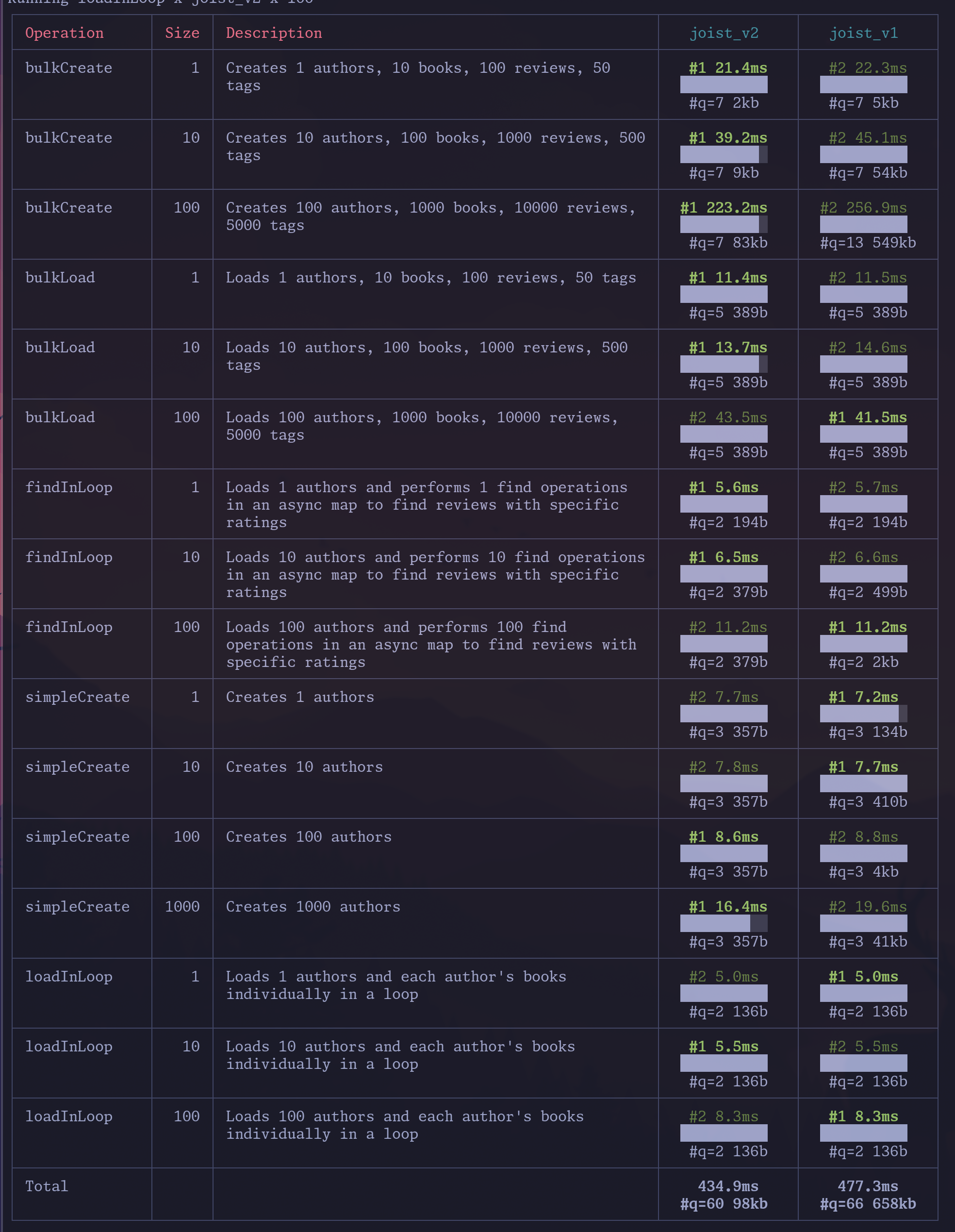
## What is `unnest`?
[Section titled “What is unnest?”](#what-is-unnest)
`unnest` is a Postgres function that takes an array and returns a set of rows, one for each element in the array.
The simplest example is converting one array and turning it into a set of rows:
```sql
-- Pass in 1 array, get back 3 rows
select unnest(array[1, 2, 3]) as i;
i
---
1
2
3
(3 rows)
```
But you can also use multiple `unnest` statements to get multiple columns on those rows:
```sql
select
unnest(array[1, 2, 3]) as id,
unnest(array['foo', 'bar', 'zaz']) as first_name;
id | first_name
----+------------
1 | foo
2 | bar
3 | zaz
(3 rows)
```
## Why `unnest` is useful
[Section titled “Why unnest is useful”](#why-unnest-is-useful)
`unnest` is great for bulk SQL statements, such as inserting 10 authors in one `INSERT`; without `INSERT` you might have 4 columns \* 10 authors = 40 query parameters:
```sql
INSERT INTO authors (first_name, last_name, publisher_id, favorite_color)
VALUES (?, ?, ?, ?). -- #a1
(?, ?, ?, ?), -- #a2
(?, ?, ?, ?), -- #a3
(?, ?, ?, ?), -- #a4
(?, ?, ?, ?), -- #a5
(?, ?, ?, ?), -- #a6
(?, ?, ?, ?), -- #a7
(?, ?, ?, ?), -- #a8
(?, ?, ?, ?), -- #a9
(?, ?, ?, ?) -- #a10
```
Where we have 10 `first_name` parameters, 10 `last_name` parameters, etc., but with `unnest` we can instead send up “just 1 array per column”:
```sql
INSERT INTO authors (first_name, last_name, publisher_id, favorite_color)
SELECT * FROM unnest(
$1::varchar[], -- first_names
$2::varchar[], -- last_names
$3::int[], -- publisher_ids
$3::varchar[] -- colors
)
```
The benefits of fewer query parameters are:
* Smaller SQL statements going over the wire (one of our benchmarks saw 41kb of SQL without `unnest`, and 350 bytes with `unnest`)
* “Stable” SQL statement that don’t change for each “number of authors being updated”, so will have better prepared statement cache hit rates
* Observability tools like Datadog will also better group “stable” SQL statements with a fixed number of parameters
This is generally a well-known approach, i.e. TimeScale had a [blog post](https://www.tigerdata.com/blog/boosting-postgres-insert-performance) highlighting a 2x performance increase, albeit you have to get to fairly large update sizes to have this much impact.
## Bringing it back?
[Section titled “Bringing it back?”](#bringing-it-back)
Joist had previously used `unnest` in our `INSERT`s and `UPDATE`s, but we’d removed it because it turns out `unnest` is finicky with array columns—it “overflattens” and requires reactangular arrays.
(I.e. array columns like `varchar[]` for storing multiple values `favorite_colors = ['red', 'blue']` in a single column.)
The 1st unfortunate thing with `unnest` is that it “overflattens”, i.e. if we want to update two author’s `favorite_colors` columns using `unnest`, we’d intuitively think “let’s just pass an array of arrays”, one array for each author:
```sql
-- Pass two arrays, with two elements each
-- We expect to get back two rows of {red,blue} and {green,purple}
select * from unnest(array[array['red','blue'],array['green','purple']]);
unnest
--------
red
blue
green
purple
(4 rows)
```
…wait, we got 4 rows instead.
Unfortunately this is just how `unnest` works—when given 2-dimensional arrays (like a matrix), it creates a row per each value/cell in matrix.
Another unfortunate wrinkle with `unnest` is that our intuitive “array of arrays” creates fundamentally invalid arrays if the authors have a different number of favorite colors:
```sql
-- Try to create 1 array of {red,blue} and 1 array of {purple}
select * from unnest(array[array['red','blue'],array['purple']]);
-- ERROR: multidimensional arrays must have array expressions with matching dimensions
```
Our error is treating the `varchar[][]` as “an array of arrays”, when fundamentally Postgres treats it as “a single array, of two dimensions”, like mathematical n-dimensional arrays or matrices: they must be “rectangular” i.e. every row of our `m x n` matrix must be the same length (we’ve been trying to create “jagged” multidimensional arrays, which is not supported).
One final wrinkle is, not only must all rows be the same length, but think about nullable columns—how could we set `a1` `favorite_colors='red', 'blue']` but then set `a2` `favorite_colors=null`? With `unnest`s strict array limitations we cannot.
The combination of these issues is why we’d previously removed `unnest` usage, but now have introducing our own `unnest_arrays` custom function that solves each of these problems.
## `unnest_arrays` Custom Function
[Section titled “unnest\_arrays Custom Function”](#unnest_arrays-custom-function)
Our custom `unnest_arrays` function works around `unnest`s limitations by coordinating with the Joist runtime to create 2-dimensional arrays that satisfy Postgres’s requirements, but still produce the desired values:
* When updating `favorite_colors` for multiple authors with different number of colors, we pad *trailing* `null`s to the end of each author’s colors array, until the array is rectangular
* When updating `favorite_colors` to null, we also pad a single *leading* `null` to indicate the desired nullness (and pad a “not-null marker” for other rows).
This is simpler to see with an example, of updating three authors:
* Author 1 should update `favorite_colors=red,green,blue`
* Author 2 should update `favorite_colors=green`
* Author 3 should update `favorite_colors=null`
We are able to issue a SQL `UPDATE` like:
```sql
WITH data AS (
SELECT
unnest($1) as id
unnest_arrays($2) as favorite_colors,
)
UPDATE authors SET favorite_colors = data.favorite_colors
FROM data WHERE authors.id = data.id
```
And our `favorite_colors` array looks like:
```sql
-- Created by the Joist runtime by reading the Author's favoriteColors
-- property and then adding padding as needed to a rectangular 2D array
array[
array['', 'red', 'green', 'blue'], -- a:1
array['', 'green', null, null], -- a:2
array[null, null, null, null]] -- a:3
]
```
This array is passed our `unnest_arrays` custom function that knows about each of these conventions:
```sql
CREATE OR REPLACE FUNCTION unnest_arrays(arr ANYARRAY, nullable BOOLEAN = false, OUT a ANYARRAY)
RETURNS SETOF ANYARRAY
LANGUAGE plpgsql IMMUTABLE STRICT AS
$func$
BEGIN
FOREACH a SLICE 1 IN ARRAY arr LOOP
-- When invoked for nullable columns, watch for the is-null/is-not-null marker
IF nullable THEN
-- If we should be null, drop all values and return null
IF a[1] IS NULL THEN a := NULL;
-- Otherwise drop the is-not-null marker
ELSE a := a[2:array_length(a, 1)];
END IF;
END IF;
-- Drop all remaining/trailing nulls
a := array_remove(a, NULL);
RETURN NEXT;
END LOOP;
END
```
And that’s it; we get out the other side our desired rows:
```sql
select unnest_arrays(array[
array['', 'red', 'green', 'blue'], -- a:1
array['', 'green', null, null], -- a:2
array[null, null, null, null]] -- a:3
, true);
unnest_arrays
------------------
{red,green,blue}
{green}
(3 rows)
```
## Pros/Cons
[Section titled “Pros/Cons”](#proscons)
Our solution has a few pros/cons:
* Pro: We’ve restored our ability to use `unnest` for all of our batched SELECTs, UPDATEs, and INSERTs 🎉
* Con: Joist users with array columns in their schemas will need to create the `unnest_arrays` function
* This is a one-time migration so seems reasonable
* Con: With all the `null` padding tricks, we’re giving up the ability to have null values *within* our array values
* I.e. we cannot have `favorite_colors=[red, null, blue]`
* For our domain modeling purposes, this is a fine/acceptable tradeoff, b/c we’ve always modeled `varchar[]` columns as `string[]` and not `Array` — we actively don’t want `null`s in our `varchar[]` columns anyway
So far these pros/cons are worth it 🚀; but, as always, we’ll continue adjusting our approach as we learn more from real-world use cases & usage.
# Dual Release Channels
For awhile now, we’ve struggled with Joist release announcements—as in we just don’t do them. 😅
The primary reason is that, unlike a VC-funded or even bootstrapped product-focused company, Joist’s development has historically been 100% driven by what we need at [Homebound](https://homebound.com), delivering business value in our day-to-day feature work.
So, when we need a new Joist feature to make our feature delivery easier/suck less, we typically need it “right now”—and so we build it and release it, without much concern for “should this warrant a major release?” or “Could we bundle a few of these major features up into a marketing-oriented release announcement?”
We mostly just need to “get back to work”, so we merge our Joist PRs and move on.
While doing so, we’ve admittedly been somewhat loose with semantic versioning. We do use [semantic release](https://github.com/semantic-release/semantic-release) to drive our releases in CI, but we’ve shied away from the `!` of denote “breaking changes”, and have just stayed `1.x` release world for…well, years at this point. We’ve just kept incrementing `1.1`, `1.2`, all the way up to `1.470`-something. 😬
But with Joist 2.0 freshly released, we’re going to try a different approach: dual release channels.
* **Stable**: This channel will follow semantic versioning (`major.minor.patch`) and be the default artifact in npmjs.
* I.e. this channel what you’ll get with a `yarn add joist-orm`
* In the periodic releases, we’ll bundle up a month-or-two of work into an “official release”, with appropriate documentation and release notes.
* We’ll trigger these releases by periodically merging `main` into our `release` branch
* **Next**: This channel will deploy on every merge to `main` and use the `next` tag in npmjs.
* I.e. this channel what you’ll get with a `yarn add joist-orm@next`
* `next` version numbers will be “the last stable release” plus “an incrementing number”, so if `2.1.0` was the last stable release, next releases would be `2.1.0-next.1`, `2.1.0-next.2`, etc.
* Next releases **will not follow semantic versioning**—they could be a mix of bug fixes, new non-breaking features, and breaking changes.
* This is basically our release process today, albeit with the new `next` tagging
Our hope is that these two channels will let us both:
1. Keep releasing new features immediately to `next`, for pulling into our internal repositories
* Without blocking our internal work on “the next major release in 3 months”, and
* Without worrying about artifically burning/increasing major release numbers,
2. Periodically batch up changes into a `stable` release, and
* Announce the new features/wins as an official release, with release notes, etc.
We’re optimistic about the approach, and mostly regret that we didn’t start doing this sooner! 😅
(Of course, even though this approach is “new to us”, the dual channel approach is definitely not new—React releases are done this way, and I assume for the same rationale: given Facebook has an internal mono repo, they likely want “the latest release” asap (similar to our internal builds), while using the periodic releases for the general public, who don’t necessarily want wake up every morning to a possibly breaking change.)
# Evolution of Defaults
Joist’s mission is to model your application’s business logic, with first-class support for domain modeling features & concepts.
A great example of this is Joist’s support for something as simple as default values: for example, the `Author.status` field should default to `Active`.
Joist’s default values support grew from “the simplest thing possible” (requiring adhoc patterns that engineers would copy/paste around) to a robust, first-class feature (an explicit `setDefault` API that “just works”).
This is a microcosm of Joist’s goal to identify the repeated patterns and pain points involved in “building a domain model”, and provide elegant features with a great DX.
### Version 1. Schema Defaults
[Section titled “Version 1. Schema Defaults”](#version-1-schema-defaults)
Joist’s initial defaults support was purposefully “as simple as possible”, and limited to `DEFAULT`s declared in the database schema, i.e. an `is_archived` field that defaults to `FALSE`, or a `status_id` that defaults to `DRAFT`:
```sql
CREATE TABLE example_table (
id SERIAL PRIMARY KEY,
is_archived BOOL DEFAULT false,
status_id INTEGER DEFAULT 1,
);
```
Joist’s codegen would recognize these, and “apply them immediately” when creating an entity:
```ts
const a = em.create(Author, {});
expect(a.status).toBe(AuthorStatus.Draft); // already Draft
expect(a.isArchived).toBe(false); // already false
```
This was super-simple, and had a few pros:
* Pro: The `status` is immediately within the `em.create`
* I.e. you don’t have to wait for an `em.flush` to “see the database default”
* Any business logic can immediately start using the default
* Pro: No duplication of “draft is the default” between the database schema & TypeScript code
* Con: Only supports static, hard-coded values
* Ideally we’d like to write lambdas to calculate defaults, based on business logic
### Version 2. beforeCreate hooks
[Section titled “Version 2. beforeCreate hooks”](#version-2-beforecreate-hooks)
Being limited to static `DEFAULT` values is not great, so the first way of implementing more complicated “dynamic defaults” was using Joist’s `beforeCreate` hooks:
```ts
/** Any author created w/non-zero amount of books defaults to Published. */
authorConfig.beforeCreate("books", a => {
if (a.status === undefined) {
a.status = a.books.get.length > 0 ? AuthorStatus.Published : AuthorStatus.Draft;
}
})
```
This was a quick-win b/c Joist already supported `beforeCreate` hooks, but had a few cons:
* Pro: Supports arbitrary business logic
* The load hint easily enables cross-entity calculations
* Con: The default logic isn’t ran until `em.flush`
* Harder for business logic to rely on
* Creates inconsistency between “hard-coded defaults” (applied immediately in `em.create`) and “dynamic defaults” (applied during `flush`)
* Con: Susceptible to hook ordering issues
* If our default’s value depends on *other* defaults, it is hard to ensure the other “runs first”
* Con: Boilerplate/imperative (not really a first-class feature)
* The code has to 1st check if `a.status` is already set (not a huge deal, but boilerplate)
* There is nothing in the code/API that identifies “this is a default”, instead we just have an adhoc pattern of “this is how our app sets defaults”
* Con: Caused duplication with test factories
* Our test factories often wanted “the same defaults” applied, but Joist’s factories are synchronous, which meant any logic that was “set in `beforeCreate`” wouldn’t be seen right away.
* To work around this, we often “wrote twice” default logic across our entities & test factories—not great!
### Version 3: Adding setDefault
[Section titled “Version 3: Adding setDefault”](#version-3-adding-setdefault)
We lived with the Version 1 & 2 options for several years, because they were “good enough”, but for the 3rd version, we wanted to start “setting defaults” on the road to being “more than just good enough”.
Specifically, we wanted a first-class, idiomatic way to “declaratively specify a field’s default value” instead of the previous “manually check the field in a `beforeCreate` hook”.
So we added `config.setDefault`, which accepts the field name, it’s dependencies (if any), and a lambda that would calculate the default value:
```ts
/** Calculate the Author.status default, based on number of books. */
authorConfig.setDefault("status", "books", (a) => {
// a.books.get is available, but a.firstName is not, b/c it's not listed as a dependency
return a.books.get.length > 0 ? AuthorStatus.Published : AuthorStatus.Draft;
})
```
This was a great start, but we pushed it out knowingly half-baked:
* Pro: Provided scaffolding of a better future
* Gave an idiomatic way to “declare defaults”
* Pro: The type system enforces that the lambda only calls fields explicitly listed in the dependency param
* This reused our `ReactiveField` infra and is great for ensuring dependencies aren’t missed
* Con: The dependencies weren’t actually used yet
* “…ship early!”
* Con: `setDefault` lambdas were still not invoked until `em.flush`
* So we still had the “write defaults twice” problem with test factories
### Version 4: Dependency Aware
[Section titled “Version 4: Dependency Aware”](#version-4-dependency-aware)
After having the `setDefault` API in production for a few months, the next improvement was to capitalize on “knowing our dependencies” and allow defaults to depend on other defaults.
For example, maybe our `Author.status` default needs to know whether any of the books are published (which itself is a default):
```ts
// In `Author.ts`
authorConfig.setDefault("status", { books: "status" }, a => {
const anyBookPublished = a.books.get.some(b => b.status === BookStatus.Published);
return anyBookPublished ? AuthorStatus.Published : AuthorStatus.Draft;
})
// In `Book.ts`
bookConfig.setDefault("status", {}, b => {
// Some business logic that dynamically determines the status
return BookStatus.Published;
});
```
Now, if both a `Book` and an `Author` are created at the same time, `em.flush` will ensure that the `Book.status` is calculated before invoking the `Author.status` default—*we’ve solved our ordering issue!*
This was a major accomplishment—cross-entity defaults had been a thorn in our side for years.
(Fwiw we readily admit this is a rare/obscure need—in our domain model of 100s of entities, we have only \~2-3 of these “cross-entity defaults”, so we want to be clear this is not necessarily a “must have” feature—but, when you need it, it’s extremely nice to have!)
* Pro: Finally unlocked cross-entity defaults
* Con: Still have the “write defaults twice” problem with factories
### Version 5: Teaching Factories!
[Section titled “Version 5: Teaching Factories!”](#version-5-teaching-factories)
The next DX iteration was solving the duplication of “factories want the defaults too!”.
Looking more closely at this issue, Joist’s test factories are synchronous, which means we can create test data easily without any `await`s:
```ts
// Given an author
const a = newAuthor(em);
// And a book
const b = newBook(em, { author: a });
// And setup something else using b.title
// ...if there is "default title logic", it will not have ran yet, which
// can be confusing for tests/other logic expecting that behavior
console.log(b.title);
```
The lack of `await`s is very nice! But it does mean, if we really wanted `b.title` to *immediately* reflect its production default, we had recode the default logic into the `newBook` factory:
```ts
export function newBook(em: EntityManager): DeepNew {
return newTestInstance(em, Book, {
title: "recode the Book default logic here",
});
}
```
As before, for a while this was “good enough”—but finally in this iteration, we taught the factories to leverage their “each test’s data is already in memory” advantage and just invoke the defaults immediately during the `newTestInstance` calls.
This works even for `setDefault`s that use load hints, like “author status depends on its books”:
```ts
// In `Author.ts`
authorConfig.setDefault("status", { books: "status" }, a => {
const anyBookPublished = a.books.get.some(b => b.status === BookStatus.Published);
return anyBookPublished ? AuthorStatus.Published : AuthorStatus.Draft;
})
```
In production, Joist can’t assume “the author’s books are already in-memory”, so `em.flush` would first load / `await` for the `a.books` to be loaded, and then invoke the lambda.
However, because our tests know that `a.books` is already in memory, they can skip this `await`, and immediately invoke the lambda.
* Pro: We finally can remove the factory’s “write it twice” defaults
### Version Next: findOrCreates
[Section titled “Version Next: findOrCreates”](#version-next-findorcreates)
Always looking ahead, the next itch we have is that, currently, default lambdas that call async methods like `em.find` or `em.findOrCreate` are still skipped during `newTestInstance` and only run during `em.flush`.
Which means, for these defaults, we still have remnants of the “write it twice” defaults anti-pattern—albeit very few of them!
We should be able to lift this restriction as well, with a little bit of work (…maybe :thinking:, the `newBook` call is fundamentally synchronous, so maybe not).
## Slow Grind to Perfection
[Section titled “Slow Grind to Perfection”](#slow-grind-to-perfection)
Wrapping up, besides a “walk down memory lane”, the larger point of this post is highlighting Joist’s journey of continually grinding on DX polish—we’re about five years into [Joel’s Good Software Takes 10 Years](https://www.joelonsoftware.com/2001/07/21/good-software-takes-ten-years-get-used-to-it/), so only another 5 to go! :smile:
Of course, it’d be great for this evolution to happen more quickly—i.e. if we had a dependency-aware, factory-aware, amazing `setDefault` API from day one.
But, often times jumping to an abstraction can be premature, and result in a rushed design—so sometimes it doesn’t hurt to “sit with the itch” for a little while, evolve it through multiple iterations of “good enough”, until finally a pleasant/robust solution emerges.
And, perhaps most pragmatically, small iterations helps spread the implementation out over enough hack days that it can actually get shipped. :ship:
# Pipelining for 3-6x Faster Commits
I’ve known about Postgres’s [pipeline mode](https://www.postgresql.org/docs/current/libpq-pipeline-mode.html) for a while, and finally have some prototyping of pipelining in general, and alpha builds of Joist running with pipeline mode (coming soon!).
This post is an intro to pipelining, using [postgres.js](https://github.com/porsager/postgres) and [mitata](https://www.npmjs.com/package/mitata) to benchmark some examples.
## What is Pipelining?
[Section titled “What is Pipelining?”](#what-is-pipelining)
Pipelining, as a term in networking, allows clients to send multiple requests, immediately one after each other, without first waiting for the server to respond.
### Without Pipelining
[Section titled “Without Pipelining”](#without-pipelining)
Using NodeJS talking to Postgres for illustration, the default flow of SQL statements, without pipelining, involves a full round-trip network request for each SQL statement:
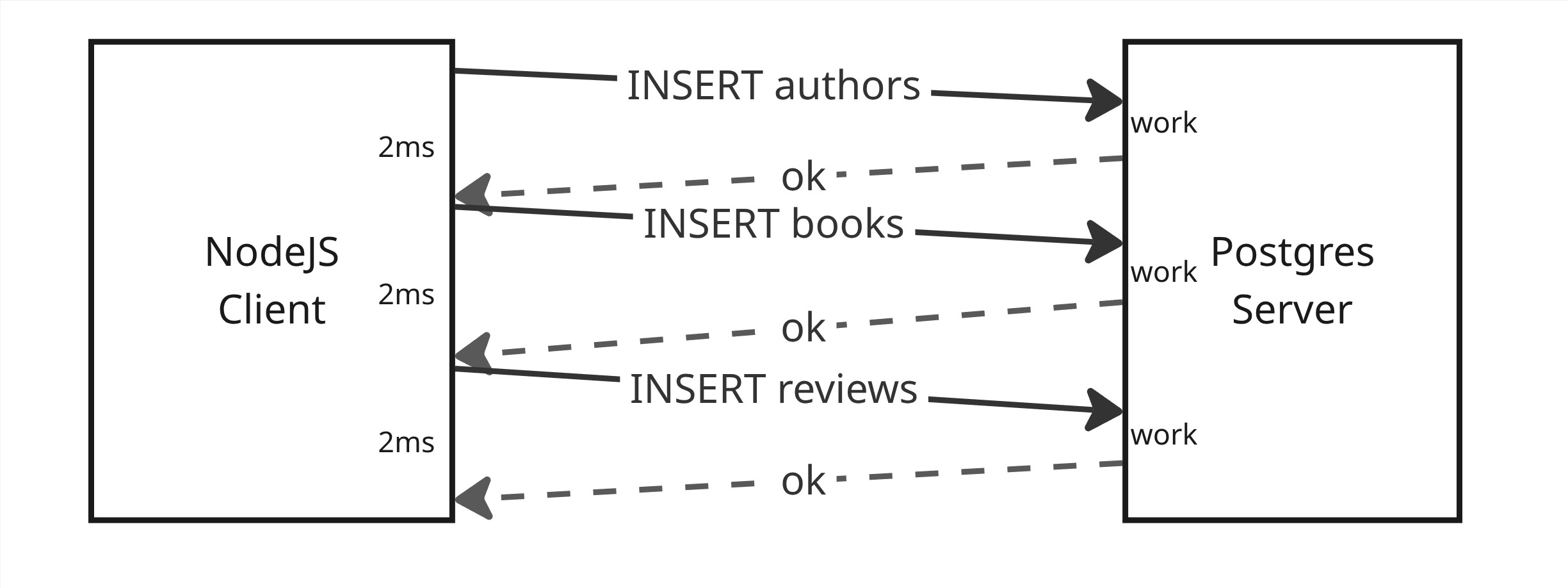
* Send an `INSERT authors`
* …wait several millis for work & response…
* Send an `INSERT books`
* …wait several millis for work & response…
* Send an `INSERT reviews`
* …wait several millis for work & response…
Note that we have to wait for *both*:
1. The server to “complete the work” (maybe 1ms), and
2. The network to deliver the responses back to us (maybe 2ms)
Before we can continue sending the next request.
This results in a lot of “wait time”, for both the client & server, while each is waiting for the network call of the other to transfer over the wire.
### With Pipelining
[Section titled “With Pipelining”](#with-pipelining)
Pipelining allows us to remove this “extra wait time” by sending all the requests at once, and then waiting for all responses:
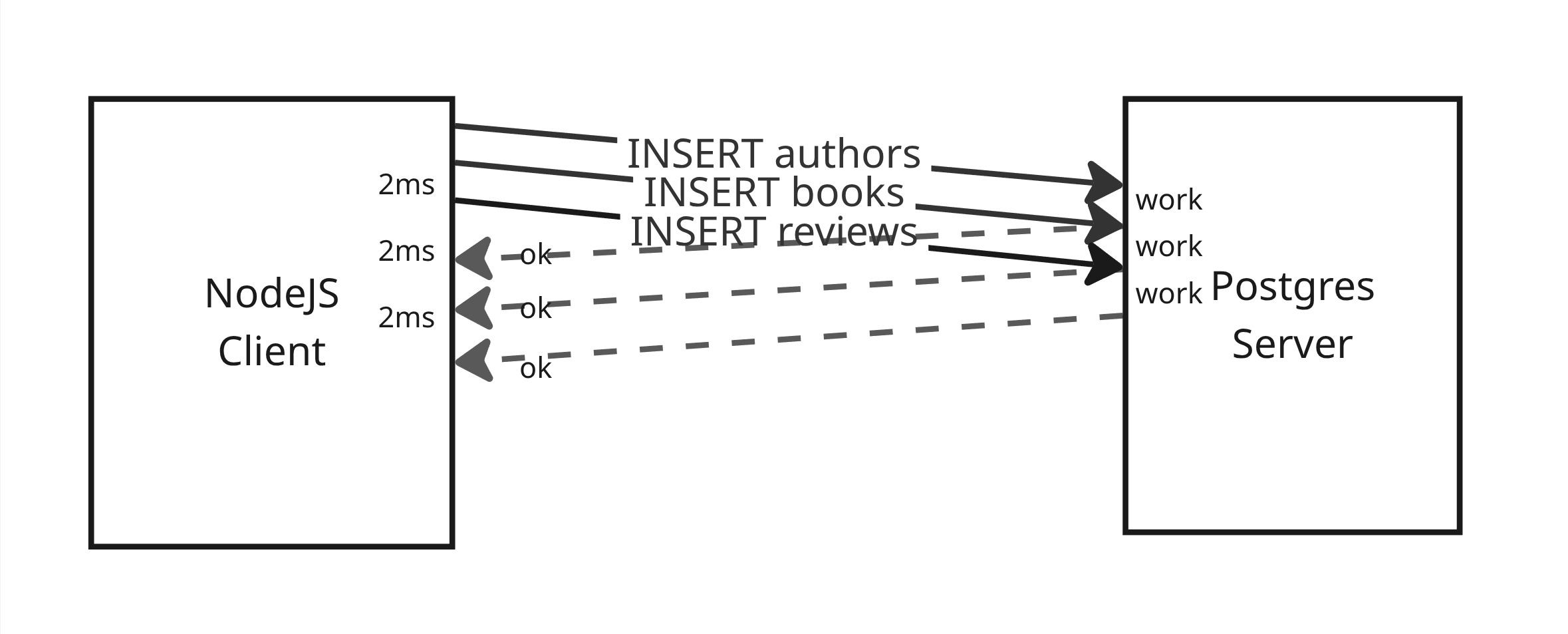
* Send `INSERT authors`
* Send `INSERT books`
* Send `INSERT reviews`
* …wait several millis for all 3 requests to complete…
The upshot is that **we’re not waiting on the network** before sending the server more work to do.
Not only does this let our client “send work” sooner, but it lets the server have “work to do” sooner as well—i.e. as soon as the server finishes `INSERT authors`, it can immediately start working on `INSERT books`.
## Transactions Required
[Section titled “Transactions Required”](#transactions-required)
One wrinkle with pipelining is that if 1 SQL statement fails (i.e. the `INSERT authors` statement), all requests that follow it in the pipeline are also aborted.
This is because Postgres assumes the later statements in the pipeline relied on the earlier statements succeeding, so once earlier statements fail, the later statements are considered no longer valid.
This generally means pipelining is only useful when executing multi-statement database transactions, where you’re executing a `BEGIN` + some number of `INSERT`, `UPDATE`, and `DELETE` statements + `COMMIT`, and we already expect them to all atomically commit.
Serendipitously, this model of “this group of statements all need to work or abort” is exactly what we want anyway for a single backend request that is committing its work, by atomically saving its work to the database in a transaction—and is exactly what Joist’s `em.flush` does. :-)
## Benchmarking Wire Latency
[Section titled “Benchmarking Wire Latency”](#benchmarking-wire-latency)
Per above, network latency between your machine & the database is the biggest factor in pipelining’s performance impact.
This can make benchmarking difficult and potentially misleading, because benchmarks often have the “web backend” and “the database” on the same physical machine, which means there is effectively zero network latency.
Thankfully, we can use solutions like Shopify’s [toxiproxy](https://github.com/Shopify/toxiproxy) to introduce an artificial, deterministic amount of latency to the network requests between our Node process and the Postgres database.
toxiproxy is particularly neat in that it’s easy to run as a docker container, and control the latency via `POST` commands to a minimal REST API it exposes:
docker-compose.yml
```yaml
services:
toxiproxy:
image: ghcr.io/shopify/toxiproxy:2.12.0
depends_on:
db:
condition: service_healthy
ports:
- "5432:5432"
- "8474:8474"
volumes:
- ./toxiproxy.json:/config/toxiproxy.json
command: "-host=0.0.0.0 -config=/config/toxiproxy.json"
```
toxiproxy.json
```json
[
{
"name": "postgres",
"listen": "0.0.0.0:5432",
"upstream": "db:5432",
"enabled": true
}
]
```
toxi-init.sh
```shell
curl -X POST http://localhost:8474/reset
curl -X POST http://localhost:8474/proxies/postgres/toxics -d '{
"name": "latency_downstream",
"type": "latency",
"stream": "downstream",
"attributes": { "latency": 2 }
}'
```
Is all we need to control exactly how much latency toxiproxy injects between every Node.js database call & our docker-hosted postgres instance.
## Leveraging postgres.js
[Section titled “Leveraging postgres.js”](#leveraging-postgresjs)
We’ll look at Joist’s pipeline performance in a future post, but for now we’ll stay closer to the metal and use [postgres.js](https://github.com/porsager/postgres) to directly execute SQL statements in a few benchmarks.
We’re using postgres.js instead of the venerable node-pg solely because postgres.js implements pipelining, but node-pg does not yet.
postgres.js also has an extremely seamless way to use pipelining—any statements issued in parallel (i.e. a `Promise.all`) within a `sql.begin` are automatically pipelined for us.
Very neat!
Info
The Postgres [pipelining docs](https://www.postgresql.org/docs/current/libpq-pipeline-mode.html) make a valid point that pipelining requires async behavior, which in traditional blocking languages like Java & C, is a significant complexity increase, such that pipelining may not be worth the trade-off.
However, JavaScript is already async & non-blocking, so submitting several requests in parallel, and waiting for them to return, is extremely natural; it’s just `Promise.all`:
```ts
// Example of how easy/natural submitting parallel requests is in JS
const [response1, response2, response3] = await Promise.all([
sendRequest1(),
sendRequest2(),
sendRequest3(),
]);
```
## Benchmarks
[Section titled “Benchmarks”](#benchmarks)
### 0. Setup
[Section titled “0. Setup”](#0-setup)
We’ll use [mitata](https://www.npmjs.com/package/mitata) for timing info—it is technically focused on CPU micro-benchmarks, but its warmup & other infra make it suitable to our async, I/O oriented benchmark as well.
For SQL statements, we’ll test inserting `tag` rows into a single-column table—for these tests, the complexity/cost of the statement itself is not that important, and a simple insert will do.
We have a few configuration parameters, that can be tweaked across runs:
* `numStatements` the number of tags to insert
* `toxiLatencyInMillis` the latency in millis that toxiproxy should delay each statement
As we’ll see, both of these affect the results—the higher each becomes (the more statements, or the more latency), the more performance benefits we get from pipelining.
### 1. Sequential Inserts
[Section titled “1. Sequential Inserts”](#1-sequential-inserts)
As a baseline benchmark, we execute `numStatements` inserts sequentially, with individual `await`s on each `INSERT`:
```ts
bench("sequential", async () => {
await sql.begin(async (sql) => {
for (let i = 0; i < numStatements; i++) {
await sql`INSERT INTO tag (name) VALUES (${`value-${nextTag++}`})`;
}
});
});
```
We expect this to be the slowest, because it is purposefully defeating pipelining by waiting for each `INSERT` to finish before executing the next one.
info
Ideally your code, or ORM, would be inserting 10 tags as a single batch `INSERT`, as Joist does automatically.
But here we’re less concerned about what each specific SQL statement does, and more just how many statements we’re executing & waiting for return values—so a non-batch `INSERT` into tags will suffice.
### 2. Pipelining with return value
[Section titled “2. Pipelining with return value”](#2-pipelining-with-return-value)
This is postgres.js’s canonical way of invoking pipelining, returning a `string[]` of SQL statements from the `sql.begin` lambda:
```ts
bench("pipeline string[]", async () => {
await sql.begin((sql) => {
const statements = [];
for (let i = 0; i < numStatements; i++) {
statements.push(sql`INSERT INTO tag (name) VALUES (${`value-${nextTag++}`})`);
}
return statements;
});
});
```
We expect this to be fast, because of pipelining.
### 3. Pipelining with Promise.all
[Section titled “3. Pipelining with Promise.all”](#3-pipelining-with-promiseall)
This last example also uses postgres.js’s pipelining, but by invoking the statements from within a `Promise.all`:
```ts
bench("pipeline Promise.all", async () => {
await sql.begin(async (sql) => {
const statements = [];
for (let i = 0; i < numStatements; i++) {
statements.push(sql`INSERT INTO tag (name) VALUES (${`value-${nextTag++}`})`);
}
await Promise.all(statements);
});
});
```
This is particularly important for Joist, because even within a single `em.flush()` call, we’ll execute a single `BEGIN`/`COMMIT` database transaction, but potentially might have to make several “waves” of SQL updates (technically only when `ReactiveQueryField`s are involved), and so can’t always return a single `string[]` of SQL statements to execute.
We expect this to be fast as well.
## Performance Results
[Section titled “Performance Results”](#performance-results)
I’ve run the benchmark with a series of latencies & statements.
1ms latency, 10 statements:
```plaintext
toxiproxy configured with 1ms latency
numStatements 10
clk: ~4.37 GHz
cpu: Intel(R) Core(TM) i9-10885H CPU @ 2.40GHz
runtime: node 23.10.0 (x64-linux)
benchmark avg (min … max)
-------------------------------------------
sequential 15.80 ms/iter
pipeline string[] 4.16 ms/iter
pipeline Promise.all 4.21 ms/iter
summary
pipeline string[]
1.01x faster than pipeline Promise.all
3.8x faster than sequential
```
1ms latency, 20 statements:
```plaintext
toxiproxy configured with 1ms latency
numStatements 20
clk: ~4.52 GHz
cpu: Intel(R) Core(TM) i9-10885H CPU @ 2.40GHz
runtime: node 23.10.0 (x64-linux)
benchmark avg (min … max)
-------------------------------------------
sequential 30.43 ms/iter
pipeline string[] 4.55 ms/iter
pipeline Promise.all 4.51 ms/iter
summary
pipeline Promise.all
1.01x faster than pipeline string[]
6.74x faster than sequential
```
2ms latency, 10 statements:
```plaintext
toxiproxy configured with 2ms latency
numStatements 10
clk: ~4.53 GHz
cpu: Intel(R) Core(TM) i9-10885H CPU @ 2.40GHz
runtime: node 23.10.0 (x64-linux)
benchmark avg (min … max)
-------------------------------------------
sequential 28.85 ms/iter
pipeline string[] 7.27 ms/iter
pipeline Promise.all 7.54 ms/iter
summary
pipeline string[]
1.04x faster than pipeline Promise.all
3.97x faster than sequential
```
2ms latency, 20 statements:
```plaintext
toxiproxy configured with 2ms latency
numStatements 20
clk: ~4.48 GHz
cpu: Intel(R) Core(TM) i9-10885H CPU @ 2.40GHz
runtime: node 23.10.0 (x64-linux)
benchmark avg (min … max)
-------------------------------------------
sequential 55.05 ms/iter
pipeline string[] 9.17 ms/iter
pipeline Promise.all 10.13 ms/iter
summary
pipeline string[]
1.1x faster than pipeline Promise.all
6x faster than sequential
```
So, in these benchmarks, pipelining makes our inserts (and ideally future Joist `em.flush` calls!) 3x to 6x faster.
A few notes on these numbers:
* 1-2ms latency I think is a generally correct/generous latency, based on what our production app sees between an Amazon ECS container and RDS Aurora instance.
(Although if you’re using [edge-based compute](https://gist.github.com/rxliuli/be31cbded41ef7eac6ae0da9070c8ef8#using-batch-requests) this can be as high as 200ms :-O)
* 10 statements per `em.flush` seems like a lot, but if you think about “each table that is touched”, whether due to an `INSERT` or `UPDATE` or `DELETE`, and include many-to-many tables, I think it’s reasonable for 10-tables to be a not-uncommon number.
Note that we assume your SQL statements are already batched-per-table, i.e. if you have 10 author rows to `UPDATE`, you should be issuing a single `UPDATE authors` that batch-updates all 10 rows. If you’re using Joist, it already does this for you.
## Pipelining FTW
[Section titled “Pipelining FTW”](#pipelining-ftw)
I created this raw SQL benchmark to better understand pipelining’s l-wlevel performance impact, and I think it’s an obvious win: **3-6x speedups** in multi-statement transactions.
As a reminder/summary, to leverage pipelining you need three things:
1. A postgresql driver that supports it,
2. Be executing multi-statement transactions, and
3. Structure your code such that all the transaction statements are submitted in parallel
This last one is where Joist is the most helpful—it’s `em.flush()` method automatically generates the `INSERT`s, `UPDATE`s, and `DELETE`s for your changes, and so it can automatically submit them using a `Promise.all`, and not require any restructuring in your code.
In a future/next post, we’ll swap these raw SQL benchmarks out for higher-level ORM benchmarks, to see pipelining’s impact in more realistic scenarios.
info
The code for this post is in [pipeline.ts](https://github.com/joist-orm/joist-benchmarks/blob/main/packages/benchmark/src/pipeline.ts) in the [joist-benchmarks](https://github.com/joist-orm/joist-benchmarks/) repo.
After running `docker compose up -d`, invoking `yarn pipeline` should run the benchmark.
# Lazy Fields for 30x speedup without Decorators or Transforms
Joist is an [ActiveRecord](https://guides.rubyonrails.org/active_record_basics.html)-style TypeScript ORM, such that we purposefully mimic how Rails declares relations, i.e. as class fields:
```typescript
// simplified example
class Author {
books = hasMany("books");
}
```
These class fields are very ergonomic, i.e. no decorators (which we [purposefully avoid](/blog/avoiding-decorators/)) or other boilerplate, so much so that at [Homebound](https://www.homebound.com/), we’ve written (or codegen-d) literally thousands of these class fields in our domain models.
Tip
Unlike query-builder ORMs like Prisma, Joist’s class fields can be incrementally populated (and cached!), similar to TypeORM, except that, unlike TypeORM, Joist also tracks loaded-ness in the [type system](/goals/load-safe-relations), resolving one of its biggest footguns.
This allows business logic to dynamically/iteratively load data as-needed for its computation (but [without N+1s](/goals/avoiding-n-plus-1s/)!), instead of trying to “one-shot” load it as part of a single large up-front query.
## Fields are Expensive at Scale
[Section titled “Fields are Expensive at Scale”](#fields-are-expensive-at-scale)
This approach has worked really well, with the only downside being that JavaScript’s class fields are eagerly initialized.
This means when `new Author` is called, all the fields in `class Author`, like `books = hasMany(...)` above, and any others like `publisher = hasOne(...)`, etc., are immediately created & allocated in memory.
These class fields are created & assigned *every time*, for *every author* instance, even if the code that called `new Author` doesn’t end up using the `books` relation (maybe it only uses `publisher`).
This eager-ness is fine when `Author` has a handful of relations, but in sufficiently-complicated domain models, some of our core entities have 30 relations, and the cost of creating 30 relations `x` 1,000 of rows can start to add up.
So our goal is to keep the `books = hasMany("books")` syntax, but somehow make the fields lazy, so we only pay for what we use.
## First Approach: Codegen
[Section titled “First Approach: Codegen”](#first-approach-codegen)
Not surprisingly, our first solution was to leverage code generation.
For an application’s default, foreign-key-based relations like one-to-many, many-to-one, etc., Joist already generates a `AuthorCodegen` class that has the boilerplate relations defined for free.
I.e. in Joist, you get getters & setters like `author.firstName`, and relations like `author.books` and `publisher.author` all for free, from the generated `AuthorCodegen` base class.
Because these `...Codegen` classes are not handwritten, it was easy to just swap the field-based code over to getters:
```ts
// in AuthorCodegen.ts, generated by joist-codegen
class AuthorCodegen {
// lazy cache of relations
#relations: Record = {};
// Not a field anymore, but looks like one to callers
get books(): OneToMany {
return (this.#relations["books"] ??= hasMany("books"));
}
}
// in Author.ts, written by the user
class Author extends AuthorCodegen {
// we get the lazy relations for free
}
```
Because `get books()` is a method in a JavaScript `class`, the `books` function is installed just once on the `Author.prototype`, not each individual `author` instance, and so when we create `new Author` the only field to initialize is a single shared `#relations` cache, and there “nothing to do” for `books`—it doesn’t need an allocation, it’s just waiting to be called, on the prototype—it’s lazy.
This works great! We get lazy initialization, `hasMany("books")` is only invoked when `books` is accessed, and no one cares that the generated output is a little longer/more verbose.
However, Joist also has a robust set of user-defined relations, for [rich domain modeling](/modeling/why-entities/), i.e. things like [ReactiveField](/modeling/reactive-fields/):
```ts
// in Author.ts, written by the user
class Author extends AuthorCodegen {
numberOfBooks = hasReactiveField(...);
}
```
And because this line is fundamentally a user-/engineer-written relation, we couldn’t apply our usual codegen hammer.
## Second Approach: AST Transformers
[Section titled “Second Approach: AST Transformers”](#second-approach-ast-transformers)
Given we want “this field…but rewritten into a getter”, that sounded like a good job for AST rewriting!
So our next approach was using [ts-patch](https://github.com/nonara/ts-patch) to run a custom transform during the `tsc` compilation process that scanned the AST for class fields following our `has...` convention, and rewrote them to getters.
So the source `Author.ts` file would have the `books = hasBooks` field syntax, but the `tsc` emitted `Author.js` file would have a `get books() { ... }` getter, very similar to the `AuthorCodegen` getters from the previous approach.
This was pretty good!
The pros/cons were:
* Pro: We achieved lazy initialization :tada:
* Pro: Engineers kept writing the ergonomic `relation = hasSome(...)` field syntax
* Pro: No runtime overhead
* Con: Potentially different test vs. production behavior, if tests did not use `ts-jest` & invoke the transformer
* Con: We’re tightly coupled to `ts-patch` and `tsc`-driven output
This last con has been becoming more painful, as more alterative performance-improving solutions to “transpile/load TypeScript” have been popping up.
We’re fans of tsx, Bun, and Node’s built-in TypeScript support—all of which are amazingly fast, but all have spotty or missing transform support (likely on purpose, b/c transforms themselves would only slow things down), and so we’ve not been able to leverage these newer tools.
This had been fine, but as our majestic monolith codebase grows (and grows), we’re more & more motivated to switch to a faster build/load process—without giving up the lazy fields performance optimization.
## Final Approach: JavaScript Prototypes
[Section titled “Final Approach: JavaScript Prototypes”](#final-approach-javascript-prototypes)
We spent quite awhile brainstorming how to “keep fields…but not have them initialized”—literally months of “here & there” thinking about it, since this was not our top priority, but always an itch, lurking, tingling, just waiting to be scratched.
We were willing to use proxies, or subtypes, or really any magic—but could not think of a way to avoid the `hasMany` function in `books = hasMany` from running when the constructor is called.
Stepping back, we established that, tactically, we need to achieve two things:
1. Create an instance without the fields
2. Move the relations onto the prototype
When articulated this way, a native-JavaScript solution starts to emerge, and even become obvious in retrospect.
### Skipping field initializers with Object.create
[Section titled “Skipping field initializers with Object.create”](#skipping-field-initializers-with-objectcreate)
The insight to avoid field initializers is they happen “when the constructor is called”—what if we just don’t call the constructor? I.e. don’t call `new Author`?
Ideally we’d like to create an empty `author` instance (i.e. with no fields assigned, so no `hasMany` functions invoked), but hooked up to the `Author` class’s prototype, so it would still “quack like an Author”.
Turns out in JavaScript this is a one-liner:
```ts
const empty = Object.create(Author.prototype);
```
And it has all the behaviors we’re looking for:
```ts
console.log(empty instanceof Author); // true!
console.log(empty.someGetterOnPrototype); // works
console.log(empty.someClassField); // undefined but expected
```
Granted, “don’t use `new Author`” sounds like a weird approach, but serendipitously Joist already requires all entity creation to go through the `EntityManager`, i.e.:
```ts
// Creating new authors must use em.create
const newAuthor = em.create(Author);
// Loading existing authors must use em.load/em.find
const oldAuthor = await em.load(Author, "a:1");
```
So our codebases were *already decoupled from the `new` operator*, and using `em.create` / `em.load` instead, as Joist uses these `em.create` & `em.load` methods to precisely control (and optimize) the entity creation/lifecycle.
This was lucky! Our `em.create` / `em.load` API meant we already had a single choke point to swap out an optimized `Object.create`-based instantiation flow (instead of using `new`), and have the entire codebase benefit, with very few/ideally zero changes.
So far this is almost too easy—we’ve got an empty `author`, but of course `author.books.load()` does not work yet (it was a field that we skipped), so how do we get that `books` relation, and all the other relations, back?
### Moving Relations to the Prototype
[Section titled “Moving Relations to the Prototype”](#moving-relations-to-the-prototype)
We need a caller accessing `author.books` to still work, and ideally “find books” on the `Author`’s prototype, which means something like:
* The JavaScript runtime looks for a `"books"` key defined directly on the `author` instance, but does not find one (because we skipped the `new Author` constructor)
* The JavaScript runtime looks up the prototype chain, for a `"books"` key, and finds `Author.prototype["books"]`, and invokes that, with `author` bound to `this`
This flow would allow us to define `books` “just once” on the `Author.prototype` and have all author instances “get the `books` key” basically for free: they would inherit the `"books"` key from their prototype, without any extra per-`author` instantiation costs.
Granted, different authors can have different books, so we don’t want `Author.prototype.books` to be a literal `Book[]` array of books—but we could define it as a function that, when called with `this=author1` or `this=author2`, returns the books for that specific author.
…which is essentially a getter (i.e. we’ve just described how getter methods in JavaScript classes work: they are just syntax sugar for “put this function on the prototype”).
So, how do we get this `Author.prototype.books` getter defined?
Because everything in JavaScript is “just an object”, including prototypes, we can dynamically define keys on the prototype with just an `Object.defineProperty`:
```ts
Object.defineProperty(Author.prototype, "books", {
configurable: true,
get(this: any) {
return (this.relations["books"] ??= hasBooks());
},
});
```
So easy!
We just need to call this `defineProperty` for `author.books`, `author.publisher`, and all other relations on `Author`—but how do we know what those relations are?
### Probing for Relation Metadata
[Section titled “Probing for Relation Metadata”](#probing-for-relation-metadata)
We want to figure out “what are the fields on `Author` that we should move to the prototype”? Ideally just at runtime, i.e. without any AST parsing.
Who can tell us what the fields are? …the constructor!
This is ironic, because we’ve been trying so hard to avoid the constructor (avoid calling `new`)—but if we just call it once, during boot, we can use it as a one-time “probe” to discover the fields, and then never call it again.
We end up with a process like:
1. When Joist boots, create a single “fake” `new Author` to let the constructor assign fields like `books = hasMany(...)` during the traditional object instantiation process
2. Teach `hasBooks(...)` to return a `LazyField` marker/wrapper that isn’t the true relation (it cannot actually hold/fetch `Book`s), but instead a lazy version that lets us:
* a) identify “this `author.books` value is a lazy field”, and
* b) later ask it to create the live relation, only when needed/accessed.
3. For every `Object.entries(author)` where `value intanceof LazyField`, do an `Object.defineProperties` to “move” that field to the prototype, and call `lazyField.create()` when lazily accessed:
```ts
Object.defineProperty(Author.prototype, lazyField.fieldName, {
configurable: true,
get(this: any) {
return (this.__fields[lazyField.fieldName] ??= lazyField.create(this));
},
});
```
And that’s it—we’ve done a one-time/on-boot “probe” of `new Author`, to find its fields/relations, moved them to the prototype, and now going forward we can do our constructor-avoiding `Object.create(Author.prototype)` call.
When callers access the relations like `author.books`, `author.publisher` they will still be there, and still “look like fields” to the type system, but they’ll be lazily created.
### Non-Relation Transient Fields
[Section titled “Non-Relation Transient Fields”](#non-relation-transient-fields)
The approach so far works great for “class fields that are relations”, like `hasMany` or `hasReactiveField`, but what about “just regular fields”, like if you want to have some extra/random class field on an Author?
Joist already had an established convention for these “not actually persisted but sometimes useful fields”, which was wrapping them in a `transientFields` object:
```ts
class Author extends AuthorCodegen {
transientFields = {
someSpecialFlag: false,
};
// use the transient field in some business logic
get someLogic(): boolean {
return this.transientFields.someSpecialFlag ? 1 : 2;
}
}
```
We created this convention solely for developer ergonomics: we want it to be abundantly clear that `someSpecialFlag` is not a database column, and wrapping these one-off fields in a `transientFields` object has been a great way to communicate that.
Here again we got lucky—because `transientFields` is a known convention/hardcoded name, even though we’re skipping the `new` operator (which normally defines the `transientFields` POJO on each instance), we can apply the same “move to the prototype” trick.
We `defineProperty` a `Author.prototype.transientFields` getter to lazily create each instances’ `transientFields` POJO on first access:
```ts
Object.defineProperty(cstr.prototype, "transientFields", {
get(this: any) {
// Give each instance its own lazily-created copy of transientFields
const copy = structuredClone(value);
// Once defined on the instance, this prototype getter won't be hit
// again, b/c author.transientFields will immediately find its instance
// level copy
Object.defineProperty(this, "transientFields", { value: copy });
return copy;
},
});
```
So everything still works!
## Performance Achieved
[Section titled “Performance Achieved”](#performance-achieved)
So, why do all this?
We recorded benchmarks from our internal codebase, creating one of our core entities, which has 30+ relations, across these 3 approaches:
* The vanilla `new cstr()` with no field optimizations at all
* Our previous `joist-transform-properties` ts-patch approach
* The new `Object.create` + prototype approach
```text
benchmark avg (min … max) p75 / p99 (min … top 1%)
---------------------------------------------------- -------------------------------
new cstr() vanilla js 4.98 µs/iter 5.00 µs █▅
(4.11 µs … 176.31 µs) 8.92 µs ██▃
( 32.00 b … 1.16 mb) 29.87 kb ▁████▅▃▂▂▁▁▁▁▁▁▁▁▁▁▁▁
joist-transform-properties 258.26 ns/iter 258.62 ns █
(248.18 ns … 331.49 ns) 279.27 ns ██
(296.04 b … 661.47 b) 496.61 b ▂▁▂▂████▃▄▃▂▂▂▂▁▁▁▁▁▁
Object.create() 157.89 ns/iter 156.26 ns ██
(152.97 ns … 305.13 ns) 222.49 ns ██
(351.71 b … 708.99 b) 441.30 b ██▃▁▂▁▁▁▁▁▁▁▁▁▁▁▁▁▁▁▁
```
Note that the 1st results 4.98µs is microseconds, while the 2nd and 3rd are nanoseconds, so after normalizing & comparing them:
* Our new `Object.create` is 30x faster that vanilla `new Author`
* The new `Object.create` is also 1.6x faster than our previous AST-transform approach (likely b/c `transientFields` is lazy now too)
Perhaps more importantly, for memory usage:
* The new `Object.create` uses 70x less memory than vanilla `new Author`
* The new `Object.create` uses basically the same memory as the AST approach (expected)
We’re really happy with these results!
Tip
If you want to explore this `Object.create` approach in a minimal example, there is a proof-of-concept repository we used to prototype the approach [here](https://github.com/stephenh/lazy-ts-fields/tree/main/src).
## Onward
[Section titled “Onward”](#onward)
Looking at what we’ve achieved, we’ve made all Joist relations/class fields lazy, with no decorators like `@lazy` or `@ManyToOne`, or our prior AST transforms; instead, just by taking the time to study the problem, and then leaning into one of JavaScript’s core native features—prototypes!
This work unblocks our current priority: improving the DX of our large, 500-table majestic monolith codebase, to feel as light & nimble as smaller codebases—and doing so without regressing real-world application performance.
# New NextJS Sample App
We’ve added a new [NextJS + Joist](https://github.com/joist-orm/joist-nextjs-sample/) sample app that shows how Joist can be used in a NextJS application, with several benefits:
* Automatic N+1 Prevention
* JSON Payload/Props Creation
* Optional Join-based Preloading
This post gives a short overview; if you’d like to watch a video, we also have a [YouTube video](https://youtu.be/H_qJdKUS9D0) that walks through the sample app.
[YouTube video player](https://www.youtube.com/embed/H_qJdKUS9D0?si=qUiRr0GTMrQCgayC)
## Two Render Tree Approaches
[Section titled “Two Render Tree Approaches”](#two-render-tree-approaches)
While building the sample app, we found two fundamental ways of structuring a NextJS app’s render tree:
1. Fewer RSCs (left side), that prop drill data to the Client Components
* `table.tsx` is a server component that loads all data for the tree
* `author-rcc-card.tsx` and `book-rcc-preview.tsx` are client components that accept prop-drilled data
2. Mostly RSCs (right side), with Client Components only at the bottom
* `table.tsx` is a server component but only loads what it needs
* `author-rsc-card.tsx` and `book-rsc-preview.tsx` are RSC and do their own data loading
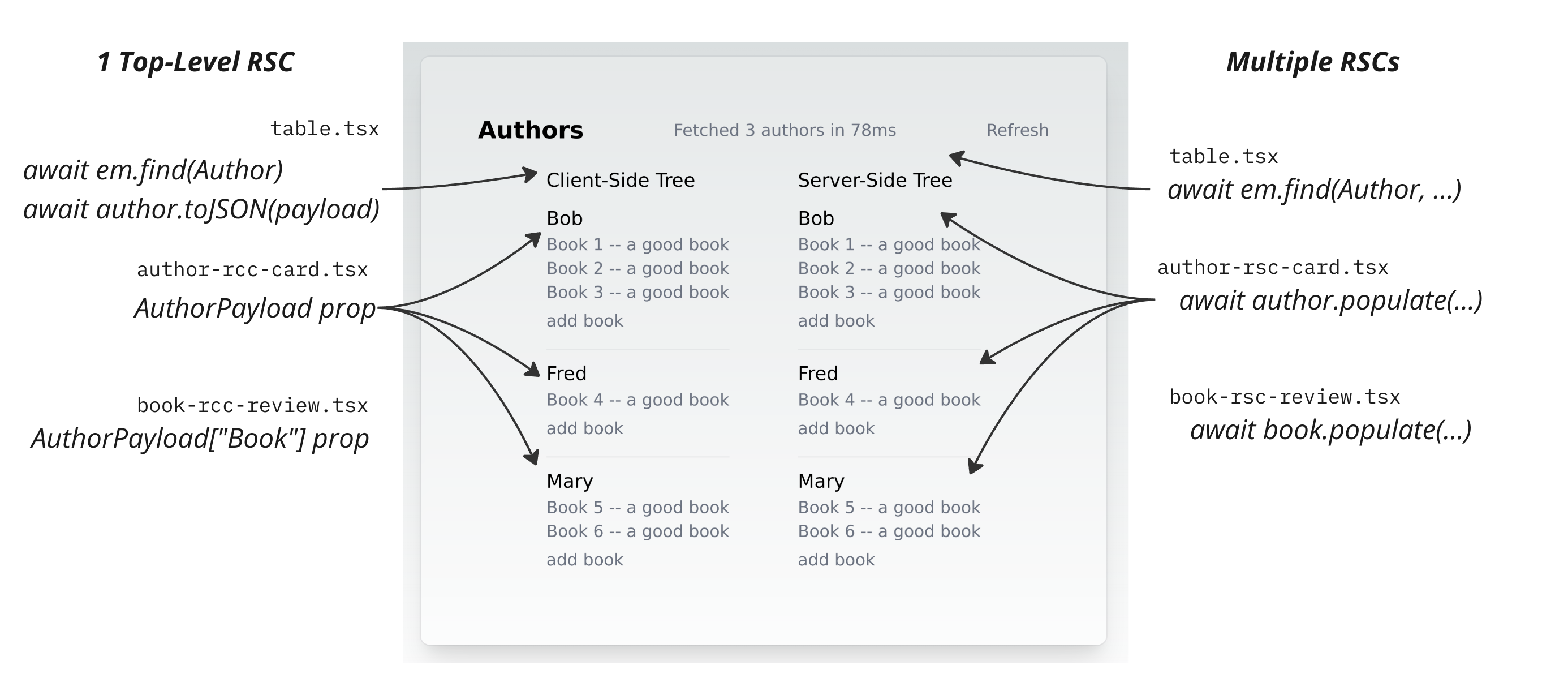
The top-level `Table` / `table.tsx` component renders each of these side-by-side, so we can see the differences, and observe some pros/cons of each approach.
* With mostly RSC components, it’s easy to decompose data loading away from the top-level component.
For example, the `AuthorRscCard` can make its own data loading calls, and even if it’s render many pages on the page, Joist will de-dupe across the `N` sibling `AuthorRscCard`s, and batch into a single SQL call.
```tsx
type AuthorCardProps = {
/** RSCs can accept the domain model enities as a prop. */
author: Author;
addBook: (id: string) => Promise;
};
/** The RSC version of AuthorCard can load it's own data. */
export async function AuthorRscCard({ author, addBook }: AuthorCardProps) {
// This will be auto-batched if many cards render at once
const books = await author.books.load();
// Or if you wanted a tree of data, this will also be auto-batched
const loaded = await author.populate({ books: { reviews: "ratings" } });
return ...jsx
;
}
```
This is nice because it allows the `AuthorRscCard` to be more self-sufficient, and allow the parent table component to be unaware of its children loading details.
* With mostly Client components, the opposite happens, and only the parent can make database / `EntityManager` calls, and so is responsible for loading all the data for its children, and passing it as JSON via props:
```tsx
type AuthorCardProps = {
/** RCCs must accept a POJO of `Author` + all nested data. */
author: AuthorPayload;
addBook: (id: string) => Promise;
};
/** The RCC version of AuthorCard accepts the `AuthorPayload`. */
export function AuthorRccCard({ author, addBook }: AuthorCardProps) {
// can only use data already available on `author`
}
```
Even though the up-front data load can become awkward, it does give more opportunities for optimizations; for example Joist can use join-based preloading to load a single tree of `Author` + `Book` + `Review` entities in a single SQL call, which is even better optimization than the “one query per layer” N+1 prevention of the RSC-based approach.
## Automatic N+1 Prevention
[Section titled “Automatic N+1 Prevention”](#automatic-n1-prevention)
In either approach, Joist’s N+1 prevention auto-batches database calls, even if they are made across separate component renders.
I.e. in the RSC components:
* The top-level `Table` component makes 1 SQL call for all `Author` entities.
* All 2nd-level `AuthorRscCard` cards each make their own `author.books.load()` (or `author.populate(...)`) call, but because they’re all rendered in the same event loop, Joist batches all the `load` calls into 1 SQL call
* Any 3rd-level components would have their `load` calls batched as well.
In the React Client Component approach, this auto-batching is admittedly not as necessary, assuming a singular top-level component, like `Table`, loads all the data at once anyway (although, as mentioned later, Joist can optimize that as well).
See the [Avoiding N+1s](/goals/avoiding-n-plus-1s) section of our docs for more information.
## JSON Payload/Props Creation
[Section titled “JSON Payload/Props Creation”](#json-payloadprops-creation)
Since the client components cannot make their own async data calls, the top-level `Table` components is responsible for loading all the data into a JSON payload, and passing it down to the children as props.
Joist entities have an easy way of doing this is, via a `toJSON` method that takes the shape of data to create:
```ts
// Define the shape of data to create
export const authorHint = {
id: true,
firstName: true,
books: {
id: true,
title: true,
reviews: ["id", "rating"],
},
customField: (a) => a.id + a.title,
} satisfies JsonHint;
// This typedef can be used in the client-side props, or to match any
// endpoint-based respones types like for REST/OpenAPI.
export type AuthorPayload = JsonPayload;
const payload = await a.toJSON(authorHint);
```
The `toJSON` implementation will:
* Load any relations that are not yet loaded from the database
* Output only the keys that are requested in the `authorHint`
* Call any lambdas like `customField` to generate custom values
As with previous examples, all data loading is N+1 safe, and also potentially join-based preloaded.
See the [toJSON](/advanced/json-payloads) docs for more information.
This recursive `toJSON` payload generation is a relatively new feature of Joist, so if you have feature ideas that would make it more useful, please let us know!
## Join-Based Preloading
[Section titled “Join-Based Preloading”](#join-based-preloading)
The last optimization that Joist can do is join-based preloading, which can be used in either the RSC or RCC approach.
This is also a newer feature that requires opt-ing in to, but in `em.ts` you can add a `preloadPlugin`:
```ts
/** Returns this request's `EntityManager` instance. */
export const getEm = cache(() => {
// Opt-in to preloading
const preloadPlugin = new JsonAggregatePreloader();
return new EntityManager({}, { driver, preloadPlugin });
});
```
This will allow Joist to load a deep tree/subgraph of entities in a single SQL call.
For example, normally a Joist `em.find` a call like:
```ts
const a = await em.find(
Author,
{ id: 1 },
{populate: { books: "reviews" } },
);
// Now access all the data in memory
console.log(a.books.get[0].reviews.get[0].rating)
```
Will issue three SQL calls:
```sql
SELECT * FROM authors WHERE id = 1;
SELECT * FROM books WHERE author_id = 1;
SELECT * FROM reviews WHERE book_id IN (1, 2, 3, ...);
```
But with the `preloadPlugin` enabled, it will use a single SQL call that uses `CROSS JOIN LATERAL` and `json_agg` to return the author’s books, and the book’s reviews (omitted for brevity) in a single row:
```sql
select a.id, _b._ as _b from authors as a
cross join lateral
-- create a tuple for each book, and aggregate then into an array of books
select json_agg(json_build_array(_b.id, _b.title, _b.foreword, _b.author_id) order by _b.id) as _
from books _b
where _b.author_id = a.id
) _b
where a.id = ? limit ?
```
Joist’s join-based preloading is still a beta feature, so if you run into any issues, please let us know!
## What about Complex Queries?
[Section titled “What about Complex Queries?”](#what-about-complex-queries)
So far, our queries have focused on loading “just entities”, and then putting those on the wire (or rendering them to HTML).
This is because Joist’s focus is on building robust domain models, and specifically helping solve the “write-side” of your application’s business logic (running the correct [validation rules](/modeling/validation-rules), [lifecycle hooks](/modeling/lifecycle-hooks), [reactive updates](/modeling/reactive-fields)), and less so on the “read-side” of complex queries (i.e. that using aggregates using `GROUP BY`, multiple nested subqueries/projections/etc.).
As such, Joist does not yet have a sophisticated query builder that can create arbitrary SQL queries, like Kysley or Drizzle.
Instead, Joist encourages an approach that uses its robust write-side features to create materialized columns in the database, such that the majority of your pages/responses really can be served by “super simple `SELECT` statements”, instead of using complicated queries to calculate aggregates on-the-fly.
Although you can of course use both approaches, and just use a lower-level query builder where needed.
## Sample App Feedback
[Section titled “Sample App Feedback”](#sample-app-feedback)
Joist’s roots come from the GraphQL world, so this sample app was our first foray into using it for a NextJS application. If we’ve missed any key features that would make it easier to use Joist in a NextJS app, please let us know!
# Using CTEs and Query Rewriting for Versioning
Joist is an ORM primarily developed for [Homebound](https://homebound.com/)’s GraphQL majestic monolith, and we recently shipped a long-awaited Joist feature, **SQL query rewriting via an ORM plugin API**, to deliver a key component of our domain model: *aggregate level versioning*.
We’ll get into the nuanced details below, but “aggregate level versioning” is a fancy name for providing this *minor* “it’s just a dropdown, right? 😰” feature of a version selector across several major subcomponents of our application:
Where the user can:
* “Time travel” back to a previous version of what they’re working on ⌛,
* Draft new changes (collaboratively with other users) that are not seen until they click “Publish” to make those changes active ✅
And have the whole UI “just work” while they flip between the two.
As a teaser, after some fits & painful spurts, we achieved having our entire UI (and background processes) load historical “as of” values with just a few lines of setup/config per endpoint—and literally no other code changes. 🎉
Read on to learn about our approach!
## Aggregate What Now?
[Section titled “Aggregate What Now?”](#aggregate-what-now)
Besides just “versioning”, I called this “aggregate versioning”—what is that?
It’s different from traditional database-wide, system time-based versioning, that auditing solutions like [cyanaudit](https://pgxn.org/dist/cyanaudit/) or temporal `FOR SYSTEM_TIME AS OF` queries provide (although we do use cyanaudit for our audit trail & really like it!).
Let’s back up and start with the term “aggregate”. An aggregate is a cluster of \~2-10+ “related entities” in your domain model (or “related tables” in your database schema). The cluster of course depends on your specific domain—examples might be “an author & their books”, or “a customer & their bank accounts & profile information”.
Typically there is “an aggregate parent” (called the “aggregate root”, since it sits at the root of the aggregate’s subgraph) that naturally “owns” the related children within the aggregate; i.e. the `Author` aggregate root owns the `Book` and `BookReview` children; the `Customer` aggregate root owns the `CustomerBankAccount` and `CustomerProfile` entities.
Tip
In your own domain model, if you see a naming pattern of `Customer`, and then lots of `CustomerFoo`, `CustomerBar`, `CustomerZaz` entities, all starting with a `Customer...` prefix, that is a hint that `Customer` is the aggregate root for that cluster (aggregate) of entities.
Historically, Aggregate Roots are a pattern from Domain Driven Design, and mostly theoretically useful—they serve as a logical grouping, which is nice, but don’t always manifest as specific outcomes/details in the implementation (at least from what I’ve seen).
Tip
Unless you are sharding! At which point the aggregate root’s primary key, i.e. `Customer.id`, makes a really great shard key for all the child entities within the aggregate root.
### Why Version An Aggregate?
[Section titled “Why Version An Aggregate?”](#why-version-an-aggregate)
Normally Joist blog posts don’t focus on specific domains or verticals, but for the purposes of this post, it helps to know the problem we are solving.
At Homebound, we’re a construction company that builds residential homes; our primary domain model supports the planning and execution of our procurement & construction ops field teams.
The domain model is large (currently 500+ tables), but two key components are:
* The architectural plans for a specific model of home (called a `PlanPackage`), and
* The design scheme for products that go into a group of similar plans (called a `DesignPackage`)—i.e. a “Modern Farmhouse” design package might be shared across \~4-5 separate, but similarly-sized/laid out, architectural plans
Both of these `PlanPackage`s and `DesignPackage`s are aggregate roots that encompass many child `PlanPackage...` or `DesignPackage...` entities within them:
* What rooms are in the plan? `PlanPackageRoom`s
* What materials & labor are required (bricks, lumber, quantities)? `PlanPackageScopeLine`s
* What structural/floor plan options do we offer to customers? `PlanPackageOption`s
* How do these options change the plan’s materials & labor? A m2m between `PlanPackageScopeLine`s and `PlanPackageOption`s
* What are the appliances in the kitchen? `DesignPackageProduct`s
* What spec levels, of Essential/Premium/etc, do we offer? `DesignPackageOption`s
* How do these spec levels change the home’s products? A m2m between `DesignPackageProduct`s and `DesignPackageOption`s
This web of interconnected data can all be modeled successfully (albeit somewhat tediously)—but we also want it versioned! 😬
Change management is extremely important in construction—what was v10 of the `PlanPackage` last week? What is v15 of the `PlanPackage` this week? What changed in each version between v10 and v15? Are there new options available to homebuyers? What scope changed? Do we need new bids? Etc.
And, pertintent to this blog post, we want each of the `PlanPackage`s and `DesignPackage`s respective “web of interconnected data” (the aggregate root & its children) *versioned together as a group* with *application-level* versioning: multiple users collaborate on the data (making simultaneous edits across the `PlanPackage` or `DesignPackage`), co-creating the next draft, and then we “Publish” the next active version with a changelog of changes.
After users draft & publish the plans, and potentially start working on the next draft, our application needs to be able to load a complete “aggregate-wide snapshot” for “The Cabin Plan” `PlanPackage v10` (that was maybe published yesterday) and a complete “aggregate-wide snapshot” of “Modern Design Scheme” `DesignPackage v8` (that was maybe published a few days earlier), and glue them together in a complete home.
Hopefully this gives you an idea of the problem—it’s basically like users are all collaborating on “the next version of the plan document”, but instead of it being a single Google Doc-type artifact that gets copy/pasted to create “v1” then “v2” then “v3”, the collaborative/versioned artifact is our deep, rich domain model (relational database tables) of construction data.
## Schema Approach
[Section titled “Schema Approach”](#schema-approach)
After a few *cough* “prototypes” *cough* of database schemas for versioning in the earlier days of our app, we settled on a database schema we like: two tables per entity, a main “identity” table, and a “versions” table to store snapshots, i.e. something like:
* `authors` table: stores the “current” author data (`first_name`, `last_name`, etc), with 1 row per author (we call this the “identity” table)
* `author_versions` table: stores snapshots of the author over time (`author_id`, `version_id`, `first_name`, `last_name`), with 1 row *per version* of each author (we call this the “version” table)
This is an extremely common approach for versioning schemas, i.e. it’s effectively the same schema suggested by PostgreQL’s [SQL2011Temporal](https://wiki.postgresql.org/wiki/SQL2011Temporal#System_Time) docs, albeit technically they’re tracking system time, like an audit trail, and not our user-driven versioning.
This leads to a few differences: the `SQL2011Temporal` history tables use a `_system_time daterange` column to present “when each row was applicable in time” (tracking system time), while we use two FKs that also form “an effective range”, but the range is not time-based, it’s version-based: “this row was applicable starting at `first=v5` until `final=v10`”.
So if we had three versions of an `Author` in our `author_versions` table, it would look like:
* `id=10 author_id=1 first_id=v10 final_id=v15 first_name=bob last_name=smith`
* From versions `v10` to `v15`, the `author:1` had a `firstName=bob`
* `id=11 author_id=1 first_id=v15 final_id=v20 first_name=fred last_name=smith`
* From versions `v15` to `v20`, the `author:1` had a `firstName=fred`
* `id=11 author_id=1 first_id=v20 final_id=null first_name=fred last_name=brown`
* From versions `v20` to now, the `author:1` had a `lastName=brown`
We found this `_versions` table strikes a good balance of tradeoffs:
* It only stores changed rows—if `v20` of the aggregate root (i.e. our `PlanPackage`) only changed the `Author`s and two of its `Book`s, there will only be 1 `author_versions` and two `book_versions`, even if the Author has 100s of books (i.e. we avoid making full copies of the aggregate root on every version)
* When a row does change, we snapshot the entire row, instead of tracking only specific columns changes (storing the whole row takes more space, but makes historical/versioned queries much easier)
* Technically we only include mutable columns in the `_versions` table, i.e. our entities often have immutable columns (like `type` flags or `parent` references) and we don’t bother copying these into the `_versions` tables.
* We only store 1 version row “per version”—i.e. if, while making `PlanPackage` `v20`, an `Author`s first name changes multiple times, we only keep the latest value in the draft `author_versions`s row.
* This is different from auditing systems like SQL2011Temporal, where `_history` rows are immutable, and every change must create a new row—we did not need/want this level of granularity for our application-level versioning.
With this approach, we can reconstruct historical versions by finding the singular “effective version” for each entity, with queries like:
```sql
select * from author_versions av
join authors a on av.author_id = a.id
where a.id in ($1)
and av.first_id <= $2
and (av.final_id is null or av.final_id < $3)
```
Where:
* `$1` is whatever authors we’re looking for (here a simple “id matches”, but it could be an arbitrarily complex `WHERE` condition)
* `$2` is the version of the aggregate root we’re “as of”, i.e. v10
* `$3` is also the same version “as of”, i.e. v10
The condition of `first_id <= v10 < final_id` finds the singular `author_versions` row that is “effective” or “active” in v10, even if the version itself was created in v5 (and either never replaced, or not replaced until “some version after v10” like v15).
### …but what is “Current”?
[Section titled “…but what is “Current”?”](#but-what-is-current)
The `authors` and `author_versions` schema is hopefully fairly obvious/intuitive, but I left out a wrinkle: what data is stored in the `authors` table itself?
Obviously it should be “the data for the author”…but which version of the author? The latest published data? Or latest/WIP draft data?
Auditing solutions always put “latest draft” in `authors`, but that’s because the application itself is *always* reading/writing data from `authors`, and often doesn’t even know that the auditing `author_versions` tables exist—but in our app, we need workflows & UIs to regularly read “the published data” & *ignore the WIP draft changes*.
So we considered the two options:
1. The `authors` table stores the *latest draft* version (as in SQL2011Temporal), or
2. The `authors` table stores the *latest published* version,
We sussed out pros/cons in a design doc:
* Option 1. Store “latest draft” data in `authors`
* Pro: Writes with business logic “just read the Author and other entities” for validation
* Con: All readers, *even those that just want the published data*, must use the `_versions` table to “reconstruct the published/active author”
* Option 2. Store the “latest published” data in `authors`
* Pro: The safest b/c readers that “just read from `authors`” will not accidentally read draft/unpublished data (a big concern for us)
* Pro: Any reader that wants to “read latest” doesn’t have to know about versioning at all, and can just read the `authors` table as-is (also a big win)
* Con: Writes that have business logic must first “reconstruct the draft author” (and its draft books and its draft book reviews if apply cross-entity business rules/invariants) from the `_versions` tables
Tip
By “reconstruct the \[published or draft] author”, what we mean is that instead of “boring CRUD code” that just `SELECT`s from the `authors`, `books`, etc. tables, version-aware code must:
* a) actually read from the `author_verisons`, `book_versions` tables,
* b) know “which version” it should use to find those authors/books
* …and we might be looking for “PlanPackage v10” but “DesignPackage v8” so track *multiple, contextual versions* within a single request, not just a single “as of” timestamp
* c) do version-aware graph traversal, i.e. “boring walk the graph” code like `for (const book in author.books)` that is ubiquitous in our codebase needs the `author.books` relation to use the version-aware `book_versions.author_id` instead of the `books.author_id`, b/c the `Book` might have changed its `Author` over time.
* So nearly *every graph navigation* needs checked for “is this relation actually versioned?”, and if so, opt-into the more complex, version-aware codepath.
This “reconstruction” problem seemed very intricate/complicated, and we did not want to update our legacy callers (which were **mostly reads**) to “do all this crazy version resolution”, so after the usual design doc review, group comments, etc., we decide to **store latest published in `authors`**.
The key rationale being:
* We really did not want to instrument our legacy readers to know about `_versions` tables to avoid seeing draft data (we were worried about draft data leaking into existing UIs/reporting)
* We thought “teaching the writes to ‘reconstruct’ the draft subgraph” when applying validation rules would be the lesser evil.
(You can tell I’m foreshadowing this was maybe not the best choice.)
### Initial Approach: Not so great
[Section titled “Initial Approach: Not so great”](#initial-approach-not-so-great)
With our versioning scheme in place, we started a large project for our first versioning-based feature: allowing home buyers to deeply personalize the products (sinks, cabinet hardware, wall paint colors, etc) in the home their buying (i.e. in v10 of Plan 1, we offered sinks 1/2/3, but in v11 of Plan 1, we now offer sinks 3/4/5).
And it was a disaster.
This new feature set was legitimately complicated, but “modeling complicated domain models” is *supposed to be Joist’s sweet spot*—what was happening?
We kept having bugs, regressions, and accidental complexity—that all boiled down to the write path (mutations) having to constantly “reconstruct the drafts” that it was reading & writing.
Normally in Joist, a `saveAuthor` mutation just “loads the author, sets some fields, and saves”. Easy!
But with this versioning scheme:
* the `saveAuthor` mutation has to first “reconstruct the latest-draft `Author` from the `author_versions` (if it exists)
* any writes cannot be “just update the `Author` row” (that would immediately publish the change), they need to be staged into the draft `AuthorVersion`
* any Joist hooks or validation rules **also** need to do the same thing:
* validation rules have to “reconstruct the draft” view of the author + books + book reviews subgraph of data they’re validating,
* hooks that want to make reactive changes must also “stage the change” into a draft `BookVersion` or `BookReviewVersion` instead of “just setting some `Book` fields”.
We had helper methods for most of these incantations—but it was still terrible.
After a few months of this, we were commiserating about “why does this suck so much?” and finally realized—well, duh, we were wrong:
We had chosen to “optimize reads” (they could “just read from `authors`” table).
But, in doing so, we threw writes under the bus—they needed to “read & write from drafts”—and it was **actually our write paths that are the most complicated part of our application**—validation rules, side effects, business process, all happen on the write path.
We needed the write path to be easy.
### New Approach: Write to Identities
[Section titled “New Approach: Write to Identities”](#new-approach-write-to-identities)
We were fairly ecstatic about reversing direction, and storing drafts/writes directly in `authors`, `books`, etc.
This would drastically simplify all of our write paths (GraphQL mutations) back to “boring CRUD” code:
```ts
// Look, no versioning code!
const author = await em.load(Author, "a:1");
if (author.shouldBeAllowedToUpdateFoo) {
author.foo = 1;
}
await em.flush();
```
…but what about those reads? Wouldn’t moving the super-complicated “reconstruct the draft” code out of the writes (yay!), over into “reconstruct the published” reads (oh wait), be just as bad, or worse (which was the rationale for our original decision)?
We wanted to avoid making the same mistake twice, and just “hot potato-ing” the write path disaster over to the read path.
## Making Reads not Suck
[Section titled “Making Reads not Suck”](#making-reads-not-suck)
We spent awhile brainstorming “how to make our reads not suck”, specifically avoiding manually updating all our endpoints’ SQL queries/business logic to do tedious/error-prone “remember to (maybe) do version-aware reads”.
If you remember back to that screenshot from the beginning, we need our whole app/UI, at the flip of a dropdown, to automatically change every `SELECT` query from:
```sql
-- simple CRUD query
SELECT * FROM authors WHERE id IN (?) -- or whatever WHERE clause
```
To a “version-aware replacement”:
```sql
-- find the right versions row
SELECT * FROM author_versions av
WHERE av.author_id in (?) -- same WHERE clause
AND av.first <= v10 -- and versioning
AND (av.final IS NULL or av.final > v10)
```
And not only for top-level `SELECT`s but anytime `authors` is used in a query, i.e. in `JOIN`s:
```sql
-- simple CRUD query that joins into `authors`
SELECT b.* FROM books
JOIN authors a on b.author_id = a.id
WHERE a.first_name = 'bob';
-- version-aware replacement, uses books_versions *and* author_versions
-- for the join & where clause
SELECT bv.* FROM book_versions bv
-- get the right author version
JOIN author_versions av ON
bv.author_id = av.author_id AND (av.first <= v10 AND (av.final IS NULL or a.final > v10))
-- get the right book version
WHERE bv.first <= v10 AND (bv.final IS NULL or bv.final > v10)
-- predicate should use the version table
AND av.first_name = 'bob';
```
### 1. Initial Idea: Using CTEs
[Section titled “1. Initial Idea: Using CTEs”](#1-initial-idea-using-ctes)
When it’s articulated like “we want *every table access to routed to the versions table*”, a potential solution starts to emerge…
Ideally we want to magically “swap out” `authors` with “a virtual `authors` table” that automatically has the right version-aware values. How could we do this, as easily as possible?
It turns out a CTE is a great way of structuring this:
```sql
-- create the fake/version-aware authors table
WITH _authors (
SELECT
-- make the columns look exactly like the regular table
av.author_id as id,
av.first_name as first_name
-- but read the data from author_versions behind the scenes
FROM author_versions
WHERE (...version matches...)
)
-- now the rest of the application's SQL query as normal, but we swap out
-- the `authors` table with our `_authors` CTE
SELECT * FROM _authors a
WHERE a.first_name = 'bob'
```
And that’s (almost) it!
If anytime our app wants to “read authors”, regardless of the SQL query it’s making, we swapped `authors`-the-table to `_authors`-the-CTE, the SQL query would “for free” be using/returning the right version-aware values.
So far this is just a prototype; we have three things left to do:
1. Add the request-specific versioning config to the query
2. Inject this rewriting as seamlessly as possible
3. Evaluate the performance impact
### 2. Adding Request Config via CTEs
[Section titled “2. Adding Request Config via CTEs”](#2-adding-request-config-via-ctes)
We have a good start, in terms of a hard-coded prototype SQL query, but now we need to get the `first <= v10 AND ...` pseudo code in the previous SQL snippets actually working.
Instead of a hard-coded `v10`, we need queries to use:
* Dynamic request-specific versioning (i.e. the user is currently looking at, or “pinning to”, `PlanPackage` v10), and
* Support pinning multiple different aggregate roots in the same request (i.e. the user is looking at `PlanPackage` v10 but `DesignPackage` v15)
CTEs are our new hammer 🔨—let’s add another for this, calling it `_versions` and using the `VALUES` syntax to synthesize a table:
```sql
WITH _versions (
SELECT plan_id, version_id FROM
-- parameters added to the query, one "row" per pinned aggregate
-- i.e. `[1, 10, 2, 15]` means this request wants `plan1=v10,plan2=v15`
VALUES (?, ?), (?, ?)
), _authors (
-- the CTE from before but joins into _versions for versioning config
SELECT
av.author_id as id,
av.first_name as first_name
FROM authors a
JOIN _versions v ON a.plan_id = v.plan_id
-- now we know:
-- a) what plan the author belongs to (a.plan_id, i.e. its aggregate root)
-- b) what version of the plan we're pinned to (v.version_id)
-- so we can use them in our JOIN clause
JOIN author_versions av ON (
av.author_id = a.id AND
av.first_id >= v.version_id AND (
av.final_id IS NULL OR av.final_id < v.version_id
)
)
)
SELECT * FROM _authors a WHERE a.first_name = 'bob'
```
Now our application can “pass in the config” (i.e. for this request, `plan:1` uses `v10`, `plan:2` uses `v15`) as extra query parameters into the query, they’ll be added as rows to the `_versions` CTE table, and then the rest of the query will resolve versions using that data.
Getting closer!
Tip
It’s easy to miss, but a core aspect of our approach is that each row in the database “knows its parent aggregate root”. Because the core version config is “per package” (the aggregate root), but there are many child tables that we’ll be reading from, we use a strong/required convention that every child table must have a `plan_id` (or `parent_id`) foreign key that lets us join directly from the child to the parent’s version config.
One issue with the query so far is that we must ahead-of-time “pin” every plan we want to read (by adding it to our `_versions` config table), b/c if a plan doesn’t have a row in the `_versions` CTE, then the `INNER JOIN`s will not find any `p.version_id` available, and none of its data will match.
Ideally, any plan that is not explicitly pinned should have all its child entities read their active/published data (which will actually be in their `author_versions` tables, and not the primary `authors` tables); which we can do with (…wait for it…) another CTE:
```sql
WITH _versions (
-- the injected config _versions stays the same as before
SELECT plan_id, version_id FROM VALUES (?, ?), (?, ?)
), _plan_versions (
-- we add an additional CTE that defaults all plans to active unless pinned in _versions
SELECT
plans.id as plan_id,
-- prefer `v.version_id` but fallback on `active_version_id`
COALESCE(v.version_id, plans.active_version_id) as version_id,
FROM plans
LEFT OUTER JOIN _versions v ON v.plan_id = plans.id
)
_authors (
-- this now joins on _plan_versions instead _versions directly
SELECT
av.author_id as id,
av.first_name as first_name
FROM authors a
JOIN _plan_versions pv ON a.plan_id = pv.id
JOIN author_versions av ON (
av.author_id = a.id AND
av.first_id >= pv.version_id AND (
av.final_id IS NULL OR av.final_id < pv.version_id
)
)
)
-- automatically returns & filters against the versioned data
SELECT * FROM _authors a WHERE a.first_name = 'bob'
```
We’ve basically got it, in terms of a working prototype—now we just need to drop it into our application code, ideally as easily as possible.
### 3. Injecting the Rewrite Automatically
[Section titled “3. Injecting the Rewrite Automatically”](#3-injecting-the-rewrite-automatically)
We’ve discovered a scheme to make reads *automatically version-aware*—now we want our application to use it, basically all the time, without us messing up or forgetting the rewrite incantation.
Given that a) we completely messed this up the 1st time around 😕, and b) this seems like a very mechanical translation 🤖, **what if we could automate it?** For every read?
Our application already does all reads through Joist (of course 😅), as `EntityManager` calls:
```ts
// Becomes SELECT * FROM authors WHERE id = 1
const a = em.load(Author, "a:1");
// Becomes SELECT * FROM authors WHERE first_name = ?
const as = em.find(Author, { firstName: "bob" });
// Also becomes SELECT * FROM authors WHERE id = ?
const a = await book.author.load();
```
It would be really great if these `em.load` and `em.find` SQL queries were all magically rewritten—so that’s what we did. 🪄
We built a Joist plugin that intercepts all `em.load` or `em.find` queries (in a new plugin hook called `beforeFind`), and rewrites the query’s ASTs to be version-aware, before they are turned into SQL and sent to the database.
So now what our endpoint/GraphQL query code does is:
```ts
function planPackageScopeLinesQuery(args) {
// At the start of any version-aware endpoint, setup our VersioningPlugin...
const plugin = new VersioningPlugin();
// Read the REST/GQL params to know which versions to pin
const { packageId, versionId } = args;
plugin.pin(packageId, versionId);
// Install the plugin into the EM, for all future em.load/find calls
em.addPlugin(plugin);
// Now just use the em as normal and all operations will automatically
// be tranlated into the `...from _versions...` SQL
const { filter } = args;
return em.find(PlanPackageScopeLine, {
// apply filter logic as normal, pseudo-code...
quantity: filter.quantity,
});
}
```
How does this work?
Internally, Joist parses the arguments of `em.find` into an AST, `ParsedFindQuery`, that is a very simplified AST/ADT version of a SQL query, i.e. the shape looks like:
```ts
// An AST/ADT for an `em.find` call that will become a SQL `SELECT`
type ParsedFindQuery = {
// I.e. arrays of `a.*` or `a.first_name`
selects: ParsedSelect[];
// I.e. the `authors` table, with its alias, & any inner/outer joins
tables: ParsedTable[];
// I.e. `WHERE` clauses
condition?: ParsedExpressionFilter;
groupBys?: ParsedGroupBy[];
orderBys: ParsedOrderBy[];
ctes?: ParsedCteClause[];
};
```
After Joist takes the user’s “fluent DSL” input to `em.find` and parses it into this `ParsedFindQuery` AST, plugins can now inspect & modify the query:
```ts
class VersioningPlugin {
// List of pinned plan=version tuples, populated per request
#versions = []
// Called for any em.load or em.find call
beforeFind(meta: EntityMetadata, query: ParsedFindQuery): void {
let didRewrite = false;
for (const table of [...query.tables]) {
// Only rewrite tables that are versioned
if (hasVersionsTable(table)) {
this.#rewriteTable(query, table);
didRewrite = true;
}
}
// Only need to add these once/query
if (didRewrite) {
this.#addCTEs(query);
}
}
#rewriteTable(query, table) {
// this `table` will initially be the `FROM authors AS a` from a query;
// leave the alias as-is, but swap the table from "just `authors`" to
// the `_authors` CTE we'll add later
table.table = `_${table.table}`;
// If `table.table=author`, get the AuthorMetadata that knows the columns
const meta = getMetadatFromTableName(table.table);
// Now inject the `_authors` CTE that to be our virtual table
query.ctes.push({
alias: `_${table.table}`,
columns: [...],
query: {
kind: "raw",
// put our "read the right author_versions row" query here; in this blog
// post it is hard-coded to `authors` but in the real code would get
// dynamically created based on the `meta` metadta
sql: `
SELECT
av.author_id as id,
av.first_name as first_name,
-- all other author columns...
FROM authors a
JOIN _plan_versions pv ON a.plan_id = pv.id
JOIN author_versions av ON (
av.author_id = a.id AND
av.first_id >= pv.version_id AND (
av.final_id IS NULL OR av.final_id < pv.version_id
)
)
`
}
})
}
// Inject the _versions and _plan_versions CTEs
#addCTEs(query) {
query.ctes.push( {
alias: "_versions",
columns: [
{ columnName: "plan_id", dbType: "int" },
{ columnName: "version_id", dbType: "int" },
],
query: {
kind: "raw",
bindings: this.#versions.flatMap(([pId, versionId]) => unsafeDeTagIds([pId, versionId])),
sql: `SELECT * FROM (VALUES ${this.#versions.map(() => "(?::int,?::int)").join(",")}) AS t (plan_id, version_id)`,
},
},
// Do the same thing for _plan_versions
query.ctes.push(...);
}
}
```
This is very high-level pseudo-code but the gist is:
* We’ve mutated the query to use our `_authors` CTE instead of the `authors` table
* We’ve injected the `_authors` CTE, creating it dynamically based on the `AuthorMetadata`
* We’ve injected our `_versions` and `_plan_versions` config tables
After the plugin’s `beforeFind` is finished, Joist takes the updated `query` and turns it into SQL, just like it would any `em.find` query, but now the SQL it generates *automatically reads the right versioned values*.
### 4. Performance Evaluation
[Section titled “4. Performance Evaluation”](#4-performance-evaluation)
Now that we have everything working, how was the performance?
It was surprisingly good, but not perfect—we unfortunately saw a regression for reads “going through the CTE”, particularly when doing filtering, like:
```sql
WITH _versions (...),
_plan_versions (...),
_authors (...),
)
-- this first_name is evaluating against the CTE results
SELECT * FROM _authors a WHERE a.first_name = 'bob'
```
We were disappointed b/c we thought since our `_authors` CTE is “only used once” in the SQL query, that ideally the PG query planner would essentially “inline” the CTE and pretend it was not even there, for planning & indexing purposes.
Contrast this with a CTE that is “used twice” in a SQL query, which our understanding is that then Postgres executes it once, and materializes it in memory (basically caches it, instead of executing it twice). This materialization would be fine for smaller CTEs like `_versions` or `_plan_versions`, but on a potentially huge table like `authors` or `plan_package_scope_lines`, we definitely don’t want those entire tables sequentially scanned and creating “versioned copies” materialized in-memory before any `WHERE` clauses were applied.
So we thought our “only used once” `_authors` CTE rewrite would be performance neutral, but it was not—we assume because many of the CTE’s columns are not straight mappings, but due to some nuances with handling drafts, ended up being non-trivial `CASE` statements that look like:
```sql
-- example of the rewritten select clauses in the `_authors` CTE
SELECT
a.id as id,
a.created_at as created_at,
-- immutable columns
a.type_id as type_id,
-- versioned columns
(CASE WHEN _a_version.id IS NULL THEN a.first_name) ELSE _a_version.first_name END) as first_name,
(CASE WHEN _a_version.id IS NULL THEN a.last_name) ELSE _a_version.last_name END) as last_name,
```
And we suspected these `CASE` statements were not easy/possible for the query planner to “see through” and push filtering & indexing statistics through the top-level `WHERE` clause.
So, while so far our approach has been “add yet another CTE”, for this last stretch, we had to remove the `_authors` CTE and start “hard mode” rewriting the query by adding `JOIN`s directly to the query itself, i.e. we’d go from a non-versioned query like:
```sql
-- previously we'd "just swap" the books & authors tables to
-- versioned _books & _authors CTEs
SELECT b.* FROM books
JOIN authors a ON b.author_id = a.id
WHERE a.first_name = 'bob';
```
To:
```sql
SELECT
-- rewrite the top-level select
b.id as id,
-- any versioned columns need `CASE` statements
(CASE WHEN bv.id IS NULL THEN b.title ELSE bv.title) AS title,
(CASE WHEN bv.id IS NULL THEN b.notes ELSE bv.notes) AS notes,
-- ...repeat for each versioned column...
-- ...also special for updated_at...
FROM books
-- keep the `books` table & add a `book_versions` JOIN directly to the query
JOIN book_versions bv ON (bv.book_id = b.id AND bv.first_id >= pv.version_id AND ...)
-- rewrite the `ON` to use `bv.author_id` (b/c books can change authors)
JOIN authors a ON bv.author_id = a.id
-- add a author_version join directly to the query
JOIN author_versions av ON (av.author_id = a.id AND av.first_id >= pv.version_id AND ...)
-- rewrite the condition from `a.first_name` to `av.first_name`
WHERE av.first_name = 'bob';
```
This is a lot more rewriting!
While the CTE approach let us just “swap the table”, and leave the rest of the query “reading from the alias `a`” & generally being none-the-wiser, now we have to find every `b` alias usage or `a` alias usage, and evaluate if the `SELECT` or `JOIN ON` or `WHERE` clause is touching a versioned column, and if so rewrite that usage to the `bv` or `av` respective versioned column.
There are pros/cons to this approach:
* Con: Obviously the query is much trickier to rewrite
* Pro: But since our rewriting algorithm is isolated to the `VersioningPlugin` file, we were able to “refactor our versioned query logic” just once and have it *apply everywhere* which was amazing 🎉
* Pro: The “more complicated to us” CTE-less query is actually “simpler to the Postgres query planner” b/c there isn’t a CTE “sitting in the way” and so all the usual indexing/filtering performance optimizations kicked in, and got us back to baseline performance
Removing the `_authors` / `_books` CTEs and doing “inline rewriting” (basically what we’d hoped Postgres would do for us with the “used once” CTEs, but now we’re doing by hand) gave us a \~10x performance increase, and returned us to baseline performance, actually beating the performance of our original “write to drafts” approach. 🏃
### Skipping Some Details
[Section titled “Skipping Some Details”](#skipping-some-details)
It would make the post even longer, so I’m skipping some of the nitty-gritty details like:
* Soft deletions—should entities “disappear” if they were added in v10 and the user pins to v8? Or “disappear” if they were deleted in v15 and the user is looking at v20?
* Initially we had our `VersionPlugin` plugin auto-filter these rows, but in practice this was too strict for some of our legacy code paths, so in both “not yet added” and “previously deleted” scenarios, we return rows anyway & then defer to application-level filtering
* Versioning `m2m` collections, both in the database (store full copies or incremental diffs?), and teaching the plugin to rewrite m2m joins/filters accordingly.
* Reading `updated_at` from the right identity table vs. the versions table to avoid oplock errors when drafts issue `UPDATE`s using plugin-loaded data
* Ensuring endpoints make the `pin` and `addPlugin` calls without accidentally loading “not versioned” copies of the data they want to read into the `EntityManager`, which would cache the non-versioned data, & prevent future “should be versioned” reads for working as expected.
* Migrating our codebase from the previous “by hand” / “write to drafts” initial versioning approach, to the new plugin + “write to identities” approach, which honestly was a lot of fun—lots of red code that was deleted & simplified by the new approach. 🔪
Thankfully we were able to solve each of these, and none turned into dealbreakers that compromised the overall approach. 😅
## Wrapping Up
[Section titled “Wrapping Up”](#wrapping-up)
This was definitely a long-form post, as we explored the Homebound problem space that drove our solution, rather than just a shorter announcement post of “btw Joist now has a plugin API”.
Which, yes, Joist does now have a plugin API for query rewriting 🎉, but we think it’s important to show how/why it was useful to us, and potentially inspire ideas for how it might be useful to others as well (i.e. an auth plugin that does ORM/data layer auth 🔑 is also on our todo list).
That said, we anticipate readers wondering “wow this solution seems too complex” (and, yes, our production `VersionPlugin` code is much more complicated than the pseudocode we’ve used in this post), “why didn’t you hand-write the queries”, etc 😰.
We can only report that we tried “just hand-write your versioning queries”, in the spirit of KISS & moving quickly while building our initial set of version-aware features, for about 6-9 months, and it was terrible. 😢
Today, we have versioning implemented as “a cross-cutting concern” (anyone remember [Aspect Oriented Programming](https://en.wikipedia.org/wiki/Aspect-oriented_programming)? 👴), primarily isolated to a single file/plugin, and the rest of our code went back to “boring CRUD” with “boring reads” and “boring writes”.
Our velocity has increased, bugs have decreased, and overall DX/developer happiness is back to our usual “this is a pleasant codebase” levels. 🎉
If you have any questions, feel free to drop by our Discord to chat.
## Thanks
[Section titled “Thanks”](#thanks)
Thanks to the Homebound engineers who worked on this project: Arvin, for bearing the brunt of the tears & suffering, fixing bugs during our pre-plugin “write to drafts” approach (mea cupla! 😅), ZachG for owning the rewriting plugin, both Joist’s new plugin API & our internal `VersioningPlugin` implementation 🚀, and Roberth, Allan, and ZachO for all pitching in to get our refactoring landed in the limited, time-boxed window we had for the initiative ⏰🎉.
# Recursive Relations
Joist’s development is currently very incremental, and doesn’t have “big release” milestones & release notes, but we recently released a notable new feature: [recursive relations](/advanced/recursive-relations). Check them out! :tada:
# Is Joist the Best ORM, Ever?
I’ve been working on the Joist docs lately, specifically a [Why Joist?](/why-joist) page, which ended up focusing more on “why Domain Models?” than a feature-by-feature description of Joist.
Which is fine, but a good friend (and early Joist user) proofread it, and afterward challenged me that I was being too humble, and I should be more assertive about Joist being “THE BEST ORM FOR TYPESCRIPT AND POSTGRES” (his words), as he listed off his own personal highlights:
1. If it compiles, it works. “If you love TypeScript, you’ll love Joist.”
2. It’s “really effing fast” ([no N+1s](/goals/avoiding-n-plus-1s), ever).
3. We solve many common problems for you ([auto-batching updates](/features/entity-manager#auto-batch-updates), handling the insertion order of related entities, and have many patterns for [enums](/modeling/enum-tables), [polymorphic relations](/modeling/relations#polymorphic-references), etc.)
4. [Factories](/testing/test-factories) make testing amazing.
All of these are true.
But in thinking about his challenge, of pitching Joist specifically as “the best ORM for TypeScript & Postgres”, I actually think I can be even more bullish and assert Joist is, currently, **the best ORM, in any language, ever, TypeScript or otherwise**.
Which is crazy, right? How could I possibly assert this?
I have three reasons; admittedly the first two are not technically unique to Joist, but both foundational to its design and implementation, and the third that is one of Joist’s “special sauces”:
1. JavaScript’s ability to solve N+1s via the event loop, and
2. TypeScript’s ability to model loaded-ness in its type system.
3. Joist’s “backend reactivity”
## No N+1s: JavaScript’s Event Loop
[Section titled “No N+1s: JavaScript’s Event Loop”](#no-n1s-javascripts-event-loop)
I’ve used many ORMs over the years, going back to Java’s Hibernate, Ruby’s ActiveRecord, and a few bespoke ones in between.
Invariably, they all suffer from N+1s.
I don’t want to repeat Joist’s existing [Avoiding N+1s](/goals/avoiding-n-plus-1s) docs, but basically “entities are objects with fields/methods that incrementally lazy-load their relations from the database” is almost “too ergonomic”, and tempts programmers into using the abstraction when they shouldn’t (i.e. in a loop), at which point N+1s are inevitable.
Again as described in “Avoiding N+1s”, JavaScript’s event loop forcing all I/O calls to “wait just a sec”, until the end of the event loop tick, gives Joist an amazing opportunity, of course via [dataloader](https://github.com/graphql/dataloader), to de-dupe all the N+1s into a single SQL call.
For everything.
This works so well, that personally **I don’t know that I ever want to work in a programming language/tech stack that cannot use this trick** (at least to build backend/line-of-business applications).
Granted, JavaScript is not the only language with an event loop—async Rust is a thing, Python has asyncio, and even [Vert.x](https://vertx.io/) on the JVM provides it (I prototyped “dataloader ported to Vert.x” several years ago), and either Rust or the JVM (Scala!) would be pretty tempting just in terms of “faster than JavaScript” performance.
But the event loop is only part of the story—another critical part is TypeScript’s type system.
Other TypeScript ORMs like Prisma & Drizzle “solve” N+1s by just not modeling your domain as entities (with lazy-loaded relations), and instead force/assume a single/large up-front query that returns an immutable tree of POJOs.
This does remove the most obvious N+1 footgun (lazy-loaded relations), but it also fundamentally restricts your ability to decompose business logic into smaller/reusable methods, because now any logic that touches the database must be done “in bulk” directly by your code, and often crafted in SQL specifically to how each individual endpoint is accessing the data.
(Concretely, if you had a `saveAuthor` endpoint with logic/queries to validate “this author is valid”, and now write a batch `saveAuthors` endpoint, you could not reuse the “written for one entity” logic without rewriting it to work at the new endpoint’s grouped/batch level of granularity. Or similar for `saveBook` logic that you want to use within a `saveAuthor` that also upserts multiple children books.)
Instead, Joist’s auto-batching lets you ergonomically write code at the individual entity abstraction level (whether in a loop, or in per-entity validation rules or lifecycle hooks), but still get performant-by-default batched queries.
## Loaded Subgraphs: TypeScript’s Type System
[Section titled “Loaded Subgraphs: TypeScript’s Type System”](#loaded-subgraphs-typescripts-type-system)
After solving N+1s with the event loop, the next biggest ergonomic problem in traditional, entity-based ORMs is tracking (or basically not tracking) loaded-ness in the type system.
Because you can’t have your entire relational database in memory, domain models must incrementally load their data from the database, as your business logic’s codepaths decide which parts they need to read.
This was another downfall of the Hibernate/ActiveRecord ORMs: there was no notion of “is this relation loaded yet?”, and so any random relation access could trigger the surprise of an expensive database I/O call, as that relation was lazy-loaded from the database.
Joist solves this by [statically typing all relations](/goals/load-safe-relations) as “unloaded” by default, i.e. accessing an Author’s books requires calling `a1.books.load()`, which returns a `Promise` (which is also key to the N+1 prevention above).
Which is great, I/O calls are now obvious, but “do an `await` for every relation access” would really suck (we tried that), so Joist goes further and uses TypeScript’s type system to not only track individual relation loaded-ness (like `author1.books` or `book2.authors`), but mark **entire subgraphs** of entities as populated/loaded relations and hence synchronously accessible:
```ts
// Load the Author plus the specific books + reviews subgrpah
const a1 = await em.load(Author, "a:1", {
populate: { books: { reviews: "comments" } },
});
// a1 is typed as Loaded
// Tada, no more await Promise.all
a1.books.get.forEach((book) => {
book.reviews.get.forEach((review) => {
console.log(review.comments.get.length);
});
})
```
This combination of:
* Explicit `.load()` / `await` calls for any I/O, but leveraging
* Mapped types to allow compiler-checked **synchronous** access
For me, is also something that **I never want to work without again**. It’s just so nice.
Unlike JavaScript not having a monopoly on the event loop, for these mapped types I believe TypeScript effectively does have a lock on this capability, from a programming language/type system perspective.
Creating “new types” in other programming languages is generally handled by macros (Scala and Rust), or I suppose Haskell’s higher-kinded-types. But, as far as I know, none of them can combine TypeScript “mapped type + conditional type” features in a way that would allow this “take my user-defined type (Author)” and “this user-defined populate hint type” and fuse them together into a new type, that is “the author with this specific subgraph of fields marked as loaded”.
I’m happy to be corrected on this, but I think TypeScript is the only mainstream programming language that can really power Joist’s `Loaded`-style adhoc typing of subgraphs, or at least this easily.
Other TypeScript ORMs (Prisma, Drizzle, Kysley, etc.) also leverage TypeScript’s mapped types to create dynamic shapes of data, which is legitimately great.
However, they all have the fundamental approach of issuing “one-shot” queries that return immutable trees of POJOs, directly mapped from your SQL tables, and not subgraphs of entities that can have non-SQL abstractions & be further incrementally loaded as/if needed (see [Why Joist](/why-joist) for more on this).
You can generally see, for both issues covered so far (N+1s and statically-typed loaded-ness), most TypeScript ORMs have “solved” these issues by just removing the features all together, and restricting themselves to be “sophisticated query builders”.
Joist’s innovation is keeping the entity-based, incremental-loading mental model that is historically very popular/idiomatic for ORMs (particularly Ruby’s ActiveRecord), and just fundamentally fixing it to not suck.
## Joist’s Backend Reactivity
[Section titled “Joist’s Backend Reactivity”](#joists-backend-reactivity)
This 3rd section is the first feature that is unique to Joist itself: Joist’s “backend reactivity”.
Many ORMs have lifecycle hooks (this entity was created, updated, or deleted—which Joist [does as well](/modeling/lifecycle-hooks)), to organize side effects/business logic of “when X changes, do Y”.
But just lifecycle hooks by themselves can become tangled, complicated, and a well-known morass of complexity and “spooky action at a distance”.
This is because they’re basically “Web 1.0” imperative spaghetti code, where you have to manually instrument each mutation that might trigger a side effect.
(Concretely, lets say you have a rule that needs to look at both an author and its books. With raw lifecycle hooks, you must separately instrument both the “author update” and “book update” hooks to call your “make sure this author + books combination is still valid” logic. This can become tedious and error-prone, to get all the right hooks instrumented.)
Instead, Joist’s [reactive fields](/modeling/reactive-fields) and [reactive validation rules](/modeling/validation-rules) take the lessons of “declarative reactivity” from the Mobx/Solid/reactivity-aware frontend world, and bring it to the backend: reactive rules & fields declare in one place what their “upstream dependencies” are, and Joist just handles wiring up the necessary cross-entity reactivity.
This brings a level of ease, specificity, and rigor to what are still effectively lifecycle hooks under the hood, that really makes them pleasant to work with.
The declarative nature of Joist’s domain model-wide reactivity graph is also very amenable to DX tooling & documentation generation, but we’ve not yet deeply explored/delivered any functionality that leverages it.
## Conclusion: Best ORM Ever?
[Section titled “Conclusion: Best ORM Ever?”](#conclusion-best-orm-ever)
So, these three features are what back up my exaggerated “best ORM ever” assertion.
If tomorrow, I suddenly could not use Joist, and had to find another ORM to use (or, in general, build any sort of application backend on top of a relational database), in any current/mainstream programming language, without a doubt I would want:
1. Bullet-proof N+1 prevention,
2. Tracking loaded relation/subgraph state in the type system, and
3. Backend reactivity, for declarative cross-entity validation rules and reactive fields.
And Joist is the only ORM that does all three of these: two of which are uniquely enabled by the JavaScript/TypeScript stack, and the third just part of Joist’s own innovation.
## Disclaimer 1: Uncomfortably Bold Claims
[Section titled “Disclaimer 1: Uncomfortably Bold Claims”](#disclaimer-1-uncomfortably-bold-claims)
I usually don’t like making bold/absolutist claims, like “this or that framework is ‘the best’” or “technology x/y/z is terrible” or what not.
I did enough of that early in my career, and at this point I’m more interested in “what are the trade-offs?” and “what’s the best tool for this specific use case?”
So, I hold two somewhat incongruent thoughts in my head, as I am both:
* Very confident that Joist is “the best” way to build application backends on top of a relational database, for a large majority of use cases/teams/codebases, but I also
* Recognize it’s “framework” / entity approach (see [Why Joist](/why-joist)) might be either too opinionated or too much abstraction for some people’s tastes, and just in general choices & alternatives are always great to have.
My guess is if you tried Joist, you would quickly come to like it, but it’s also perfectly fine if not!
## Disclaimer 2: Still a Lot To Do
[Section titled “Disclaimer 2: Still a Lot To Do”](#disclaimer-2-still-a-lot-to-do)
Similar to the two incongruent thoughts above, another two semi-contradictory thoughts is the disclaimer that:
* Joist’s core is very solid and vetted by 4+ years of production usage & continual iteration at [Homebound](https://www.homebound.com/), but also
* There’s still a lot of work to do, obviously supporting other databases, but also the myriad fun, incremental improvement ideas we’re tracking in the issue tracker, and of course even more that we’ve not thought of yet.
## Feedback
[Section titled “Feedback”](#feedback)
If you have thoughts, questions, or feedback, please let us know! Feel free to join the [Joist discord](https://discord.gg/ky9VTQugqu), or file issues on the GitHub repo if you try Joist and run into any issues.
Despite all the hubris in this post, we are still a very small project & community, and so have a lot of growth and improvement ahead of us.
Thanks for the read!
# FAQ
> Documentation for FAQ
## Why use Entities & Mutable Classes?
[Section titled “Why use Entities & Mutable Classes?”](#why-use-entities--mutable-classes)
See [Why Entities](/modeling/why-entities), and the “Why Classes” and “Why Mutability” sections.
A tldr is that we think mutable entities is the most ergonomic way to indicate “this how you would like the world to look” (i.e. “I want two new books, this old book archived, and the author’s name changed”), by making potentially multiple mutations to the entity graph.
After which, Joist’s `em.flush` will ensure this “new proposed graph”, as an aggregate, in still valid, and then commit all your changes to the database atomically.
Also note that `em.flush` enforces “temporary immutability” during its lifecycle, specifically when running validation rules, by “locking” the entities to ensure they are not further mutated while being validated.
(In a way, you can think of Joist’s entities as an [Immer](https://immerjs.github.io/immer/) for your data model—i.e. the database itself progresses through a series of atomic, immutable states (transactions), and Joist’s entities are just an ergonomic way to declare what you want the next state to be.)
## Aren’t ORMs only for programmers who won’t learn SQL?
[Section titled “Aren’t ORMs only for programmers who won’t learn SQL?”](#arent-orms-only-for-programmers-who-wont-learn-sql)
This is a popular assertion, particularly on `/r/node`, but Joist considers it FUD, because in stereotypical CRUD apps queries can be categorized into two types:
* Type 1: Over 90-95% of SQL queries\* are boilerplate `SELECT` / `INSERT` / `UPDATE` queries that are tedious/straightforward to write, and
* Type 2: Only 5% of SQL queries are actually complicated and best written in raw, hand-crafted SQL
Given this ratio, Joist’s assertion is to let it do the “Type 1” easy/dumb CRUD queries for you, but that you should keep writing the “Type 2” queries, that require deep/expert level knowledge of SQL, by-hand/with a lower-level query builder (typically knex).
This approach should provide a huge ROI on the “Type 1” queries—not only because your code will be more succinct (working with entities & “walking the graph” to load data), but also to get the benefits of auto-batching, ergonomic validation rules (there is only so much business logic that can be expressed in SQL constraints), type-safety, etc.
But you’re always free, and encouraged, to escape-hatch to “expert-level SQL” when/if needed.
I.e. just because Joist users don’t want to write the same `INSERT INTO authors (...) VALUES (...)` over and over and over (and then remember, or more likely forget!, to run all the downstream validation rules and update the derived values), does not mean they “don’t know SQL”. :-)
Granted, if the characteristics of your app change this ratio from 95/5 to 70/30 or 50/50 (perhaps OLAP/analytical applications that focus on complex, read-only reporting requirements), the trade-offs of using Joist, and an ORM in general, will change.
(\*We have actually counted the SQL queries in a large, production app, and it was this 95/5 ratio.)
## Does Joist make it impossible to write the SQL query I want?
[Section titled “Does Joist make it impossible to write the SQL query I want?”](#does-joist-make-it-impossible-to-write-the-sql-query-i-want)
Some engineers have been validly burned by ORMs that force “literally every database query” to go through it’s psuedo SQL DSL.
While Joist definitely has a (cute!) SQL DSL, see the `em.find` docs, it’s very pragmatic about *not* trying to create every SQL query you could possibly imagine.
Instead, Joist encourages dropping down to raw SQL whenever necessary, albeit hopefully only for `SELECT`s, as Joist’s business rules are best enforced if all `INSERT` and `UPDATE`s always go through entities.
## What databases does Joist support?
[Section titled “What databases does Joist support?”](#what-databases-does-joist-support)
Currently only Postgres; see [support other databases](https://github.com/joist-orm/joist-orm/issues/636).
## Why are relations modeled as objects?
[Section titled “Why are relations modeled as objects?”](#why-are-relations-modeled-as-objects)
In Joist, relations are modeled as wrapper objects, i.e. `Author.books` is not a raw array like `Book[]`, but instead a `Collection` that must have `.load()` and `.get` called on it.
This can initially feel awkward, but it provides a truly type-safe API, given that relations may-or-may not be loaded from the database, and instead are incrementally into memory.
This is often how business logic wants to interact with the domain model—a continual incremental loading of data as needed, as conditional codepaths are executed, instead of an endpoint/program exhaustively knowing up-front exactly what data will be necessary.
## Can’t I just use Zod for validations in my controller?
[Section titled “Can’t I just use Zod for validations in my controller?”](#cant-i-just-use-zod-for-validations-in-my-controller)
Zod works great for crossing the “untyped blob” to “typed POJO” divide, and Joist actually supports Zod for `jsonb` columns, which is a similar “untyped jsonb to typed POJO” use case.
However, Zod can only validate fields directly on the “typed input” itself—is this email field a valid email regex, is the required first name field filled in.
This is fine, but Zod can’t validate all the *other* fields in your domain model that now might need revalidated—i.e. maybe the author’s `age` field changed, so now validate that they’re verified, or updating a purchase order line item’s `amount` cannot make the total order’s `amount` negative.
Joist’s domain model makes it easy to declaratively setup these “cross-field”, “cross-entity” business variants, that are more than just `z.string().max(20)`, and then ensure they are *always* enforced, regardless of which controller initiated the mutation.
Tip
Joist works particularly well with GraphQL, because GraphQL servers handle the basic “untyped blob -> typed mutation” conversion & checks, similar to what Zod can provide, but they do it “for free” using the GraphQL schema.
Then each mutation can use the already-typed input POJO to update the domain model (typically through upsert-capable methods like `em.upsert`), and then defer all “business variant” validations to the domain model itself.
In our experience, this split of responsibilities is very robust, and leads to small, idiomatic mutation resolvers, much inline with the Rails “fat model, skinny controller” pattern.
## Does Joist over-fetch data from the database?
[Section titled “Does Joist over-fetch data from the database?”](#does-joist-over-fetch-data-from-the-database)
When Joist loads an entity, it does loads of the columns; we’ve found in practice, for relational databases that load the whole row from disk anyway, this is not a significant performance concern.
That said, all of Joist’s “backend reactivity” features, like reactive validation rules & reactive fields, use field-level precision in whether they fire or not. For example, an `Author` rule that watches `{ books: title }` will not trigger when one of it’s book changes its `book.status` value.
Also, if you have endpoints that require summarizing a lot of children data, Joist’s [reactive fields](/modeling/reactive-fields#async-reactive-fields) are an extremely robust way for keeping materialized columns up-to-date (i.e. tracking `Bill.totalPaid` and `Bill.totalUnpaid` columns that sum child `BillLineItem` rows, for fast, easy sorting & filtering.
Finally, Joist does not have a dogmatic “all queries *must* be done via the ORM” stance. It’s perfectly fine to use Joist’s “object graph navigation” and `em.find` for 90-95% of your queries (that would be very boilerplate SQL queries), and then use a lower-level query builder for the remaining 10%.
Tip
We do have an idea for [lazy column](https://github.com/joist-orm/joist-orm/issues/178) support, if you have particularly large columns that should not be fetched by default. We should be able to use Joist’s existing “conditionally loaded relations” trick to apply ot “conditionally loaded columns”, but have not implemented this yet.
## Why must properties be explicitly typed?
[Section titled “Why must properties be explicitly typed?”](#why-must-properties-be-explicitly-typed)
When declaring custom properties on entities, currently the fields must be explicitly typed, i.e. the `Collection` in the following example is required:
```typescript
export class Author extends AuthorCodegen {
readonly reviews: Collection = hasManyThrough((author) => author.books.reviews);
}
```
Obviously as TypeScript fans, we’d love to have these field types inferred, and just do `readonly reviews = hasManyThrough`.
Unfortunately, given how interconnected the types of a domain model are, and how sophisticated custom properties can rely on cross-entity typing, attempting to infer the field types quickly leads to the TypeScript compiler failing with cyclic dependency errors, i.e. the `Author`’s fields can only be inferred if `Book` is first typed, but `Book`’s fields can only be inferred if `Author` is first typed.
And adding explicit field types short-circuits these cyclic dependency.
## Does Joist require `temporal-polyfill`?
[Section titled “Does Joist require temporal-polyfill?”](#does-joist-require-temporal-polyfill)
No. Joist has optional support for the upcoming JS temporal API; you can opt-in to it by setting `temporal: "true"` in `joist-config.json`.
If you’d like to keep using `Date`, there are no runtime dependencies on `temporal-polyfill`, but if you get errors like:
```plaintext
node_modules/joist-orm/build/utils.d.ts:1:56 - error TS2307: Cannot find module 'temporal-polyfill' or its corresponding type declarations.
1 import type { Intl, Temporal, toTemporalInstant } from "temporal-polyfill";
```
Then you either need to enable `skipLibCheck: "true"` in your `tsconfig.json` (recommended, as this disables unnecessary type-checking of your dependency’s `*.ts` code), or install `temporal-polyfill` as a `devDependency`.
## Can I customize the formatter?
[Section titled “Can I customize the formatter?”](#can-i-customize-the-formatter)
Joist uses [ts-poet](https://github.com/stephenh/ts-poet) and [dprint-node](https://github.com/devongovett/dprint-node) to generate & format code, as dprint is significantly faster than Prettier when generating large amounts of code.
The ts-poet output attempts to be “prettier-ish”, but if you’d like to customize it, you can create a `.dprint.json` file as per the [dprint docs](https://dprint.dev/setup/#hidden-config-file).
## Why is `joist-transform-properties` no longer required?
[Section titled “Why is joist-transform-properties no longer required?”](#why-is-joist-transform-properties-no-longer-required)
Previously, Joist provided the optional [`joist-transform-properties` package](https://www.npmjs.com/package/joist-transform-properties) TypeScript transform to implement lazy relations at TypeScript compile time. This approach required using `ts-patch`, which made integration with other runtimes (like `bun`) more complicated.
Starting with version 1.268.0, Joist has moved to a pure JavaScript runtime solution that eliminates the need for `joist-transform-properties`. The new implementation:
* **Uses JavaScript prototypes**: Creates entity instances with `Object.create(Author.prototype)` without invoking constructors
* **Runtime lazy loading**: Relations are created on-demand using prototype getters instead of compile-time transforms
* **Simpler build process**: No longer requires TypeScript transform configuration in your build tools
If you’re upgrading from an older version of Joist, you can safely remove `joist-transform-properties` from your dependencies and build configuration. All lazy relation functionality continues to work exactly the same from a developer perspective, but now uses a more elegant runtime approach.
**Migration**: Simply remove `joist-transform-properties` from your `package.json` and any transform configuration from your TypeScript/webpack setup. No code changes are required in your entities or application logic.
# Configuration
> Documentation for Configuration
Joist prefers convention over configuration, but it still has some knobs to control its behavior.
The configuration is split into two sections:
1. Codegen config, used by `npm run joist-codegen` during the code generation build step,
2. Runtime config, used by `EntityManager` at runtime to configure the database that Joist connects to.
You can get started without any codegen config, and only some minimal runtime config.
## Codegen Configuration
[Section titled “Codegen Configuration”](#codegen-configuration)
The codegen configuration is controlled by a `./joist-config.json` file, that `npm run joist-codegen` will look for and automatically run.
A short, minimalistic example is:
```json
{
"entitiesDirectory": "./src/entities"
}
```
Each of the supported keys are described below. Note this is an exhaustive list, but all the keys are optional.
### `databaseUrl`
[Section titled “databaseUrl”](#databaseurl)
This is the *build-time* connection information for your database, e.g. it is only used when running `npm run joist-codegen`, and won’t be used for either your unit tests or production code, because it’s assumed to have a hard-coded/local-only host/port/etc.
If this is not set, `npm run joist-codegen` will also look for a `DATABASE_URL` environment variable.
### `idType`
[Section titled “idType”](#idtype)
Controls the type of the domain model’s `id` properties, i.e. `Author.id` or `author1.id`.
Available values: `tagged-string`, `untagged-string`, `number`.
Joist’s default behavior is `tagged-string` which means the type of `Author.id` will be a `string`, and the value will be `"a:1"` where `a` is the “tag” established for all `Author` entities, and `1` is the numeric primary key value of that row.
If you do not want the `a:` tagged prefix, you can use `untagged-string` or `number`:
```json
{
"idType": "untagged-string"
}
```
This is currently a project-wide setting and cannot be changed on an entity-by-entity basis.
Also note that this `idType` setting controls the *codegen output*, but Joist will still look at the database type of each individual entity’s `id` column to determine if the SQL values are actually numbers (i.e. auto increment integers) or other types like UUIDs.
Info
Even if you use `untagged-string`s, currently Joist still manages ids internally as tagged, and so you’ll still see a per-entity `tag` established in the `joist-config.json` file, but the tag will be stripped by the `id` getters.
### `contextType`
[Section titled “contextType”](#contexttype)
This optional key specifies your application specific `Context` type, if you’re using that pattern.
The expectation is that this will be a request-level `Context`, i.e. it might hold user auth information or other application-specific information.
If you pass your request-level `Context` to each `EntityManager`:
```ts
import { Context } from "src/context";
import { EntityManager } from "src/entities";
const em = new EntityManager(ctx, driver);
```
Then in `EntityManager`-managed hooks, you’ll be able to access the context:
```ts
config.beforeDelete((book, ctx) => {
if (!ctx.user.isAdmin) {
return "Only admins can delete a book";
}
});
```
And the `ctx` param will be correctly typed to your application’s specific `Context` type.
### `transactionType`
[Section titled “transactionType”](#transactiontype)
This optional key specifies your application-specific `Transaction` type, which is usually based on which database client library you’re using.
I.e. for Knex this would be `Knex.Transaction@knex`, for Bun it would be `TransactionSQL@bun`.
Setting this value will ensure the correct typing for `EntityManager.transaction`, `afterTransaction`, and `beforeTransaction` methods.
### `entitiesDirectory`
[Section titled “entitiesDirectory”](#entitiesdirectory)
This controls whether Joist outputs the entity, codegen, and metadata files.
The default is `./src/entities`.
### `createFlushFunction`
[Section titled “createFlushFunction”](#createflushfunction)
Joist’s preferred approach to testing is to let tests `COMMIT` their code, and then use a `flush_database` stored procedure to very quickly `TRUNCATE` all tables between each test.
This `flush_database` stored procedure if created during `npm run codegen`.
If you’d prefer to not use, you can set this to false:
```json
{
"createFlushFunction": false
}
```
If you have multiple test databases (i.e. one per Jest work), you can set the parameter to an array of database names:
```json
{
"createFlushFunction": ["db_test_1", "db_test_2"]
}
```
### `temporal`
[Section titled “temporal”](#temporal)
Joist has native support for the new [temporal](https://developer.mozilla.org/en-US/docs/Web/JavaScript/Reference/Global_Objects/Temporal) standard via either the native implementation itself (if `Temporal` is available at runtime), or the `temporal-polyfill` and `@js-temporal/polyfill` polyfills.
When enabled, all `timestamptz`, `date`, etc., columns will use their respective `Temporal.ZonedDateTime` and `Temporal.PlainDate` types.
You can enable by setting the `temporal` option to `true`:
```json
{
"temporal": true
}
```
Instead of just a boolean, you can also use an object to specify the time zone you’d like to use for conversion between `Temporal.Instant` and `Date`:
```json
{
"temporal": {
"timeZone": "America/New_York"
}
}
```
### `ignoredTables`
[Section titled “ignoredTables”](#ignoredtables)
Allows ignoring tables, i.e. not generating TypeScript entities for them.
```json
{
"ignoredTables": ["some_old_thing"]
}
```
### `nonDeferredForeignKeys`
[Section titled “nonDeferredForeignKeys”](#nondeferredforeignkeys)
This setting controls how `joist-codegen` handles non-deferred foreign keys:
* `"error"` will have Joist error out & require the key to be made deferred
* This is recommended but not required
* `"warn"` will have Joist report any non-deferred keys, but still generate the output
* This is the default, to encourage users to convert their FKs to deferred
* `"ignore"` will have Joist ignore any non-deferred keys
* If you don’t want to use deferred FKs, this setting will have Joist just ignore them
Note that, without deferred FKs, Joist will still behave correctly, i.e. if calling `em.flush` with both a new `Author` and a new `Book`, both with FKs that point to the other not-yet-inserted entity, then Joist will:
* Insert the `authors` row with `book_id=NULL` to let the `INSERT` succeed
* Insert the `books` rows with `author_id=1` for the book `INSERT`
* Update the `authors` row to set `book_id=1` now that the `books` rows is available
This approach works, but requires the extra “fixup” `UPDATE` after the two `INSERT`s, which is why we recommend using deferred FKs.
Info
Note that if you have a cycle of `NOT NULL` foreign keys in your schema (which is rare), Joist will report this as a fatal error, and require you to either make one/all of them nullable, or deferred, or both.
### `timestampColumns`
[Section titled “timestampColumns”](#timestampcolumns)
Joist will automatically manage columns like `Author.created_at` and `Author.updated_at`.
The `timestampColumns` key lets you configure your schema’s conventions for column names.
For example the following config looks for *only* `updated_at` and `created_at` and requires both column to be present for Joist to consider a database table and entity table:
```json
{
"timestampFields": {
"updatedAt": {
"names": ["updated_at"],
"required": true
},
"createdAt": {
"names": ["created_at"],
"required": true
},
"deletedAt": {
"names": ["deleted_at"],
"required": true
}
}
}
```
The default configuration is basically:
```json
{
"timestampFields": {
"updatedAt": {
"names": ["updated_at", "updatedAt"],
"required": false
},
"createdAt": {
"names": ["created_at", "createdAt"],
"required": false
}
}
}
```
I.e. Joist will look for either `updated_at` or `updatedAt` naming conventions, and will not require the `updatedAt` column be present to consider a table an entity table.
### `codegenPlugins`
[Section titled “codegenPlugins”](#codegenplugins)
Allows other functionality to be inserted into the `npm run joist-codegen` pipeline.
The current example is an extra GraphQL-specific plugin that creates GraphQL-specific scaffolding/output based on your domain model:
```json
{
"codegenPlugins": ["joist-graphql-codegen"]
}
```
### `entities`
[Section titled “entities”](#entities)
This is a big section that allows per-entity configuration.
There are several sub-keys:
```typescript
export interface EntityConfig {
tag: string;
tableName?: string;
fields?: Record;
relations?: Record;
orderBy?: string;
}
```
#### `tag`
[Section titled “tag”](#tag)
This controls the tag that Joist uses for each entity. By default, Joist will guess a tag by abbreviating a table name `books_reviews` as the tag `br` and automatically save it in `joist-config.json`. If you’d like a different value, you’re free to change it.
```json
{
"entities": {
"Author": { "tag": "a" }
}
}
```
Note that you should probably not change the tag name for an entity after it has been deployed to production, b/c the tagged id could exist in external systems, i.e. if you’ve sent `"a:1"` to a 3rd party system, and then change your tag to `"author"`, you might break an integration that tries to look up the entity by the old `"a:1"` value.
#### `tableName`
[Section titled “tableName”](#tablename)
Allows defining specific entity names for tables, for example if you had a `tbl_publishers` table that you wanted to back the `Publisher` entity, then you could setup:
```json
{
"entities": {
"Publisher": { "tableName": "tbl_publishers" }
}
}
```
By default, Joist assumes table names are plural (i.e. `publishers`) and will [`singular`](https://www.npmjs.com/package/pluralize) the name for the entity name (i.e. `Publisher`).
### `entities.orderBy`
[Section titled “entities.orderBy”](#entitiesorderby)
Allows defining a default `orderBy` for the entity, i.e. if you want to always order `Publisher` entities by `name` by default, you could setup:
```json
{
"entities": {
"Publisher": { "orderBy": "name" }
}
}
```
The `orderBy` value must be the field name of a primitive, synchronous value on the entity. Or a field name with an `ASC` / `DESC` suffix, i.e. `"orderBy": "name DESC"`.
If unset, Joist will order by `id` by default to ensure deterministic ordering.
### `entities.fields`
[Section titled “entities.fields”](#entitiesfields)
You can configure primitive fields by setting the camel-cased field name in the entity’s `fields` key:
```json
{
"entities": {
"Author": { "fields": { "firstName": {} } }
}
}
```
Within the field literal, these values are supported:
```ts
export interface FieldConfig {
derived?: "sync" | "async";
protected?: boolean;
ignore?: true;
superstruct?: string;
zodSchema?: string;
type?: string;
}
```
Where:
* `derived` controls whether this field is derived from business logic (…link to docs…)
* `protected` controls whether this is field is `protected` and so can only be accessed internally by the domain model code
* `ignore` controls whether to ignore the field
* `superstruct` links to the superstruct type to use for [`jsonb` columns](../modeling/jsonb-fields.md), i.e. `commentStreamReads@src/entities/superstruct`
* `zodSchema` links to the Zod schema to use for [`jsonb` columns](../modeling/jsonb-fields.md), i.e. `CommentStreamReads@src/entities/schemas`
* `type` links to an TypeScript type to use instead of the schema derived one
Currently, the `type` must be a [branded type](https://typescript.tv/best-practices/improve-your-type-safety-with-branded-types/) of the runtime type, b/c Joist will still instantiate the value with whatever it’s schema-derived value is.
See [this discussion](https://github.com/joist-orm/joist-orm/discussions/674#discussioncomment-6092907) for a future `serde` feature that would allow you to instantiate custom runtime values.
### `entities.relations`
[Section titled “entities.relations”](#entitiesrelations)
You can configure relations (references and collections to other entities) by setting the camel-cased relation name in the entity’s `relations` key:
```typescript
export interface RelationConfig {
polymorphic?: "notNull" | true;
large?: true;
orderBy?: string;
}
```
The supported values are:
* `polymorphic` creates this relation as a [polymorphic relation](/modeling/relations#polymorphic-references), which logical combines several physical foreign keys into a single field
* `large` indicates that a collection is too big to be fully loaded into memory and changes the generated type to `LargeCollection`
* `orderBy` allows setting an order specific to this collection, the value must be a primitive, synchronous field on the entities within the collection
## Runtime Configuration
[Section titled “Runtime Configuration”](#runtime-configuration)
There are three main things to configure at runtime:
* Connection pool
* Driver
* EntityManager
### Connection Pool
[Section titled “Connection Pool”](#connection-pool)
Your application should have a single global connection pool; currently Joist recommends using [knex](http://knexjs.org/):
```typescript
import { newPgConnectionConfig } from "joist-utils";
const knex = createKnex({
client: "pg",
// This will read DATABASE_URL, but you can use whatever config you want, see the knex docs
connection: newPgConnectionConfig(),
// Setting this is true will `console.log` the SQL statements that Joist executes
debug: false,
asyncStackTraces: true,
});
```
### Driver
[Section titled “Driver”](#driver)
Joist has a `Driver` interface to support multiple different databases, like Postgres or MySQL or even an experimental in-memory driver. Currently only Postgres is supported.
Similar to the knex connection pool, you can create a single global instance of this driver:
```typescript
const driver = new PostgresDriver(knex);
```
#### IdAssigner
[Section titled “IdAssigner”](#idassigner)
When creating the `PostgresDriver`, you can pass an `IdAssigner` instance, which currently has three implementations:
* `SequenceIdAssigner` assigns numeric ids from each entity’s `SEQUENCE`
* `RandomUuidAssigner` assigns random UUIDs if you’re using UUID columns
* `TestUuidAssigner` assigns deterministic UUIDs for unit testing
### EntityManager
[Section titled “EntityManager”](#entitymanager)
With the global connection pool and `Driver` instance, you can create per-request `EntityManager` instances:
```typescript
// Your application's per-request Context, if applicable
const ctx = {};
const em = new EntityManager(ctx, driver);
```
# Installation
> Documentation for Installation
Installing Joist in your project has four main steps:
1. Setting up your database
2. Setting up `joist-codegen`
3. Setting up your tests
4. Setting up your production code
A wrinkle is that each Node.js application can be pretty different, in terms of how you manage your local database (i.e. with Docker Compose), what your production application looks like (a REST API, a GraphQL API, etc.), etc.
So, to simplify this page, we’ll include some assumptions based on the [Joist sample app](https://github.com/joist-orm/joist-sample), but you should be able to adjust these steps to your specific project.
Info
If you want a faster intro than this page, you should be able to check out the sample app, run the commands in its readme, and just start poking around.
Info
Joist requires Node 18.
## Setting up your database
[Section titled “Setting up your database”](#setting-up-your-database)
The sample app uses `docker compose` and a `db.dockerfile` file to manage the local Postgres database.
To start it, clone the [sample app](https://github.com/joist-orm/joist-sample), and run:
```bash
docker compose build db
docker compose up -d db
```
The `docker-compose.yml` exposes the `sample_app` database on port `5342`, so it is accessible with an environment variable of:
```ini
DATABASE_URL=postgres://sample_user:local@localhost:5432/sample_app
```
The following steps will assume your database is available at this location (it is already set in the sample app’s `env/local.env` file), but you can set `DATABASE_URL` to whatever is appropriate for your application.
### Setting up migrations
[Section titled “Setting up migrations”](#setting-up-migrations)
You should also set up a migrations library to manage your database schema; the Joist sample app uses [node-pg-migrate](https://github.com/salsita/node-pg-migrate).
If you do use `node-pg-migrate` as well, you can install Joist’s `node-pg-migrate`-based helper methods (like `createEntityTable`, `createEnumTable`, `createManyToManyTable`, etc.):
```bash
npm add --save-dev joist-migration-utils
```
And add `joist-migrate` and `joist-new-migration` commands to your `package.json`:
```json
{
"scripts": {
"joist-migrate": "env-cmd tsx ./node_modules/joist-migration-utils",
"joist-new-migration": "npx node-pg-migrate create"
}
}
```
The sample app uses `env-cmd` to load the environment variables from `.env` before running `joist-migration-utils`, and `tsx` to transpile the migration’s `*.ts` code to JavaScript, but if you don’t like that, you can manage your application’s environment variables however you like.
Info
Invoking Joist’s `joist-migration-utils` is really just a tiny wrapper around `node-pg-migrate` that:
* Reads the connection config from either a single `DATABASE_URL` or multiple `DB_HOST`, `DB_PORT`, `DB_DATABASE`, `DB_USER`, and `DB_PASSWORD` environment variables
* Runs the “up” command against the `migrations/` directory
If you want to invoke `node-pg-migrate`’s [cli](https://salsita.github.io/node-pg-migrate/#/cli) directly instead, that’s just fine.
Now we can apply migrations by running:
```bash
npm run joist-migrate
```
The sample app also supports resetting the database schema (so you can re-run the migrations from scratch) by running:
```bash
docker compose exec db ./reset.sh
```
Tip
While we used `node-pg-migrate` for this section, Joist is agnostic to your migration tool and will codegen based on your database schema, so you’re welcome to use [node-pg-migrate](https://github.com/salsita/node-pg-migrate), Knex’s [migrations](http://knexjs.org/guide/migrations.html#migration-cli), or another tool for migrations/schema management.
Tip
As a quirk of `node-pg-migrate`, the first migration that it creates via `joist-new-migration` will always be a `.js` file.
Once you rename that first migration to a `.ts` file, all subsequent migrations will be created as `.ts` files.
## Setting up `joist-codegen`
[Section titled “Setting up joist-codegen”](#setting-up-joist-codegen)
Install the `joist-codegen` package as a dev dependency and add a `joist-codegen` script to your `package.json`:
```shell
npm add --save-dev joist-codegen
```
```json
{
"scripts": {
"joist-codegen": "env-cmd tsx ./node_modules/joist-codegen"
}
}
```
This again uses `env-cmd`, as `joist-codegen` will use the `DATABASE_URL` environment variable to connect to your local database.
Now, anytime you make schema changes (i.e. by running `npm run joist-migrate`), you can also run `joist-codegen` to create/update your domain model:
```bash
npm run joist-codegen
```
## Setting up your tests
[Section titled “Setting up your tests”](#setting-up-your-tests)
We want each test to get a clean/fresh database, so we should set up a `beforeEach` to invoke our local-only `flush_database` command:
The sample app does this via a `setupTests.ts` file that will be used for all tests:
```typescript
import { EntityManager } from "src/entities";
import { knex as createKnex, Knex } from "knex";
import { PostgresDriver } from "joist-orm";
import { newPgConnectionConfig } from "joist-utils";
let knex: Knex;
// Knex is used as a single/global connection pool + query builder
function getKnex(): Knex {
return (knex ??= createKnex({
client: "pg",
connection: newPgConnectionConfig() as any,
debug: false,
asyncStackTraces: true,
}));
}
export function newEntityManager(): EntityManager {
return new EntityManager({}, new PostgresDriver(getKnex()));
}
beforeEach(async () => {
const knex = await getKnex();
await knex.select(knex.raw("flush_database()"));
});
afterAll(async () => {
if (pool) {
await pool.end();
}
});
```
The `newPgConnectionConfig` helper method from `joist-utils` also uses the `DATABASE_URL` environment variable, which we can have loaded into the Jest process by using `env-cmd` in a `setupTestEnv.js` file:
```typescript
import { GetEnvVars } from "env-cmd";
export default async function globalSetup() {
Object.entries(await GetEnvVars()).forEach(([key, value]) => (process.env[key] = value));
};
```
And then configure `jest.config.js` to use both files:
```javascript
module.exports = {
preset: "ts-jest",
globalSetup: "/src/setupTestEnv.ts",
setupFilesAfterEnv: ["/src/setupTests.ts"],
testMatch: ["/src/**/*.test.{ts,tsx,js,jsx}"],
moduleNameMapper: {
"^src(.*)": "/src$1",
},
};
```
Info
While Joist’s `newPgConnectionConfig` uses the same environment variable convention as `joist-codegen`, with the idea that your app’s production environment variables will be set automatically by your deployment infra (i.e. in the style of [Twelve Factor Applications](https://12factor.net/)), you’re free to configure `Knex` with whatever idiomatic configuration looks like for your app.
See the [Knex config documentation](http://knexjs.org/guide/#configuration-options).
As usual, you can/should adjust all of this to your specific project.
Now your unit tests should be able to create an `EntityManager` and work with the domain objects:
```ts
import { Author, EntityManager, newAuthor } from "src/entities";
import { newEntityManager } from "src/setupTests";
describe("Author", () => {
it("can be created", async () => {
const em = newEntityManager();
const a = em.create(Author, { firstName: "a1" });
await em.flush();
});
});
```
## Setting up your production code
[Section titled “Setting up your production code”](#setting-up-your-production-code)
Finally, you can use the `EntityManager` and your domain objects in your production code.
First install the `joist-orm` dependency:
```bash
npm add --save-dev joist-orm
```
This is where the guide really becomes “it depends on your application”, but in theory it will look very similar to setting up the tests:
1. Configure a single/global `knex` instance that will act as the connection pool,
2. For each request, create a new `EntityManager` to perform that request’s work
An extremely simple example might look like:
```ts
import { EntityManager, Author } from "./entities";
import { newPgConnectionConfig, PostgresDriver } from "joist-orm";
import { knex as createKnex, Knex } from "knex";
// Create our global knex connection
let knex: Knex = createKnex({
client: "pg",
connection: newPgConnectionConfig(),
debug: false,
asyncStackTraces: true,
});
// Create a helper method for our requests to create a new EntityManager
function newEntityManager(): EntityManager {
// If you have a per-request context object, you can create that here
const ctx = {};
return new EntityManager(ctx, new PostgresDriver(getKnex()));
}
// Handle GET `/authors`
app.get("/authors", async (req, res) => {
// Create a new em
const em = newEntityManager();
// Find all authors
const authors = await em.find(Author, {});
// Send them back as JSON
res.send(authors);
});
```
Note that you’ll again need the `DATABASE_URL` environment variable set, but that will depend on whatever hosting provider you’re using to run the app (or, per the previous disclaimer, you’re free to configure the `Knex` connection pool with whatever configuration approach/library you like).
# Schema Assumptions
> Documentation for Schema Assumptions
Joist makes a few assumptions about your database schema, primarily that you have a modern/pleasant database schema that you want directly mapped to your TypeScript domain model.
## Surrogate Keys
[Section titled “Surrogate Keys”](#surrogate-keys)
The term “surrogate key” basically means “all your tables have an `id` column”.
The opposite of a surrogate key is a natural key, like identifying rows in an `employees` table by an `ssn` column, or a composite key like `employer_id` + `employee_number`.
Joist takes the opinionated/simplifying stance that natural keys are an older, legacy pattern of domain modeling, and that `id` surrogate keys are best practice for modern applications.
If you have an existing schema that lacks surrogate keys, you should be able to add an `id` column to your existing tables, with a default value, and not break your existing application.
Info
Joist supports several types of `id` columns:
* `int` or `bigint` with a sequence
* `uuid` with Joist’s `RandomUuidAssigner`
* `text` with an `IdAssigner` that manually assigns ids (i.e. [cuid](https://github.com/paralleldrive/cuid)s)
We also currently require `id` columns for many-to-many tables, see [this issue](https://github.com/joist-orm/joist-orm/issues/1321).
## Entity Tables
[Section titled “Entity Tables”](#entity-tables)
Joist requires entity tables (i.e. `authors`, `books`) to have a single primary key column, `id`, that is either:
1. An `id`, `serial`, `int`, or `bigint` type, that uses a sequence called `${tableName}_id_seq`, or
2. An `uuid` type
And that is it; you can:
* Use either singular or plural table names (`author` or `authors`)
* Use either underscore or camel cased column names (`first_name` or `firstName`)
If you use plural table names, Joist will de-pluralize them for the entity name, e.g. `authors` -> `Author`.
Info
We have added Postgres data types to Joist only as we’ve personally needed them; if you use a data type that Joist doesn’t support yet, you’ll get an error when running `joist-codegen`, but please just open an issue or PR, and we’ll be happy to look in to it.
## Deferred Constraints (Recommended)
[Section titled “Deferred Constraints (Recommended)”](#deferred-constraints-recommended)
Joist automatically batches all `INSERT`s and `UPDATE`s within an `EntityManager.flush`, which results in the best performance, but means that foreign keys might be temporarily invalid (i.e. we’ve inserted a `Book` with an `author_id` before the `Author` is inserted).
The cleanest way to handle this, is by telling Postgres to *temporarily* defer foreign key checks until the end of the transaction.
To enable this, foreign keys must be created with this syntax:
```sql
CREATE TABLE "authors" (
"publisher_id" integer REFERENCES "publishers" DEFERRABLE INITIALLY DEFERRED,
);
```
If you’re using node-pg-migrate, Joist’s `joist-migration-utils` package has utility methods, i.e. `createEntityTable` and `foreignKey`, to apply these defaults for you, but you should be able to do the same in any migration library.
The first time you run `joist-codegen`, Joist will output any foreign keys it finds that are not deferred, and create an `alter-foreign-keys.sql` file you can apply to convert them over.
That said, this is *optional*; if you don’t want to use deferred foreign keys, you can set `nonDeferredForeignKeys: "ignore"` in your `joist-config.json`, and Joist will stop outputting this warning.
Info
One scenario where deferred keys are required is if you have `NOT NULL` cycles in your schema.
An example is having `authors.favorite_book_id` and `books.author_id`, both of which are `NOT NULL`.
When creating an `Author` and a `Book`, there is no way for Joist to “choose which one goes first”, and so in this scenario you must either make one of the FKs nullable (i.e. the `authors.favorite_book_id`, in which case Joist will insert the `Author` first), or make one of the FKs deferred.
## Timestamp Columns
[Section titled “Timestamp Columns”](#timestamp-columns)
Entity tables can optionally have `created_at` and `updated_at` columns, which Joist will automatically manage by setting `created_at` when creating entities, and updating `updated_at` when updating entities.
In `joist-config.json`, you can configure the names of the `timestampColumns`, which defaults to:
```json
{
"timestampColumns": {
"createdAt": { "names": ["created_at", "createdAt"], "required": false },
"updatedAt": { "names": ["updated_at", "updatedAt"], "required": false }
}
}
```
For example, if you want to strictly require `created_at` and `updated_at` on all entities in your application’s schema, you can use:
```json
{
"timestampColumns": {
"createdAt": { "names": ["created_at"], "required": true },
"updatedAt": { "names": ["updated_at"], "required": true }
}
}
```
Tip
If you have non-Joist clients that update entities tables, or use bulk/raw SQL updates, you can create triggers that mimic this functionality (but will not overwrite `INSERT`s / `UPDATE`s that do set the columns), see [joist-migration-utils](https://github.com/joist-orm/joist-orm/blob/main/packages/migration-utils/src/utils.ts#L73).
(These methods use `node-pg-migrate`, but you can use whatever migration library you prefer to apply the DDL.)
## Enum Tables
[Section titled “Enum Tables”](#enum-tables)
Joist models enums (i.e. `EmployeeStatus`) as their own database tables with a row-per-enum value.
For example, `employee_status` might have two rows like:
```plaintext
id | code | name
----+---------------+---------------
1 | FULL_TIME | Full Time
2 | PART_TIME | Part Time
```
And Joist will generate code that looks like:
```typescript
enum EmployeeStatus {
FullTime,
PartTime,
}
```
This “enums-as-tables” approach allows the entities reference to the enum, i.e. `Employee.status` pointing to the `EmployeeStatus` enum, to use foreign keys to the enum table, i.e. `employees.status_id` is a foreign key to the `employee_status` table. This enables:
1. Data integrity, ensuring that all `status_id` values are valid statuses, and
2. Allows Joist’s code generator to tell both that `employees.status_id` is a) of the type `EmployeeStatus` and b) how many enum values `EmployeeStatus` has.
Joist expects enum tables to have three columns:
* `id` primary key/serial
* `code` i.e. `FOO_BAR`
* `name` i.e. `Foo Bar`
The `joist-migration-utils` package has `createEnumTable`, `addEnumValue`, and `updateEnumValue` helper methods to use in your migrations.
And, as mentioned, entities that want to use this enum should have a foreign key that references the appropriate enum table.
If you do not wish to use enums as tables, native enums can be used as well, and Joist will generate the Typescript enum.
## Many-to-Many Join Tables
[Section titled “Many-to-Many Join Tables”](#many-to-many-join-tables)
Joist expects join tables to have three or four columns:
* `id` primary key/serial
* One foreign key column for 1st side
* One foreign key column for 2nd side
* `created_at` `timestamptz` (optional)
(`updated_at` is not applicable to join tables.)
# Quick Tour
> Documentation for Quick Tour
This page gives a quick overview/scan of “what using Joist looks like”. Joist’s docs dive into these features in more detail, and see [Installation](./installation.md) for a true “getting started”.
With Joist, you start by creating/updating your database schema, using `node-pg-migrate` or whatever migration tool you like:
```bash
# Start your postgres database
docker-compose up db --wait
# Apply the latest migrations
npm run migrate
```
Then invoke Joist’s code generation:
```bash
npm run joist-codegen
```
To automatically get super-clean domain objects created (see [Code Generation](../goals/code-generation.md)):
src/entities/Author.ts
```typescript
export class Author extends AuthorCodegen {
// ...empty placeholder for your custom methods/business logic...
}
// src/entities/AuthorCodegen.ts
export class AuthorCodegen {
// ...all the boilerplate fields & m2o/o2m/m2m relations generated for you...
readonly books: Collection = hasOne(...);
get firstName(): string { ... }
set firstName(value: string): string { ... }
}
```
Joist generates both sides of relations, and will keep them automatically in sync (see [Relations](../modeling/relations.md)):
```typescript
const a1 = em.load(Author, "a:1", "books");
// Create a new book for a1
const b1 = em.create(Book, { title: "b1", author: a1 });
// a1.books already has b1 in it, so your view of data is always consistent
expect(a1.books.get.includes(b1)).toBe(true);
```
You can create your own derived relations for common paths in your domain:
```typescript
class Author extends AuthorCodegen {
// Use hasManyThrough for simple paths that include everything
readonly reviews: Collection = hasManyThrough((a) => a.books.reviews);
// Use hasManyDerived to do filtering if needed
readonly publicReviews: Collection = hasManyDerived(
{ books: "reviews" },
(a) => a.flatMap(a.books.get).flatMap(b => b.reviews.get).filter(r => r.isPublic)
);
}
```
Or derived fields that will be reactively calculated (and updated in the database) when their dependencies change (see [Reactive Fields](../modeling/reactive-fields)):
```typescript
class Author extends AuthorCodegen {
readonly numberOfBooks: ReactiveField =
hasReactiveField(
"numberOfBooks",
["books"],
(a) => a.books.get.length,
);
}
// Now we can filter/sort by numberOfBooks in queries b/c its a column in the db
const prolificAuthors = await em.find(Author, { numberOfBooks: { gt: 100 } });
```
You write validation rules that can be per-field, per-entity or even *reactive across multiple entities*, i.e. in `Author.ts` (see [Validation Rules](../modeling/validation-rules.md)):
```typescript
import { authorConfig as config } from "./entities";
export class Author extends AuthorCodegen {}
// Required rules for `NOT NULL` columns are automatically added in AuthorCodegen
// Anytime a book is associated/disassociated to/from this author, run this rule
config.addRule("books", (author) => {
if (author.books.get.length > 10) {
return "Too many books";
}
});
```
You load/save entities via a per-request `EntityManager` that acts as a [Unit of Work](../advanced/unit-of-work.md) and on `em.flush` will batch any changes made during the current request in an atomic transaction, only after running all validation rules & updating any derived values (see [Entity Manager](../features/entity-manager.md)):
```typescript
const a1 = em.load(Author, "a:1");
a1.firstName = "Allen";
a2.lastName = "Zed";
// Runs validation against all created/updated entities, calls lifecycle hooks,
// updates derived values, and issues bulk INSERTs/UPDATEs in a transaction
await em.flush();
```
To avoid tedious `await` / `Promise.all`, you can use deep load a subgraph via populate hints (see [Load-Safe Relations](../goals/load-safe-relations.md)):
```typescript
// Use 1 await to preload a tree of data
const loaded = await a1.populate({
books: { reviews: "comments" },
publisher: {},
});
// No more await Promise.all
loaded.books.get.forEach((book) => {
book.reviews.get.forEach((review) => {
console.log(review.name);
});
})
```
Loading any references or collections within the domain model is guaranteed to be N+1 safe, regardless of where the `populate` / `load` calls happen within the code-path (see [Avoiding N+1 Queries](../goals/avoiding-n-plus-1s.md)).
To find entities, you can use an ergonomic `em.find` API that combines joins and conditions in a single “join literal” (see [Finding Entities](../features/queries-find.md)):
```typescript
const books = await em.find(
Book,
{
author: { publisher: { name: "p1" } },
status: BookStatus.Published,
},
{ orderBy: { name: "desc" } }
);
```
Or if you have complex conditions, you can use dedicated conditions to do cross-table `AND`s and `OR`s (also see [Finding Entities](../features/queries-find.md)):
```typescript
const [p, b] = aliases(Publisher, Book);
const books = await em.find(
Book,
{ as: b, author: { publisher: p } },
{
conditions: { or: [p.name.eq("p1"), b.status.eq(BookStatus.Published)] },
orderBy: { name: "desc" },
}
);
```
For lower-level, complex queries that do sums, group bys, etc., Joist currently defers to existing query builder libraries like Knex.
You can test all of your behavior with integrated test factories (see [Test Factories](../testing/test-factories.md)):
```typescript
import { newEntityManager } from "./setupTests";
describe("Author", () => {
it("can have reactive validation rules", async () => {
const em = newEntityManager();
// Given the book and author start out with acceptable names
const a1 = em.create(Author, { firstName: "a1" });
const b1 = em.create(Book, { title: "b1", author: a1 });
await em.flush();
// When the book name is later changed to collide with the author
b1.title = "a1";
// Then the validation rule is ran even though it's on the author entity
await expect(em.flush()).rejects.toThrow(
"Validation error: Author:1 A book title cannot be the author's firstName",
);
});
})
```
And tweak your factories to provide “valid by default” data to keep your tests succinct:
```typescript
export function newAuthor(em: EntityManager, opts: FactoryOpts = {}): DeepNew {
return newTestInstance(em, Author, opts, {
// firstName has a unique constraint, so make it unique
firstName: `a${testIndex}`,
// Authors should be popular by default, but only in tests, not prod
isPopular: true,
});
}
```
Finally, Joist has a number of other nifty features, like [Tagged Ids](../advanced/tagged-ids.md), automatic handling of [Soft Deletes](../advanced/soft-deletes.md), support for [Class Table Inheritance](../advanced/class-table-inheritance.md), and more.
# Joist
> A TypeScript ORM for Majestic Monoliths
## Key Features
[Section titled “Key Features”](#key-features)
Best-in-class Performance
All queries are optimized for Postgres, bulk `INSERT` and `UPDATE` for all writes, and batched `SELECT` for reads.
See [performance](/goals/performance) for our high-level philosophy, and [benchmarks](https://github.com/joist-orm/joist-benchmarks) for details.
N+1 Safe by Default
[Bulletproof N+1 Preventation](/goals/avoiding-n-plus-1s/) avoids N+1 query performance problems through batched loading and pre-loading.
Any loops written using `Promise.all` will never N+1, regardless of complexity.
Backend Reactivity
[Reactive Fields](/modeling/reactive-fields) and [validation rules](/modeling/validation-rules) bring the ergonomics of declarative business logic to the backend.
Type-safe Domain Models
Robust [Domain Modeling](/modeling/why-entities/) that leverages TypeScript for compile-time safety.
I.e. tracking [relation loaded-ness](/goals/load-safe-relations) in the type system.
Rich Test Support
Out-of-the-box [test factories](/testing/test-factories) and [fast test database resets](/testing/fast-database-resets) make your tests succinct & resilient to change, even as your domain model evolves.
# Factory Logging
> Documentation for Factory Logging
Joist provides factory logging to visualize how factories create entities.
## Usage
[Section titled “Usage”](#usage)
Factory logging can be enabled globally by calling `setFactoryLogging`:
```ts
import { setFactoryLogging } from "joist-orm";
setFactoryLogging(true);
```
Or enabled on individual factory calls using `useLogging`:
```ts
const b1 = newBook(em, { useLogging: true });
```
Both will create output like:
```plaintext
Creating new Book at EntityManager.factories.test.ts:51
author = creating new Author
created Author#1 added to scope
created Book#1 added to scope
```
Where level of indentation shows the factories creating a required entity.
I.e. the above output shows how creating a book requires an `Author`.
## Output Terminology
[Section titled “Output Terminology”](#output-terminology)
* `created (entity) added to scope`
Each factory call, i.e. `newBook`, creates a scope/cache of entities that it uses or has created, to prevent creating the same entity multiple times.
When you see the `added to scope` message, it means that the entity was created and added to the scope, and so might later be used for another field/relation later within the same factory call.
* `...adding (entity) opt to scope`
When you pass existing entities to a factory, i.e. `newBook(em, { author })`, any entity found within the opts param are automatically added to the scope cache.
The rationale is that the `author'`s presence in `opts` signifies it’s likely “the most relevant author” for any other author lookup within this `newBook` call.
* `(field) = (entity) from scope`
The `field` was assigned an `entity` that we found in the scope cache, i.e. that the top-level factory call had previously created this entity, or had this entity seeded into the scope cache from an opt parameter.
* `(field) = (entity) from opt`
The `field` was assigned an `entity` that was explicitly passed as an opt/parameter to the factory call.
## Colorized Output
[Section titled “Colorized Output”](#colorized-output)
Currently, the factory logging always output colorized output, similar to Joist’s other logging output.
This makes for the best experience with running/debugging tests, like in Jest, which is currently the primary use case for Joist’s logging.
# Field Logging
> Documentation for Field Logging
Joist provides field logging to visualize when/why fields are being set on entities.
## Usage
[Section titled “Usage”](#usage)
Field logging is currently enabled on an individual `EntityManager` instance:
```ts
// Logs all field sets on this EntityManager
em.setFieldLogging(true);
```
This will produce console output like:
```plaintext
a#1 created at newAuthor.ts:13
a#1.firstName = a1 at newAuthor.ts:13
a#1.age = 40 at newAuthor.ts:13
b#1.title = title at newBook.ts:9
b#1.order = 1 at newBook.ts:9
b#1.author = Author#1 at newBook.ts:9
b#1.notes = Notes for title at defaults.ts:28
```
Where `a#1` is the tagged id of a new/unsaved `Author` instance, and `b#` is the tagged id of a new/unsaved `Book` instance.
The `at (file):(line)`, which should help track down which hook or method is setting the field.
Info
The code that determines the correct `at (file):(line)` to output is currently a heuristic; if you see incorrect or missing file/line information, please file an issue. Thank you!
### Filtering Shorthand
[Section titled “Filtering Shorthand”](#filtering-shorthand)
If you want to quickly setup field logging, we support a string “spec” shorthand:
```ts
// Single entity, multiple fields
em.setFieldLogging("Author.firstName,lastName");
// Multiple entities, breakpoints enabled
em.setFieldLogging(["Author.lastName", "Book.title!"]);
```
### Filtering by Entity & Fields
[Section titled “Filtering by Entity & Fields”](#filtering-by-entity--fields)
If you want to log only sets for a specific entity, or certain fields, you can pass a `watches` argument to the `FieldLogger` constructor:
```ts
em.setFieldLogging(new FieldLogger([
// Log all field sets for Authors
{ entity: "Author" },
// Log only title changes to Books
{ entity: "Book", fieldNames: ["title"] },
// Log only instantiation of BookReview
{ entity: "BookReview", fieldNames: ["constructor"] },
]));
```
### Enabling Breakpoints
[Section titled “Enabling Breakpoints”](#enabling-breakpoints)
If you’re running in debug mode, you can tell Joist to trigger a breakpoint on the field set:
```ts
// Use a ! shorthand in the spec string
em.setFieldLogging("Author.firstName!");
// Or pass `breakpoint: true` to the FieldLogger constructor
em.setFieldLogging(new FieldLogger(
[{ entity: "Author", fieldNames: ["firstName"], breakpoint: true }],
));
```
And your debugger will stop anytime the `firstName` field is mutated.
This can be extremely useful for finding “who” is setting/changing a field in more complex/multi-step scenarios.
## Colorized Output
[Section titled “Colorized Output”](#colorized-output)
Currently, the `FieldLogger` always output colorized output, similar to Joist’s other logging output.
This makes for the best experience with running/debugging tests, like in Jest, which is currently the primary use case for Joist’s logging.
# Reaction Logging
> Documentation for Reaction Logging
Joist provides reaction logging to visualize when reactivity calculates values.
## Usage
[Section titled “Usage”](#usage)
Reaction logging can be enabled on individual `EntityManager`s:
```ts
em.setReactionLogging(true);
```
or globally:
```ts
import { setReactionLogging } from "joist-orm";
setReactionLogging(true);
```
This will create output like:
…todo…
# Custom Jest Matcher
> Documentation for Custom Jest Matcher
Joist provides a `toMatchEntity` matcher for more pleasant assertions in Jest.
There are two main benefits:
* Automatic loading of relations
* Prettier actual vs. expected output
Info
To use `toMatchEntity`, you must have the `joist-test-utils` package installed as a `devDependency`.
### Automatic Loading of Relations
[Section titled “Automatic Loading of Relations”](#automatic-loading-of-relations)
A potentially unwieldy pattern in tests is asserting against a “subtree” of data that was not initially loaded, i.e.:
```typescript
const a1 = newAuthor(em);
// Invoke something that adds books with reviews
await addBooksAndReviews(a1);
// Because a1 is New we can access `books.get`, so this is easy...
expect(a1.books.get.length).toEqual(2);
// But beyond that, we can't drill into each book's reviews
// Compile error
expect(a1.books.get[0].reviews.get[0].title).toEqual("title");
```
And so test code would have to explicitly load what it wants to assert against, either with a separate `await b1.reviews.load()` for each individual relation (which can be tedious), or by declaring a “2nd version” of the entity with a `populate` load hint (which is better but also awkward):
```typescript
const a1 = newAuthor(em);
// Invoke something that adds books with reviews
await addBooksAndReviews(a1);
// Preload the subtree of data we want to assert against
const a1_2 = await a1.populate({ books: "reviews" });
// Now we can use get
expect(a1_2.books.get.length).toEqual(2);
expect(a1_2.books.get[0].reviews.get[0].title).toEqual("title");
```
As a third option, `toMatchEntity` provides a `toMatchObject`-style API so that a test can idiomatically declare what the subtree of data should be:
```typescript
const a1 = newAuthor(em);
// Invoke something that adds books with reviews
await addBooksAndReviews(a1);
expect(a1).toMatchEntity({
books: [
{
title: "b1",
reviews: [{ rating: 5 }],
},
{
title: "b2",
reviews: [{ rating: 4 }, { rating: -2 }],
},
],
});
```
The upshot is that we get to assert against the entity “as if it’s JSON” or “just data”, and then `toMatchEntity` takes care of loading the various references and collections.
### Prettier Output
[Section titled “Prettier Output”](#prettier-output)
Sometimes when entities are included in Jest failures, i.e. by Jest’s native `toMatchObject`, the Jest console output is ugly b/c Jest prints the internal implementation of the entity object (i.e. a failure for “expected `a1`” ends up printing the `a1.books` field, which is actually a `OneToManyCollection` with various internal flags/state, all of which are included in the output).
Even with \~3-4 entities in a native `toMatchObject` assertion, the output can get long and hard to visually parse.
Instead, `toMatchEntity` abbreviates each entity as simply its tagged id, so output for an assertion failure of “the collection expected two books of `b:1` and `b:2` but only had one `b:2`” will look like:
```text
- Expected - 0
+ Received + 1
Object {
"books": Array [
+ "b:1",
"b:2",
],
}
`);
```
Note that if an entity is new, i.e. the test has not done `em.flush` (which is fine, tests should only `em.flush` if really necessary, to be as fast & lightweight as possible), the abbreviation for an unsaved `Book` will be a “test id” of `b#1` where `b` is the entity’s tag, and the `#1` is the index of that particular entity within the `EntityManager`’s entities of that type.
### Installation
[Section titled “Installation”](#installation)
In your `setupTests.ts`, add:
```typescript
import { toMatchEntity } from "joist-test-utils";
expect.extend({ toMatchEntity });
```
# Fast Database Resets
> Documentation for Fast Database Resets
To reset the database between each unit test, Joist’s `joist-codegen` command generates a `flush_database` stored procedure \[^1] that will delete all rows/reset the sequence ids:
```typescript
await knex.select(knex.raw("flush_database()"));
```
This is generated at the end of the `joist-codegen`, which should only be invoked against local development databases, i.e. this function should never exist in your production database. It is only for local testing.
Your test suite should invoke this `knex.select` command in a suite-test `beforeEach`.
### What About Per-Test Transactions?
[Section titled “What About Per-Test Transactions?”](#what-about-per-test-transactions)
As an alternative to Joist’s `flush_database` approach, some ORMs invoke tests in a transaction, and then rollback the transaction before the next test (i.e. Rails does this).
However, this has a few downsides:
1. Debugging failed tests is more difficult b/c the data you want to investigate via `psql` has disappeared/been rolled back, and
2. Your tests cannot test any behavior that uses transactions.
For this reasons, Joist prefers the `flush_database` approach, however you could still use the transaction-per-test approach by putting `BEGIN` and `ROLLBACK` commands in your project’s `beforeEach`/`afterEach`.
\[^1] `flush_database` is the only stored procedure that Joist uses, and opting for a stored procedure is solely an optimization (1 SQL statement to reset all tables) to keep tests as fast as possible.
# Test Factories
> Documentation for Test Factories
Joist provides customizable factories for easily creating test data.
Factories allow tests to succinctly create entities, with all required fields & dependencies filled in:
```ts
// Given a test author created with `newAuthor`
const a = newAuthor(em);
// Then the factories will ensure it can flush w/no errors
await em.flush();
```
Factories also allow easily creating trees/sub-graphs of test data:
```ts
// Given one author with three books
const a1 = newAuthor(em, { books: [{}, {}, {}] });
// And a second author with two draft books
const a2 = newAuthor(em, { books: [{ draft: true }, { draft: true } ]});
// Then ...some business case...
```
The approach is very similar to generic test factory tools like [Fishery](https://github.com/thoughtbot/fishery), but with deep/native integration with Joist.
## Goal
[Section titled “Goal”](#goal)
The goal of test factories are to provide tests (and only tests!) with “valid by default” instances of entities, so that **each test can set only the fields/state that is unique to its boundary case**.
Joist also fundamentally assumes the database is reset between each test (see [Fast Database Resets](./fast-database-resets.md)), and so allowing tests to succinctly create the entire graph of entities they need is a key part of Joist’s developer experience.
Tip
Note that Joist’s factories are **not intended to be used in production code**; they are only for quickly creating synthetic data in unit tests.
## Overview
[Section titled “Overview”](#overview)
For example, given a `Book` entity, Joist creates an initial `newBook.ts` file that looks like:
```typescript
import { EntityManager, FactoryOpts, New, newTestInstance } from "joist-orm";
import { Book } from "../entities";
export function newBook(em: EntityManager, opts: FactoryOpts = {}): New {
return newTestInstance(em, Book, opts, {});
}
```
Tests can then call `newBook` with as few opts as they want, and all required fields (for both primitives and relations) will be filled in.
For example, since `book.author_id` is a not-null column, calling `const b1 = newBook()` will create both a `Book` with a `title` (required primitive field) as well as create a new `Author` (required foreign key/many-to-one field) and assign it to `b1.author`:
```typescript
const b = newBook(em);
expect(b.title).toEqual("title");
expect(b.author.get.firstName).toEqual("firstName");
```
This creation is recursive, i.e. `newBookReview()` will make a new `BookReview`, a new `Book` (required for `bookReview.book`), and a new `Author` (required for `book.author`).
Importantly, you can also pass partials for either the book or the author:
```typescript
// Given a book by the author "a1"
const b = newBook(em, { author: { firstName: "a1" } });
// Then we got the default title
expect(b.title).toEqual("title");
// And "a1" was used as the author's firstName
expect(b.author.get.firstName).toEqual("a1");
```
This is key so that your tests can **set only the minimum amount of fields necessary to specify their boundary case**, and defer to the factories for any other irrelevant boilerplate.
## Usage
[Section titled “Usage”](#usage)
### Defaults for Primitives
[Section titled “Defaults for Primitives”](#defaults-for-primitives)
You can edit each entity’s factory to provide suite-wide defaults, for example a default `age`:
```typescript
export function newAuthor(
em: EntityManager,
opts: FactoryOpts = {},
): DeepNew {
return newTestInstance(em, Author, opts, {
// Default Authors (only within tests) to age 40
age: 40,
});
}
```
And then every `newAuthor` will have an `age` of 40, unless a test specifically requires a different age:
```typescript
// Given an author that is 30
const a = newAuthor(em, { age: 30 });
// Then we didn't use the default age
expect(a.age).toEqual(30);
```
Tip
This can be particularly helpful when you’re adding a new field to an existing entity, and want all tests to have a default value for the new field, without updating every individual test.
### Unique Strings
[Section titled “Unique Strings”](#unique-strings)
If you have a field that must be unique, like `name` with a database-enforce `UNIQUE` constraint, you can use the `testIndex` helper to automatically create unique-but-deterministic values:
```typescript
import { testIndex } from "joist-orm";
export function newBook(em: EntityManager, opts: FactoryOpts = {}): New {
return newTestInstance(em, Book, opts, {
// Make a unique name, `testIndex` will be 1/2/etc increasing and reset per-test
title: `b${testIndex}`,
});
}
```
### Defaults for References
[Section titled “Defaults for References”](#defaults-for-references)
Factories can also provide default entities, for example a book creating a default author:
```typescript
export function newBook(em: EntityManager, opts: FactoryOpts = {}): New {
return newTestInstance(em, Book, opts, {
// Always create a new author, specific to this book
author: {},
});
}
```
Note that, typically, we would not have to add `author: {}` to `newBook.ts`, it’s only necessary if:
* The `Book.author` relation is not required, but we want all test `Book`s to have one anyway
* We want all `Book`s’ authors to themselves have some specific defaults, like `author: { age: 30 }`,
* We want to explicitly create a *new* author (see the next point)
### Reusing Existing Entities
[Section titled “Reusing Existing Entities”](#reusing-existing-entities)
When factories need to set a relation field, they will first look for an “obvious default” entity before creating a new entity.
This is useful for stitching together complex schemas, because it means validation rules like “a `BookReview` must have the same `bookReview.author` as its `bookReview.author.book`” (pretending that `BookReview` had its own `author` field) will pass “for free” because we don’t “sprawl out” and continually create new/unnecessary entities.
That said, Joist will only reuse an entity if there is a *single* instance of that entity.
```typescript
// Given we have a single author
const a = newAuthor(em);
// Then newBook will see "there is only 1 author" and assume we want that one
const b = newBook(em);
expect(b.author.get).toEqual(a);
```
If there are multiple `Author`s created in the test, Joist sees it as ambiguous which one it should use, and so creates a new `Author`:
```typescript
// Given we have two existing Authors
const [a1, a2] = [newAuthor(em), newAuthor(em)];
// Then newBook will create a 3rd Author
const b = newBook(em);
expect(b.author.get.name).toEqual("a3");
```
#### Forcing New Entities
[Section titled “Forcing New Entities”](#forcing-new-entities)
If you want to a specific field to never reuse existing entities, you can use `{}` as a marker for “always create a new entity”:
```typescript
export function newBook(em: EntityManager, opts: FactoryOpts = {}): New {
return newTestInstance(em, Book, opts, {
// Never reuse an existing Author entity
author: {},
});
}
```
#### Reusing Entities With `use`
[Section titled “Reusing Entities With use”](#reusing-entities-with-use)
Per above, if your test has already created multiple entities of a given type (e.g. multiple `Author`s), Joist will not use them as “obvious defaults”; to override this behavior and nominate a specific `Author` as “the default Author” for a given factory call, you can pass the author via the `use` option:
```typescript
// We have multiple authors
const [a1, a2] = [newAuthor(em), newAuthor(em)];
// Make a new book review, but use a2 instead of creating a new Author
const br = newBookReview(em, { use: a2 });
```
### Defaults for Collections
[Section titled “Defaults for Collections”](#defaults-for-collections)
If you have validation rules like “all `Author`s must have at least one `Book`”, the `newAuthor` factory can create valid-by-default `Author`s by passing `books: [{}]`:
```typescript
export function newAuthor(em: EntityManager, opts: FactoryOpts = {}): DeepNew {
return newTestInstance(em, Author, opts, {
// Every Author has one Book by default
books: [{}],
});
}
```
Note that with this default `books`/children value, if you create the graph “bottom up” by calling `newBook()`, it will be smart enough to know that `newAuthor` should not create a 2nd book:
```typescript
// Given we create a book (which implicitly creates an author)
const b = newBook(em);
// Then `newAuthor` was effectively passed `books: [b]` and did not create a 2nd book
expect(b.author.get.books.get.length).toBe(1);
```
### Overrides for Reactive Fields
[Section titled “Overrides for Reactive Fields”](#overrides-for-reactive-fields)
If a test’s “Given” setup wants [Reactive Fields](/modeling/reactive-fields/) to be set to a specific value, you can use `with...` opts to set them:
```typescript
const a = newAuthor(em, {
// numberOfBooks is a reactive field, which in production code can never be set,
// but just for this test case, force it to be 1
withNumberOfBooks: 1,
})
```
With a few disclaimers:
* The test’s hard-coded value of `numberOfBooks=1` will be used for the initial test data insertions, but any updates/recalcs in separate `EntityManager`s will derive the real value.
* Our recommendation is for tests to be “as real as possible”, so if a test wants “the number of books to be 1”, ideally it should just create a book.
But, for sufficiently complicated domain models & scenarios, this can be hard to do, in which case with `with...` overrides can be appropriate.
### Custom Opts
[Section titled “Custom Opts”](#custom-opts)
Besides just setting existing entity fields, like `Author.firstName` and `Books.author`, Joist’s factories allow you to declare custom, factory-specific opts so that multiple tests can request the similar “pre-baked” test data from a factory.
Info
In fishery, these are called transient params.
For example, a test might need to create a somewhat large graph of test data for a business scenario, perhaps a `Book` with a signed contract with a larger publisher (this is not that big, but it’s a good example):
```typescript
// Given a book that is signed with a large publisher
const b = newBook(em, {
author: {
contracts: [{ signed: true, publisher: { type: "large" } }],
},
});
```
If this “create a book … with an author … with a contract … that is signed” is a common requirement for tests, it can be cumbersome to copy/paste this snippet across many tests, and keep it up to date (perhaps `signed` changes from `true` to a `signedOn` timestamp).
Instead, Joist’s factories allow you to add a custom `withSignedContract` opt to the `newBook` factory:
```typescript
// Add an optional `withSignedContract` opt
export function newBook(
em: EntityManager,
opts: FactoryOpts & { withSignedContract?: boolean } = {},
): New {
return newTestInstance(em, Book, opts, {
// Conditionally create the snippet when requested
...(opts.withSignedContract ? { author: { contracts: [{ signed: true, publisher: { type: "large" } }] } } : {}),
});
}
```
And now tests can request this behavior for free:
```typescript
// Given we have a book with a signed contract
const book = newBook(em, { title: "b1", withSignedContract: true });
// And it also works if going through BookReview
const br = newBookReview(em, { book: { withSignedContract: true } });
```
In general, we have two recommendations for this feature:
* Be careful and don’t abuse it; tests are simplest to read when any assertions they have are against data that is specified directly inline in the “Given” block; if you’ve abstracted too much of your test’s setup to a custom opt, it will hurt readability.
Also, custom opts are a slippery slope to the seed data anti-pattern, where the seed data becomes so large & gnarly (because it’s been tweaked over the years to support more and more disparate test cases), that the seed data becomes very brittle and can’t be changed without failing a ton of tests.
* Use prefixes like `with` and `and` in the names of custom opts, e.g. `withSignedContract` or `andSigned` to make it clear to readers that the opt is custom to the factory and not actually a regular database/entity field.
### Disabling Factory Defaults
[Section titled “Disabling Factory Defaults”](#disabling-factory-defaults)
Sometimes you’ll have a test that wants to opt-out of the defaults provided by a factory.
You can do this by using `useFactoryDefaults: false`, for example if `newAuthor.ts` establishes a default age of 40, you can ignore it by passing `useFactoryDefaults: false`:
```typescript
// Ignore the default when creating an author
const a = newAuthor(em, { useFactoryDefaults: false });
// You can also ignore when creating an author via another factory
const br = newBookReview(em, {
book: { author: { useFactoryDefaults: false } },
});
```
Setting `useFactoryDefaults: false` ignores the defaults inside of `newAuthor.ts`, `newBook.ts`, etc., but it does not disable Joist’s fundamental “required fields must always be set” defaults.
If you want to disable those as well, you can use `useFactoryDefaults: "none"`:
```typescript
// Ignore all defaults
const b = newBook(em, { useFactoryDefaults: "none" });
// Normally this would be "title", but is left unset
expect(b.title).toBeUndefined();
// Normally this would be a new/existing Author, but is left unset
expect(b.author.get).toBeUndefined();
```
Tip
If you find yourself regularly using `useFactoryDefaults`, it might be an indication that your factory’s defaults are too opinionated, and the factory should do less by default.
For example, instead of the factory having “not actually universally required/useful” defaults that frequently need to be turned off, only the tests that actually rely on the sometimes-wanted/sometimes-not-wanted defaults should opt in to them via a dedicated custom opt.
## Debugging Factory Behavior
[Section titled “Debugging Factory Behavior”](#debugging-factory-behavior)
The goal of factories is to create the “just right” subgraph of entities for your test, and it uses heuristics like the “use obvious defaults” to achieve this.
That said, in sufficiently complex domain models, it can be hard to guess how/why the factories created the test data, when there are \~3-4-5+ layers of defaults getting applied.
To visualize this, you can enable factory logging by either:
* Passing `useLogging: true` to a specific factory call, or
* Calling `setFactoryLogging(true)` to enable logging for all factories
This will create output like:
```ts
const b = newBook(Book, { useLogging: true });
```
```plaintext
Creating new Book
author = creating new Author
created Author#1 added to scope
created Book#1 added to scope
```
An explanation of the output (most of which is from more complicated examples) is:
* The top-level `newBook` call creates a “scope” of entities to share within the `newBook` call
* Within the scope, we track the 1st entity created of each entity type
* This is indicated by the `created ... added to scope` lines
* When resolving fields, the factory will log where the value was found
* `author = creating new Author` means either
* We were asked to make a new author with `author: {}`,
* There were either no authors, or multiple authors, in the existing `EntityManager`, or
* We have not yet created an `Author` for this scope
* `author = ... from em` means there was a single `Author` in the test’s `EntityManager`
* `author = ... from opt` means the factory was passed an `{ author: a1 }` opt
* `author = ... from scope` means we found a `Author` created in this factory scope
* `using existing ...` means the `useExisting` hook returned an existing “singleton” instance
## DeepNew / `async` Free Assertions
[Section titled “DeepNew / async Free Assertions”](#deepnew--async-free-assertions)
In production code, Joist relations must be accessed asynchronously, i.e. either with `load()` calls or `populate` preloads:
```typescript
// Call load directly
const b1 = await em.load(Book, "b:1");
const a1 = await book.author.load();
// Use a preload
const b2 = await em.load(Book, "b:2", "author");
const a2 = book.author.get;
```
However, because in tests we “just know” there is a) not that much data, and b) the factories control the instantiation of all entities, we can make the assumption that all relations are loaded already.
So factories return a special `DeepNew` type that marks all relations as loaded:
```typescript
it("some test", async () => {
const em = newEntityManager();
// Given a book
const b1 = newBook(em);
// When we exercise our production code
performSomeBusinessLogic(b1);
// Then we can assert against b1.authors w/o an await/load
expect(b1.authors.get.length).toBe(1);
// And we can assert against the author's publisher
expect(b1.authors.get[0].publisher.get.name).toBe("p1");
});
```
This capability can dramatically clean up test assertions, by removing the need for `await` and `load()` calls.
Tip
Also see Joist’s [toMatchEntity](./entity-matcher.md), which provides another ergonomic way to assert against entities.
## Cross-Referencing Entities with `is`
[Section titled “Cross-Referencing Entities with is”](#cross-referencing-entities-with-is)
When creating a subgraph of entities in a single factory call, you sometimes need one entity to reference another entity that is also being created in the same call.
For example, if you’re creating an author with two books where the second book is a sequel to the first:
```typescript
const a = newAuthor(em, {
books: [
{ is: "b#1", title: "First Book" },
{ is: "b#2", title: "Second Book", prequel: "b#1" },
],
});
const [b1, b2] = a.books.get;
expect(b2.prequel.get).toEqual(b1);
```
This works by:
1. The `is` key asserts that the entity gets the expected factory id (e.g. `b#1` means “this should be the 1st Book created in this `EntityManager`”). If the id doesn’t match, an error is thrown.
2. When a reference like `prequel: "b#1"` is encountered, Joist looks up the entity by its factory id in `em.entities`, resolving it to the already-created book.
The `#` ids (like `b#1`, `a#2`) are the stable factory ids assigned when `em.create` is called — they match the `Author#1`, `Book#2` ids you see in `entity.toString()` output and factory logging. They are separate from the database-assigned `:` ids (like `b:1`) that only exist after `em.flush()`.
Tip
Even without `is`, the `"b#1"` reference syntax works on its own — `is` just adds an assertion that the entity you’re creating is the one you think it is, which helps catch mistakes when tests evolve over time.
### Accessing Entities with the `factories` Proxy
[Section titled “Accessing Entities with the factories Proxy”](#accessing-entities-with-the-factories-proxy)
Instead of destructuring entities from relation collections, you can use the `factories` proxy to access any factory-created entity by its factory id:
```typescript
import { factories } from "joist-orm";
// Create an author with two books
newAuthor(em, {
books: [
{ is: "b#1", title: "First Book" },
{ is: "b#2", title: "Second Book", prequel: "b#1" },
],
});
// Access entities directly by factory id
const { a1, b1, b2 } = factories;
expect(b2.prequel.get).toEqual(b1);
```
The proxy converts property names like `b1` into factory ids like `b#1` and looks up the entity in the most recently used `EntityManager`. This works for any entity created via a factory, not just those with an explicit `is` key.
## Singletons with the `useExisting` option
[Section titled “Singletons with the useExisting option”](#singletons-with-the-useexisting-option)
Sometimes when a test has just called `newAuthor`, we want the factory to realize that, due to unique constraints/business logic specific to `Author`, that the appropriate `Author` instance the test is asking for already exists.
An example is schemas with “enum-like” or “singleton” entities. Enum-like entities are user-added rows in the database (they are not a true `enum`), but still have enum-like behavior like “there should be only one of these entities for the given (name, parent, etc.) set of values”, potentially backed by database-level unique constrains.
An example might be a `PublisherType` entity that is effectively unique on a `name` column, where the desired behavior is:
```ts
// Creates a new PublisherType w/name: large
newPublisher(em, { type: { name: "large" } });
// Creates a new PublisherType w/name: small
newPublisher(em, { type: { name: "small" } });
// Should reuse the existing PublisherType w/name: large
newPublisher(em, { type: { name: "large" } });
```
In these situations, you effectively want your factory to “scan existing entities” and look for an entity that matches the test’s requested opts.
To do this, you can use the `useExisting` flag on `newTestInstance`, which is a lambda that returns “does the test’s requested opts match this existing `PublisherType`”?:
```ts
export function newPublisherType(
em: EntityManager,
opts: FactoryOpts = {},
): DeepNew {
return newTestInstance(
em,
{},
{ useExisting: (opts, existing) => existing.name === opts.name },
);
}
```
The benefit of using `useExisting` is that the `existing` param will already be typed to your given entity type (i.e. `PublisherType`), and the `opts` param will be the “post-resolution” opts, i.e. instead of “maybe object literals or maybe object instances”, they will be object instances (basically `OptsOf`), which simplifies the lambda’s matching logic.
# Test Utils
> Documentation for Test Utils
## `run` Helper Method
[Section titled “run Helper Method”](#run-helper-method)
While the `DeepNew` provided by Joist’s [test factories](./test-factories.md) allows ergonomically asserting against entities without `await`s, it assumes that no other code (i.e. a separate `EntityManager`) has mutated the entities in the underlying database.
However, often it’s desirable for your code-under-test to have a “clean slate” `EntityManager` that starts out completely empty, and isn’t affected by your test’s own setup code / own `EntityManager`, to avoid missing production bugs that only passed the tests b/c of a side effect in the test’s `EntityManager`.
To support this, Joist provides a `run` function that will, given your test’s `em`, create a new `EntityManager` and run the code-under-test against it:
```typescript
import { run } from "joist-test-utils";
it("creates a book", async () => {
const em = newEntityManager();
// Given an author
const a = newAuthor(em);
// When we perform the business logic
await run(em, (em) => performPostBook(em, { title: "t1" }));
// Then we have a new book
expect(a.books.get.length).toEqual(1);
// And it has the right title
expect(a.books.get[0].title).toEqual("t1");
});
```
Furthermore, after the `performPostBook` is executed, `run` will **automatically refresh all entities** in your test’s `EntityManager`, so that they see the latest values that the code-under-test’s `EntityManager` committed to the database.
This means we can immediately assert against `a.books.get` without needing to load “a 2nd `Author`” instance for the same row, which can be really common in tests that interact with a stateful database:
```typescript
const a1 = newAuthor(em);
await performPostBook(em);
// Example of what we _don't_ need to do: reload a1
await a1_2 = em.load(Author, a1.id);
expect(a.books.get.length).toEqual(1);
```
`run` accomplishes this by calling the `EntityManager.refresh` method, which reloads all currently-loaded entities from the database.
# Why Joist?
> Documentation for Why Joist?
This page was rewritten/moved to [Why Entities?](/modeling/why-entities).
# MikroORM
> Comparison to MikroORM
## Similarities
[Section titled “Similarities”](#similarities)
Both Joist and Mikro use the unit-of-work pattern, a per-request cache that simplifies DX.
Both Joist and Mikro use `class` entities to hold your domain logic.
Both Joist and Mikro have similar `EntityManager` APIs (Joist was inspired by Mikro).
## Differences
[Section titled “Differences”](#differences)
Joist is newer, simpler, & more opinionated.
Mikro is an older project, into it’s V6, and has accumulated “several ways of doing things”, i.e. \~2-3 approaches to config (decorators vs. `EntitySchema`), two approaches to relations (with & without `Ref`s), opt-in (off by default) dataloader support, optional [Repository pattern](https://mikro-orm.io/docs/repositories), etc—where as Joist tries to be more opinionated and have **just the single “best” way**.
Joist’s relations are always type-safe/load-safe, i.e. always lazy & must be `populate`-d, which is marked in the type system; Mikro has this feature (inspired by Joist), but has kept its legacy “direct entity” approach, similar to TypeORM, which can lead to very frustrating errors when accessing relations that are not yet loaded.
Mikro can use decorators to define entities (which can get clunky, see their [config ocs](https://mikro-orm.io/docs/metadata-providers)); Joist generally considers [decorators an anti-pattern](/blog/avoiding-decorators).
Mikro supports many more databases, including no-SQL like MongoDB; Joist only supports Postgres.
Mikro has a low-level query builder (for `SUM`, `GROUP BY`, etc); Joist has users drop-down to Knex (or whatever low-level query builder they prefer). Joist will probably have a [low-level query builder](https://github.com/joist-orm/joist-orm/issues/188) someday, but with 90-95% of our queries going through `em.find`, we’ve not needed to prioritize it yet.
Joist’s `EntityManager` API has several powerful methods like `findOrCreate` and `findWithNewOrChanged` that do both in-database & in-memory lookups (i.e. if you’ve already made a new `User` with name `Bob`, `findOrCreate` will “find it” in-memory and not make “a 2nd bob” instance).
Joist can easily be run with `tsx`; Mikro’s decorators require a `tsc`-based tool like `ts-node`.
Joist’s `em.find` API supports [condition pruning](/features/queries-find/#condition--join-pruning) for ergonomic filter/listing endpoints.
Joist has first-class support for GraphQL, including ever-green schema scaffolding.
Joist has out-of-the-box factories for pleasant, idiomatic tests that scale to 10,000s of tests.